

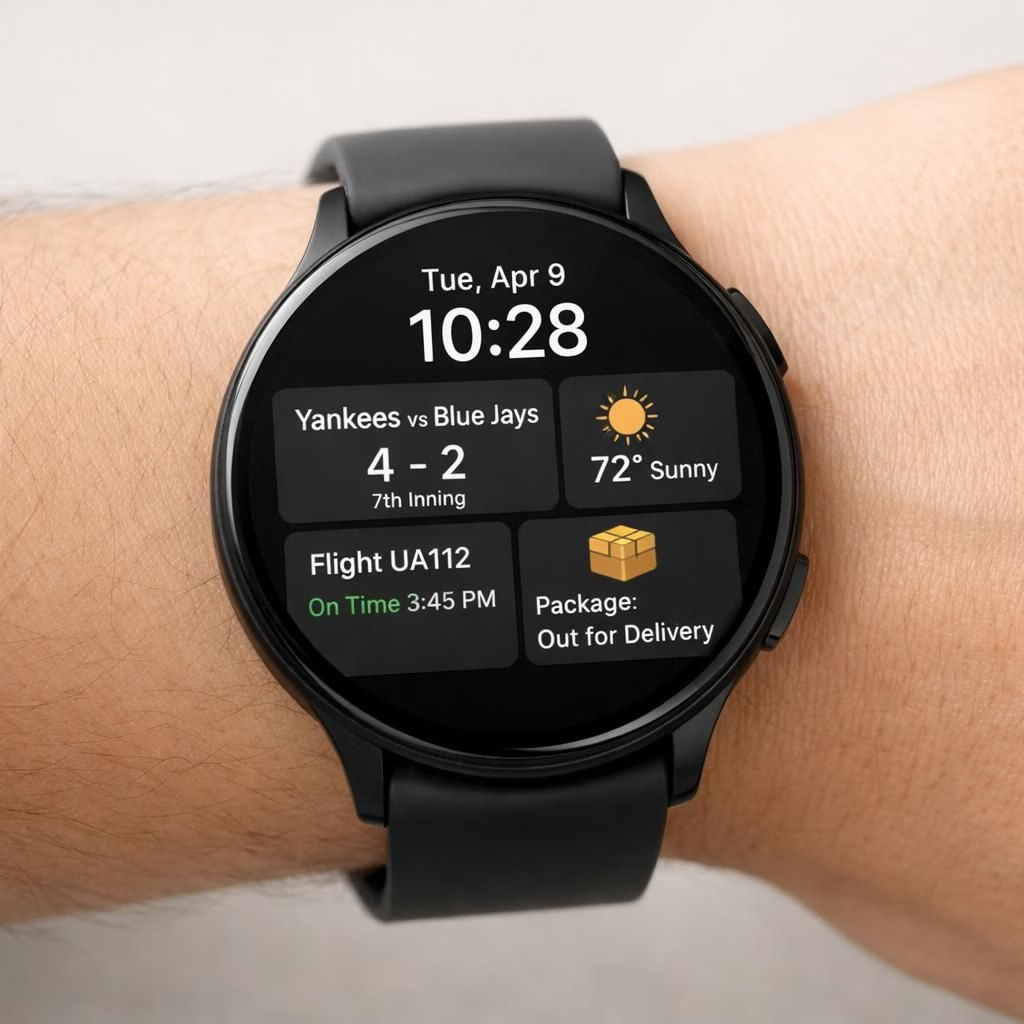
Two prominent ideas are turning up in the wearables world this year: Wear OS 7 and Live Updates. Not a sci-fi premise but a real, practical upgrade from Google that promises smoother widgets, friendlier notifications, and a dash of performance polish. In 2026, Wear OS 7 leans into a more usable, more delightful experience, where Live Updates surfaces relevant snippets without turning the wrist into a full-blown dashboard chase.
Wear OS 7 and Live Updates: Widgets expand a smartwatch’s horizons
The UI polish is light but noticeable. Colors pop without screaming, typography remains legible, and the new widget templates look friendly to the eyes. The core idea is to give the user more relevant information at a glance, without forcing a tap every minute. Live Updates feed surfaces contextually relevant bits on your watch face and in widgets. This means you can see weather, calendar entries, or breaking news without opening apps.
Performance wise, the team has focused on battery life and responsiveness. Apps wake more quickly, animations feel smoother, and transitions between tiles are snappier. For developers, the new APIs for Live Updates mean your app can push small, bite-sized updates that respect the wearer’s time. It’s not about dumping information; it’s about curated snippets that pop when you glance at your wrist. In practice, that means fewer janky refreshes and more meaningful content in real time.
Wear OS 7 and Live Updates: A more delightful pairing for every day
On the hardware side, Google continues to optimize for a range of wearables, from budget-friendly watches to flagship models. The compatibility story remains important: older devices can still receive some of the refinements, while newer watches get more aggressive widgets. The synergy between Wear OS 7 and Live Updates looks like a software-first approach that respects the constraints of a small screen and fluctuating bandwidth. It’s a design that favors glanceable, action-oriented information rather than a barrage of notifications.
As with any platform update, there are trade-offs. The Live Updates feed may feel a touch busier if you enable a lot of widgets, but the settings allow you to trim the fat. Users who prefer minimalism will still have a clean, focused watch face; those who crave perpetual information can craft a dashboard that feels surprisingly capable. The key is a thoughtful balance: Wear OS 7 with Live Updates aims to reduce decision fatigue by giving context at a glance and letting you decide if you want more detail.
From a user experience perspective, the update is about intention. It’s not a radical jailbreak of wearables, but a careful improvement that respects the watch’s constraints while expanding what you can do with a tiny screen. The combination of Wear OS 7 and Live Updates elevates the everyday pace of life, letting you skim the essentials and then dive deeper if needed. It’s the kind of upgrade that makes you wonder how you managed before, especially when the calendar apps align with your day and the weather card nudges you to carry a rain jacket.
Practical tips for Wear OS 7
- Review which widgets you actually use and prune the rest to keep the face clean and glanceable.
- In the Wear OS app, select a few high-priority cards (weather, calendar, reminders) to surface at a glance.
- Balance animations and updates to preserve battery life without sacrificing responsiveness.
- Test on different watch sizes to ensure the layout remains readable and actionable.
These practical steps help you make the most of Wear OS 7 without turning your wrist into a busy dashboard.
Have thoughts about Wear OS 7 and Live Updates? Share your experience in the comments below and tell us which widgets you love or hate.
Original article: Google announces Wear OS 7 with Live Updates, widgets, more. A big thank you to 9to5Google for the original coverage that inspired this post.
External references
References
Original source linkback: https://9to5google.com/2026/05/19/google-announces-wear-os-7/