

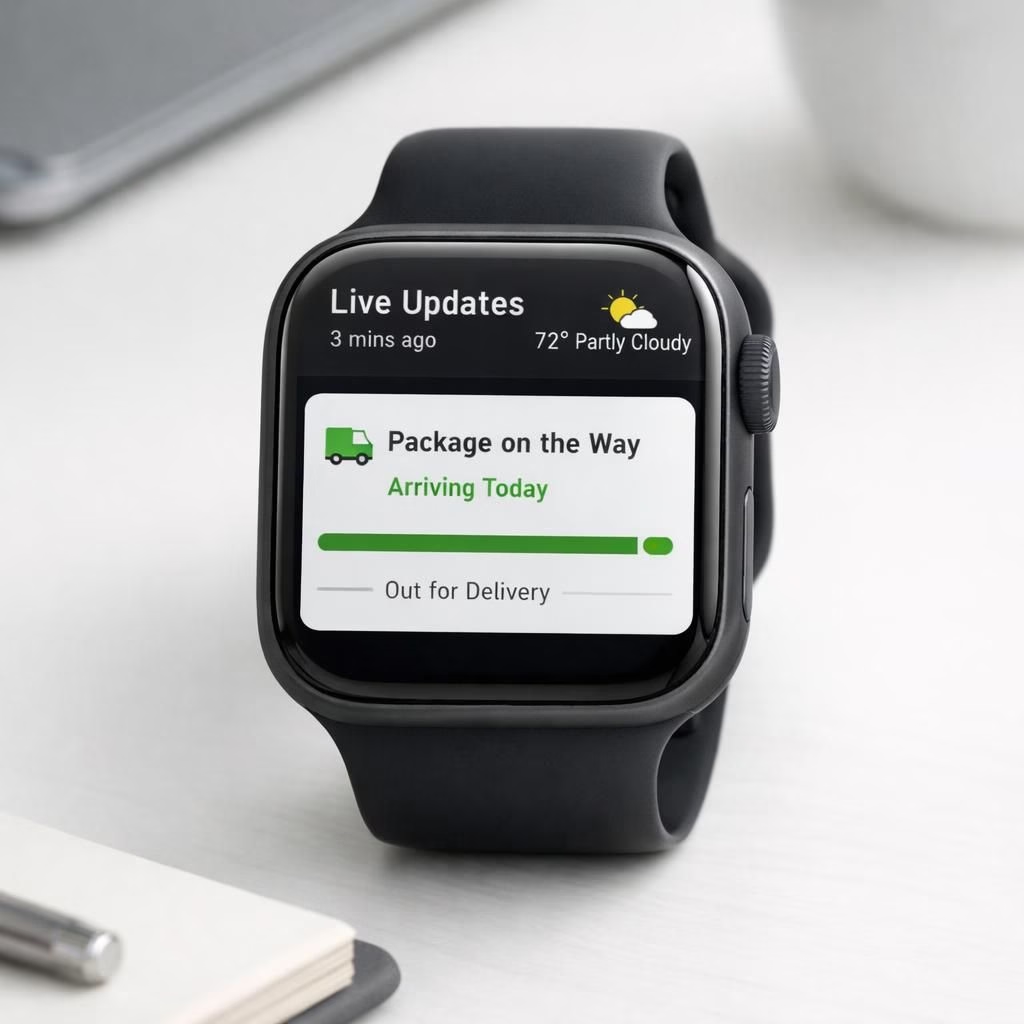
Wear OS 7 promises a small but mighty shift: your wrist becomes a delivery tracker and a tiny scoreboard, delivering Live Updates right on your wrist. The Verge and friends teased widgets that sync with real-world events, so you can pretend to be productive while still checking your delivery ETA. The result is not sci-fi; it is a practical, mildly cheeky upgrade that feels like a smartwatch finally reading the room. In 2026, the trend leans toward assistants that actually help, not just gadgets that glare at you from the corner of your eye.
Wear OS 7 and Live Updates: The 2026 Refresh You Can Feel
What matters most is speed and relevance. The interface leans into glanceable cards for deliveries, a live sports snippet, and a weather line. A real-time ETA and courier status appear at a glance, and Live Updates are designed to feel instant rather than decorative. The goal: you tap once to see details, and you don\’t have to wake your phone to chase down a status update. This is where the platform earns its keep: practical, friendly, and quietly confident about delivering information when you need it.
- Delivery tracking on the wrist with real-time ETA and courier status via Live Updates.
- Sports scores and scoreline previews pushed as useful snippets.
- Customizable widgets that you can rearrange by priority.
- AI health updates that suggest actions based on activity, sleep, and heart rate.
Behind the curtain, a smarter background sync and privacy-aware rules prioritize time-sensitive data. If you ever miss a delivery alert, the watch nudges you with a subtle ping. Live Updates drip in as soon as the final whistle sounds, giving you a micro-win without pulling you into a notification vortex. The satire here is that the device can feel like a tiny assistant with a calm sense of humor, delivering news with neutral zest rather than drama.
Live Updates: Widgets That Wake Up Your Day
Personalization becomes the star feature. You can choose which updates appear on the face, and you can pin core apps to ensure you see what matters at a glance. For commuters, the delivery widget is a small but mighty helper; for sports fans, the Live Updates live score widget is a reliable companion. The 2026 refresh rethinks widgets so they load quickly, stay clean, and remain useful even in battery saver mode. The design moves from feature-bloat toward feature-clarity, which is exactly what users crave when they rely on a device all day.
- Fast-loading widgets with live data.
- Compact UI that remains legible on small screens.
- Battery-efficient background syncing.
- Privacy-first toggles and opt-ins for data sharing.
What this means for everyday users: less digging, more doing. You get timely updates when you want them, and the watch respects your hands-free moments. You can carry on with tasks and still stay informed about deliveries, games, health checks, and the occasional weather blip.
Looking ahead to 2026, this refresh signals a maturing device class that aims to be a reliable daily companion. The Live Updates approach, anchored in practical use cases, helps people feel in control rather than overwhelmed by data streams. While health AI features will evolve, the current direction remains pragmatic and human-friendly, with a wink of humor for those long mornings when coffee shopping data is the only thing that keeps you moving.
Have thoughts on how you would use Wear OS 7 and Live Updates in your day? Share your thoughts in the comments.
Original article: The Verge on Wear OS 7 coverage — thank you for the original reporting. The Verge.
Frequently Asked Questions
What is Wear OS 7 focusing on with Live Updates?
In short, the update centers on timely information delivered right to your wrist, with a strong emphasis on Live Updates that feel helpful rather than interruptive.
Can I control privacy while using Live Updates?
Yes. You decide which widgets wake up and which data sources contribute to Live Updates, helping you keep control over what your watch shares.
How do I customize widgets for quick glances?
From the watch face, you can pin essential widgets, reorder them by priority, and choose which apps push updates to your screen.
Conclusion: A pragmatic path forward
Wear OS 7 is becoming a dependable daily companion, with Live Updates acting as a practical bridge between tasks and tiny wins. The focus on useful widgets, privacy controls, and user-friendly health insights makes the platform feel more human and less flashy.