

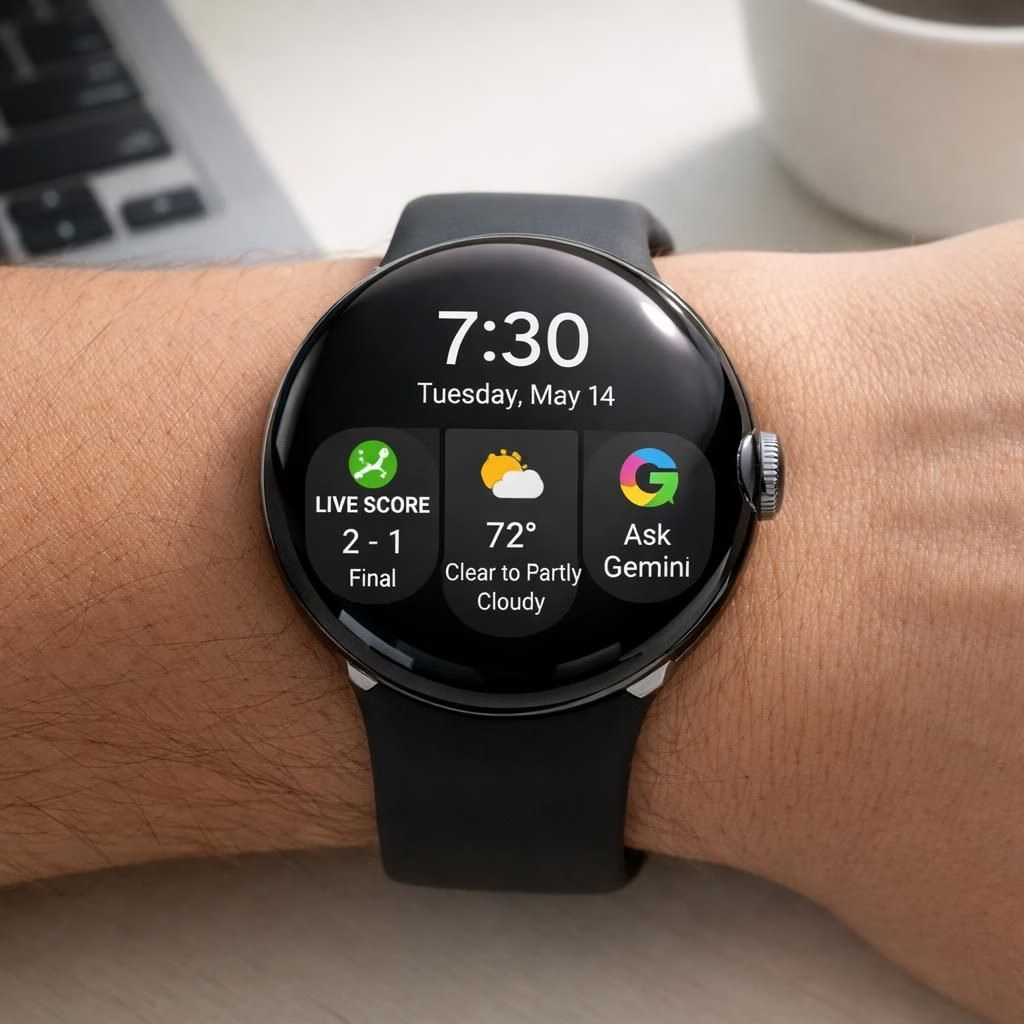
Welcome to a slightly shiny update for Wear OS 7 and Pixel Watch enthusiasts. In 2026, Google ships a smarter wrist companion that promises longer battery life without turning your device into a kitchen appliance. The Wear OS 7 experience now includes Live Updates and Gemini AI, and the Pixel Watch waltzes along with more smarts, not more weight on your wrist. Yes, the future is here, and it fits on a strap.
Wear OS 7 and Pixel Watch: A 2026 upgrade that respects your time
Wear OS 7 lands with a focus on practical convenience. Live Updates keep you informed without forcing you to pull out another screen. Gemini AI runs quietly in the background, helping you with calendar nudges, quick replies, and routine tasks. The Pixel Watch benefits too, receiving smoother transitions and faster response times, thanks to tighter software optimization and smarter power handling. This is not a gimmick; it is a thoughtful enhancement that makes your wrist feel less like a gadget and more like a dependable sidekick.
Wear OS 7 on Pixel Watch: Gemini AI at the ready
Gemini AI on Wear OS 7 reads your day and offers proactive suggestions. It can summarize messages, draft short responses, and fetch relevant information during workouts or commutes. The integration feels natural, not forced. The Pixel Watch receives new watch faces and tweaks that showcase the updated UI without overwhelming the screen. You can still glance at your steps, heart rate, and notifications, but now with a little extra context ready to go.
Wear OS 7 boosts battery life and Live Updates in Pixel Watch
Battery life is the recurring hero in this story. Google has tuned background refresh rates and optimizations to stretch a workout or a long workday. Live Updates push content like weather, meeting changes, and flight statuses in a timely, unobtrusive way. You do not need to open apps to see the latest. The results are not only practical but also a bit satisfying, like finishing a puzzle you didn’t realize you were solving. For many users, this means fewer interruptions and more productive moments on a single charge.
Beyond power tweaks, the update emphasizes reliability. The Pixel Watch now feels quicker when you launch messages, switch apps, or check health metrics. The hardware–software synergy shines when you are running late, grabbing a coffee, or sprinting to catch the bus. The experience remains approachable for newcomers while offering depth for power users who want more control over notifications and privacy settings. Wear OS 7 and Pixel Watch work together to reduce friction, not add it.
For developers and tinkerers, this update also opens doors. Gemini AI can be used to craft short, context-aware responses, manage reminders, and pull in data from supported services. The overall effect is a smartwatch that anticipates needs without becoming bossy. The design keeps things clean, with a focus on legibility and fast access to the essentials. As you navigate daily life, Wear OS 7 on Pixel Watch becomes less of a novelty and more of a reliable partner in crime, minus the crime part, of course.
If you like to nerd out on features, you will enjoy how Live Updates stay lightweight. The system prioritizes your most important data first, then fills in the gaps if you ask for more details. The result is a smoother, calmer experience that still feels contemporary. The weather card, calendar alert, and message previews arrive just when you need them, not when you don’t. That careful pacing is exactly what makes Wear OS 7 feel mature rather than flashy.
Of course, a release like this invites a few questions. How does Gemini AI handle privacy on Wear OS 7? How much control do you have over what updates push to your Pixel Watch screen? The short answer is: you stay in the driver’s seat. You can tailor notifications, choose which apps refresh in the background, and decide when you want quiet time. The emphasis remains on a friendly, non-intrusive experience that respects your time and your wrist.
In the end, Wear OS 7 for Pixel Watch represents a thoughtful evolution. It blends Live Updates with AI assistance and an efficient battery plan, delivering a smarter but still approachable device. The partnership between Wear OS 7 and Pixel Watch feels natural, not forced, and that is exactly what wearable tech should do. You get more value out of small moments—checking a notification, confirming a plan, tracking a workout—without a lot of fuss. The result is a smoother day that feels powered by design rather than hype.
Practical tips to get the most from Wear OS 7 on Pixel Watch
- In the Wear OS app, tailor Live Updates to show only essential items such as weather, calendar changes, and reminders. This keeps the surface calm and focused on what matters.
- Use Gemini AI smart prompts to draft quick replies or to pull in context before replying to messages on the Pixel Watch.
- Adjust privacy controls and notification settings to minimize interruptions while you work or work out on the go.
- Choose a lightweight watch face and reduce on-screen complications to extend battery life on the Pixel Watch.
Frequently asked questions
- Q: Is Gemini AI on Wear OS 7 truly private?
A: Google emphasizes on-device processing where possible and lets you tune what data Gemini AI can access. You can opt out of sensitive data sharing in privacy settings.
- Q: How much control do I have over Live Updates?
A: You decide which updates push to your wrist and when. Quiet time and notification rules help you stay in control without missing important alerts.
- Q: Does the update require a lot of battery?
A: The story centers on efficiency. Background refresh and power optimizations are designed to extend a typical workout or workday.
Conclusion and takeaway
Wear OS 7 on the Pixel Watch represents a thoughtful evolution that aims to be useful without being intrusive. You gain smarter context, a steadier battery, and a calmer, more capable wrist companion that respects your time. If you’re due for a software refresh, this update is worth exploring on your daily routine.
References
External note: For official details, see the Wear OS official page: Wear OS official page.