

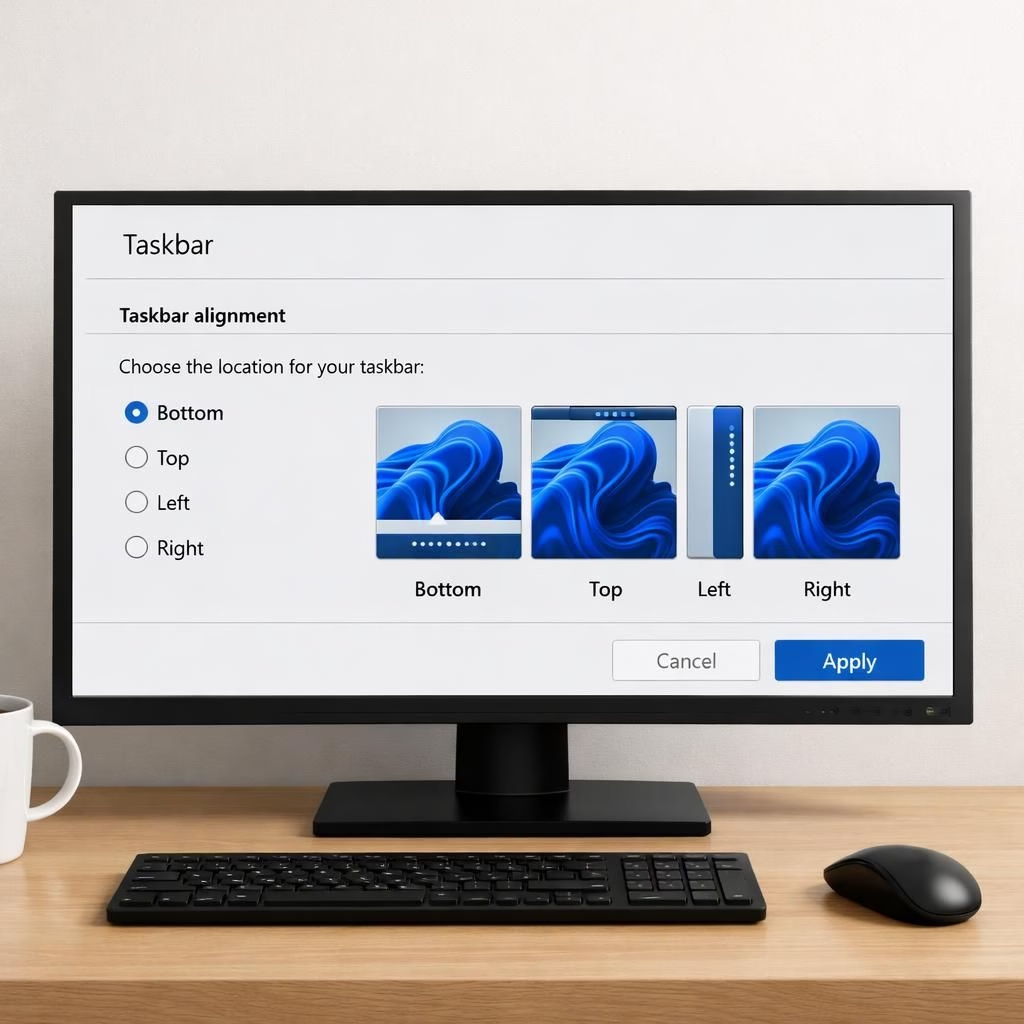
Within Windows 11, the Taskbar gets a friendly makeover in a new experimental test. Insiders in the Experimental channel can reposition the Taskbar along the four edges and adjust icon alignment. You can move the Taskbar to bottom, top, left, or right and open the Start menu drawer from that edge. There’s also a Small or Large Start menu option for compact laptops or roomy desktops.
Windows 11 Taskbar Moves: Playful Yet Practical
The real-world effect is simple: the Taskbar becomes more portable. The four-edge placement means you can position it where your eyes and hands travel most. Icon alignment is adjustable, so your favorite apps sit exactly where you expect them. Opening the Start menu from any edge reduces cursor sweeps, and the shorter Taskbar option on smaller displays saves vertical space. The Small or Large Start menu sizes let you balance visibility with speed. These choices feel practical, improving daily use without a dramatic redesign. Inevitable refinements like these fit with Windows 11’s broader focus on steady, user-centered tweaks.
Taskbar Personalization Ahead
Microsoft has also refined the Start menu experience. New toggles let you show or hide the Pinned, Recent, and All sections, so you can clean up the look or keep a short list of favorites. The company renames the “Recommended” section to “Recent” to better reflect what it shows, including recently installed apps and recently used files. If you’re sharing your screen or delivering a presentation, you can hide your name and profile picture from the Start menu for a cleaner look. You can switch between a small Start menu and a larger one when needed. These changes are small but meaningful, reinforcing the idea that trust grows from steady, visible progress rather than sudden overhauls.
Rollout timing is practical as well. Microsoft says Insiders in the Experimental Channel will see these features in the coming weeks, which means updates may arrive gradually rather than in one patch. The design director, Diego Baca, emphasizes that Start and Taskbar are where trust is tested most, every time you sit down at your PC. The tone is calm, underscoring that Windows 11 earns trust through dependable, incremental improvements rather than flashy promises.
Beyond the surface, these tweaks promise easier navigation and fewer keystrokes in the morning rush. Positioning the Taskbar where muscle memory expects it reduces mental effort when starting the day. With the Start menu changes, you can tune what you see first, whether you work fast or take your time. The Small vs Large Start menu choice isn’t a gimmick; it’s a practical adjustment for different workflows. Overall, the testing shows Microsoft listening to user input and turning it into real improvements rather than slogans.
As a reader, you may notice the blend of caution and playfulness here. The project shows even a mature platform like Windows 11 benefits from fresh angles on familiar elements. The movable Taskbar, the Start menu toggles, and the rename to Recent all reflect a simple idea: alignment with how you work matters more than flashy design.
Original article: The Verge — Thank you for the original reporting on these Windows 11 Taskbar experiments. What do you think about movable Taskbar and adjustable Start menus? Share your thoughts in the comments.
FAQ
-
When will these features roll out to all Windows 11 users?
Microsoft says the changes will appear first for Taskbar and Start menu tweaks to Insiders in the Experimental Channel over the coming weeks, with broader availability later.
-
Can I hide my name or profile picture in Start?
Yes. The Start menu can hide your name and profile picture when presenting or sharing your screen, offering a cleaner look.
-
How do I access the new Taskbar alignment?
In Settings > Personalization > Taskbar, you’ll find options to move the Taskbar to different screen edges and adjust alignment to your workflow.
Conclusion
In short, these updates demonstrate that Windows 11 continues to evolve through steady, practical tweaks rather than radical overhauls. If you value a cleaner desktop, flexible layouts, and fewer mouse steps, the movable Taskbar and Start menu tweaks could offer a meaningful upgrade to your daily routine.