

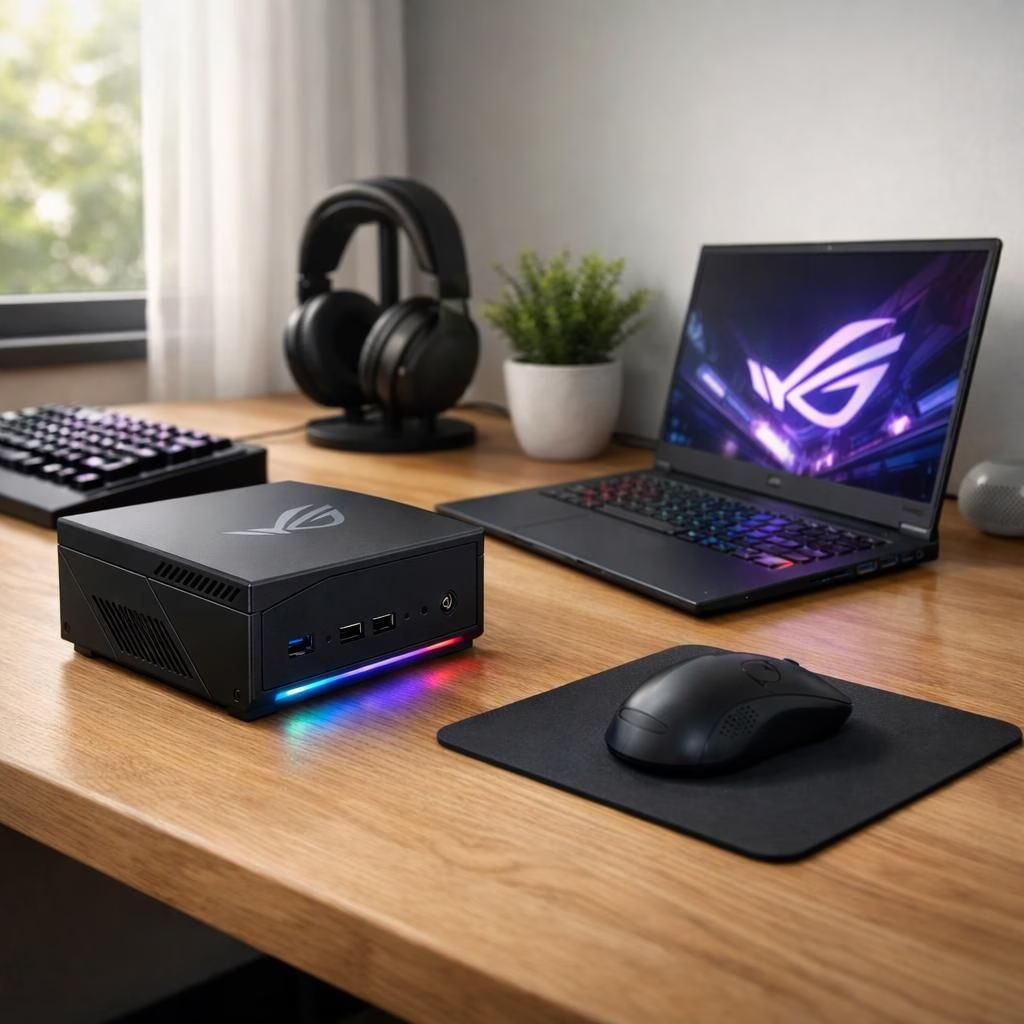
In 2026, the ROG NUC 16 is the poster child for tiny yet mighty mini PCs, and ASUS ROG fans cheer as the brand blends speed with style. This guide celebrates how a compact powerhouse can spark big gaming sessions without demanding a full desk of space or a mortgage.
ROG NUC 16: Tiny Powerhouse for 2026
The ROG NUC 16 promises desktop-grade ambitions in a footprint that fits beside your coffee mug. It ships with Intel Core Ultra 9 290HX Plus and an RTX 5080 Laptop GPU, a pairing designed to deliver solid frames, quick boot times, and a clutter-free desk. Pricing clocks in around four grand in many markets, which is not cheap, but for many users it becomes a long-term investment in compact performance.
For creators and gamers alike, the beauty is in simplification: a tiny chassis, big potential, and a cooling design that doesn’t resemble a space shuttle. The ROG NUC 16 sits in the sweet spot between a compact living room PC and a proper desktop monster, appealing to people who want power without ceremony.
As with any premium device, expectations meet reality. The ROG NUC 16 handles demanding titles at solid frame rates, runs multiple browsers and streaming software without sweat, and can be configured to double as a quiet workstation for code, design, or content creation. It is a case study in how to pack high-end components into a slim form factor while keeping the cables neat and the desk surface uncluttered. In everyday use, you notice the difference when you open a dozen tabs or render a video—the system doesn’t flinch.
For home theater enthusiasts, the ASUS ROG mini PC doubles as a streaming hub with a quiet fan profile. The compact size means it can hide behind the TV while still delivering 4K video and smooth UI transitions. It’s not a gaming console, but it behaves like one when you want it to.
ASUS ROG: The Brand Climbing Portable Gaming Ladders
ASUS ROG’s ecosystem continues to expand, and the ROG NUC 16 sits squarely in the brand’s philosophy of “power where you want it.” The company’s Zephyrus G14, as reported in industry outlets, is making headlines in North America with its own sleek form factor and a GPU lineup that shifts away from the RTX 5080 in some SKUs. This shows a willingness to experiment with regional configurations, balancing performance and price for different markets. The overall impression remains: ASUS ROG aims to keep gamers mobile without sacrificing punch.
In practice, the ASUS ROG line isn’t trying to replace a desktop; it offers a distinct path for people who want high performance in a smaller footprint. The company’s engineering teams emphasize airflow and serviceability, so you can upgrade storage or memory as needed. The result is a versatile device that works well as a compact gaming rig, a creator workstation, or a media center connected to a big screen and a premium speaker setup.
For gamers who crave portability without compromising visuals, the lineup demonstrates that compact PCs can go toe-to-toe with larger systems. It’s part of a broader trend toward tiny towers—loud in performance, quiet in noise, and friendly to your desk color scheme. The brand uses familiar cues—RGB accents, a clean aesthetic, and software that helps you tune performance—to make the experience approachable, not intimidating. This branding purrs with confidence.
Pricing and availability differ by market, but the general idea remains clear: you are buying a system that behaves like a larger desktop, but fits into a much smaller space. For people who learned to live with laptops but wish for more desktop-level grunt, the ASUS ROG NUC 16 offers an appealing middle ground. And for fans of ASUS ROG, this mini PC is a reminder that the brand can blend elegance with a raw gaming appetite without breaking the kitchen budget.
In summary, the ROG NUC 16 shows that 2026 can be the year when tiny doesn’t mean timid. It brings desktop-grade CPU and GPU options into a compact form factor, with a thoughtful cooling system and a price tag that acknowledges premium craftsmanship. The ASUS ROG ecosystem continues to evolve, offering a cohesive experience that blends personality with performance. The resulting balance makes this duo worth watching, whether you are building a compact entertainment hub, a portable creator station, or a high-powered gaming rig with less desk clutter.
Source and thanks: This article builds on coverage from Gizmodo, VideoCardz, and Notebookcheck. Special thanks to the original authors for the reporting: Gizmodo, VideoCardz, Notebookcheck.
Practical setups for the ROG NUC 16
- Compact living room gaming: Pair the ROG NUC 16 with a 4K TV and a wireless keyboard/mouse for a cable-free couch setup.
- Creator workstation: Attach fast storage, a large display, and a color-managed monitor for editing and design work.
- Home theater hub: Integrate with a soundbar and streaming apps to keep your media center tidy behind the couch.
FAQ
- What is the best use case for the ROG NUC 16?
- It shines as a compact gaming rig and portable creator station, delivering desktop-like performance in a much smaller footprint.
- Can I upgrade storage and memory?
- Yes. The design prioritizes serviceability, allowing upgrades to storage and memory where specified by ASUS.
- Which ports does it offer?
- Typical configurations include multiple USB ports, HDMI/DisplayPort outputs, and fast networking options. Check the exact spec sheet for your region.
- Where can I buy it and what about warranty?
- Availability varies by market. Contact ASUS or authorized retailers for pricing and warranty terms in your area.
Conclusion
For 2026, the ROG NUC 16 demonstrates that compact PCs can carry desktop-level power without demanding a full-size desk. The combination of a capable processor, a laptop-class GPU, and an airflow-focused cooling system makes it a compelling choice for both gaming and creative work. If you value space-saving design without sacrificing performance, this mini PC from the ASUS ROG family is worth considering as a mid-range to premium option.