

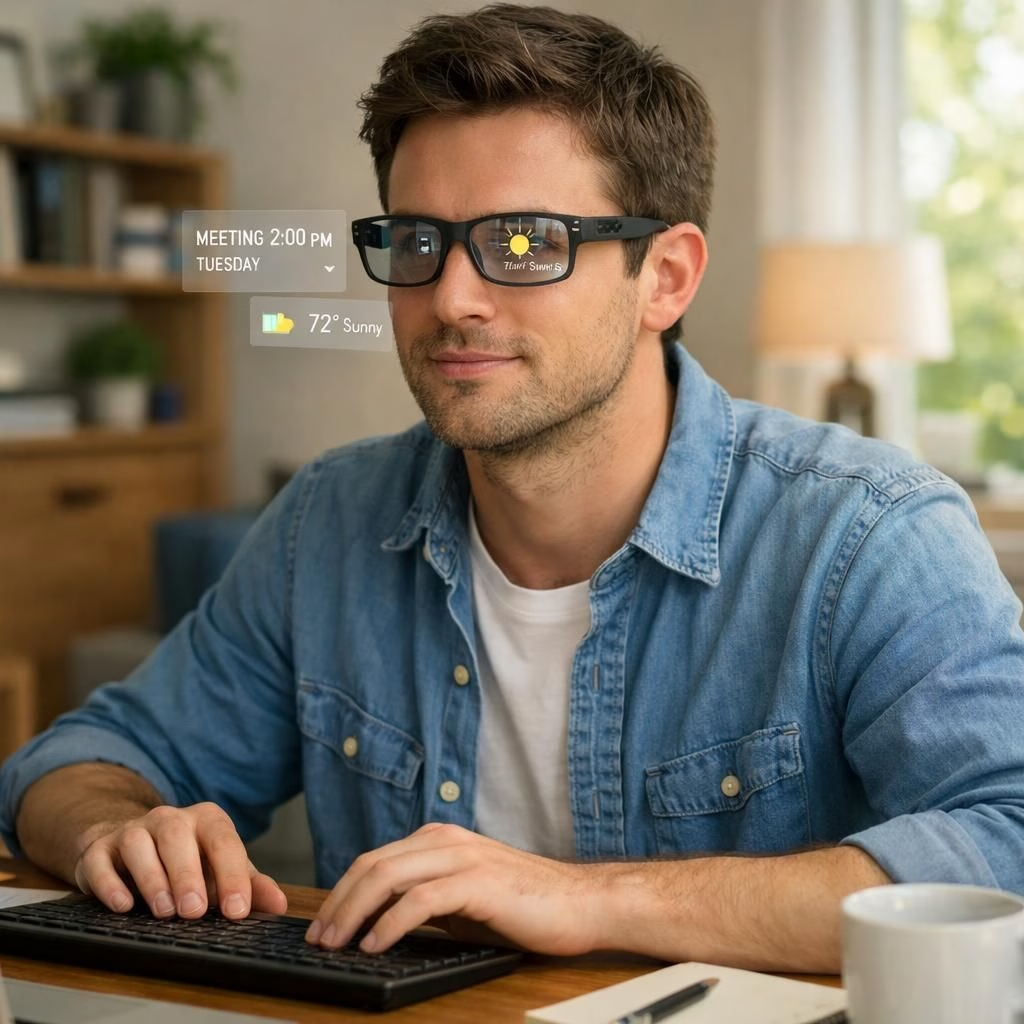
In 2026, smart glasses and Google‘s work on wearables are turning a promising idea into everyday life. The era where eyewear is a conversation starter and an actual helper is no longer fiction; it’s becoming a consumer reality with a smile. Google‘s partnership with Xreal signals a pivot from gimmicks to dependable experiences, while the devices stay light enough to forget you’re wearing them. The goal is comfort first, privacy a shared concern, and software that feels mindful rather than manipulative; that mix could make smart glasses a trusted daily helper rather than a novelty.
smart glasses and Google: the fall preview
For smart glasses, this fall preview means better comfort and a more considered interface, with longer battery life and calmer notifications. The Google-backed Xreal collaboration aims to deliver a wearable that fades into daily routines rather than shouting from the nose bridge. The strategy blends material science with software refinement so the device feels sturdy yet unobtrusive. Privacy prompts get smarter, and there are modes to limit what the lenses display in public or near sensitive information.
The industry is learning to celebrate practical results over flashy demos, and that tone is exactly what users crave when they consider adopting a new habit, not just new hardware. That extra clarity translates to fewer misfires in the wild, and less need for post-purchase troubleshooting.
smart glasses and Google: the wearables landscape evolves
Beyond aesthetics, the software layer matters for smart glasses. The goal is to keep the display quiet until you call it. Google‘s cloud features and developer tools could help bring a gentle ecosystem to life, with apps that respect your attention and your privacy. The PCMag take on Google’s screen-free ambitions hints at a device that stays out of the way when you don’t want it and steps up when you do. The key to broad adoption is a blend of comfort, reliability, and clear, honest marketing that sets expectations rather than promising miracles. Smart glasses will become a steady companion if the experience respects your time and your space. This is not about chasing fashion; it’s about reducing friction in daily tasks. The potential for voice-based summaries, contextual nudges, and low-distraction assistants could turn a fringe feature into a daily tool.
From a consumer perspective, the debate isn’t about sci-fi fantasies but about everyday rituals: commuting, cooking, and catching a quick glance at a message without pulling your phone free from your pocket. The features you want are simple. A crisp field of view, balanced weight, smooth focus changes, and a privacy mode that makes bystanders feel safe about what they might be seeing. The industry is learning that reliability beats wow-factor; that trust attracts early adopters, skeptics turn believers, and families see a shared benefit. If done well, smart glasses become a steady companion rather than a gadget. If the device learns your routine, it can anticipate needs without shouting for attention, and that is a very good thing.
As we move toward a world where smart glasses and Google collaborate to lighten our load, the big questions remain: Do we want displays to drift into view or stay nearly invisible? Will privacy controls keep pace with clever features? Are we ready for a new form of attention management? The industry will respond with updates and iterative improvements, and you can help steer it by sharing your thoughts. Tell us what you think about this evolution in the comments.
Original source material and inspirations: Thanks to TechCrunch for the initial coverage, and thanks to blog.google, PCMag, Fast Company, and bgr.com for additional perspectives. TechCrunch, blog.google, PCMag, Fast Company, bgr.
What do you think about smart glasses and Google‘s role in this evolving space? Share your thoughts in the comments.
Practical steps to get started with smart glasses
- Try comfort first: choose lightweight frames and a balanced weight so you barely notice them when worn.
- Set privacy controls: enable privacy mode in public spaces and review what is shown on screen.
- Fine-tune notifications: tailor which alerts come through and mute nonessential ones during focused tasks.
- Practice voice commands: learn simple phrases for quick summaries and hands-free navigation.
- Test daily tasks: use the glasses during commutes or chores to measure usefulness and battery life.
FAQ
- Are these glasses private by design?
- Yes. Most designs include privacy modes, local processing, and opt‑out settings to limit what apps can show in public.
- How much data is collected?
- Manufacturers often collect usage data to improve features, with settings to disable analytics and controls to limit data sharing.
- Do I need to buy a premium model?
- That depends on your needs for battery life, display quality, and app availability; entry models can still offer core hands-free helpers.
- Can I disable it without losing utility?
- Most systems allow turning off features individually while preserving core functions like navigation and quick summaries.
Conclusion: broad adoption will hinge on comfort, reliability, and transparent communication. Start with small tests in daily routines, and share feedback to help shape responsible growth.