

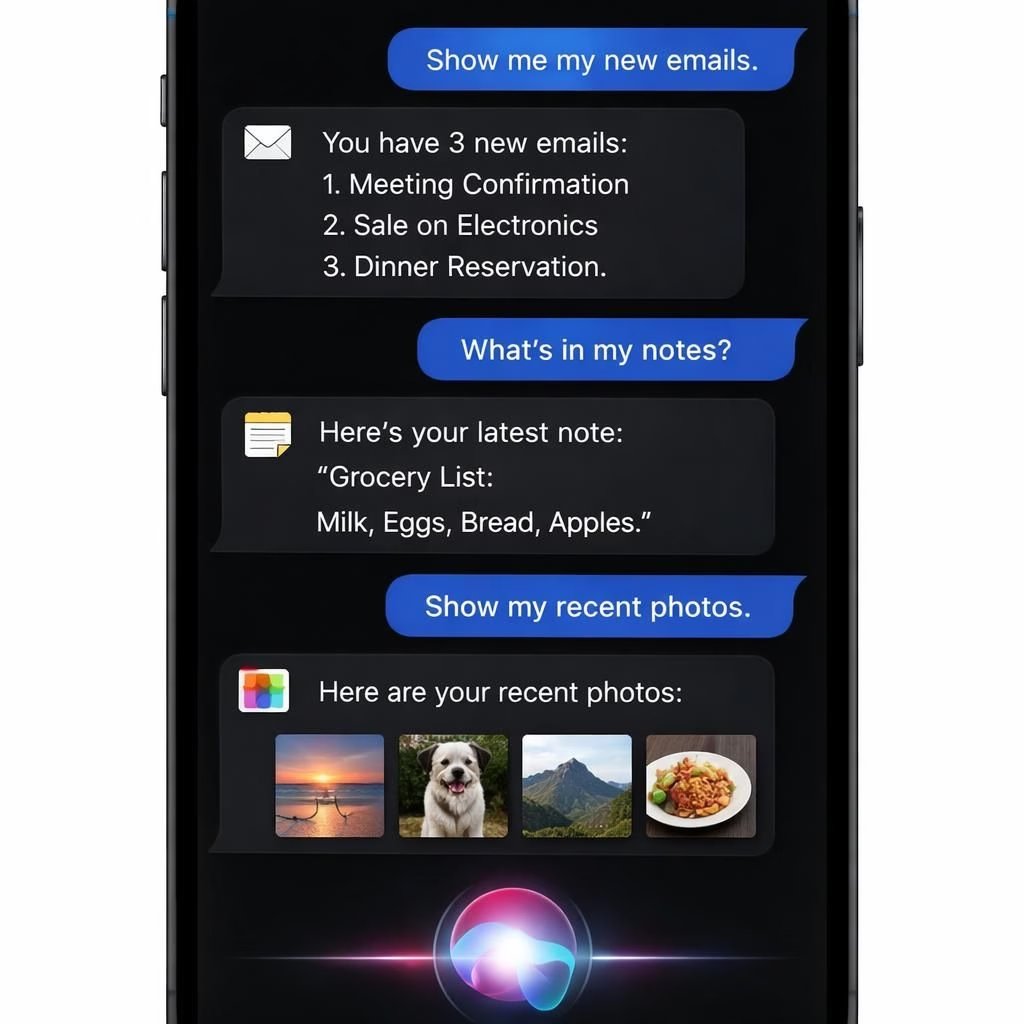
Apple’s upcoming OS trio—iOS 27, iPadOS 27, and macOS 27—will introduce a standalone Siri app for the first time. This isn’t just a rebrand; it’s a dedicated space where Siri doubles as a capable chatbot and, yes, can perform AI-powered web lookups without leaving the app. In short, Siri becomes a more proactive assistant with richer on-device context and a touch of personality.
The AI moniker is not cosmetic. Apple plans to weave the standalone app into the system layer, letting Siri pull from on-device data like emails, messages, photos, calendar, contacts, and notes. This means more personal context, better answers, and fewer headaches when you want to confirm something quickly.
The integration isn’t limited to a single app; Siri will live inside Mail, Messages, Photos, and Apple TV, enabling natural text or voice conversations with a chat-like UI, document attachments, and AI-driven prompts to nudge you toward useful queries.
Siri takes the stage: AI-powered chat across the Apple universe
Bloomberg’s mockup shows a chat interface that resembles what people already know from modern chat apps. Siri will support text or voice conversations with an \”Ask Siri\” bar, and a paperclip attachment icon to add images, PDFs, or other documents. Prompts will offer suggestions on what to ask, helping you discover what you could do with Siri in everyday life. The design leans into a dark theme, which makes the chat bubbles easier to read in low light and fits existing menu aesthetics.
Responses will include links, images, and other information. A history area will present past conversations in a card-style interface with summaries, or a list view. Tapping a conversation lets you continue where you left off, a small UX win that keeps you in the flow rather than hunting for old notes.
Practical uses with Siri
- Draft messages across Mail and Messages
- Find attachments or notes and pull them up quickly
- Summarize long emails or notes for a quick read
- Look up calendar availability and plan tasks
Design and UX: Siri as a confident AI companion
The interface across both the dedicated app and the system-wide experience aims for a cohesive look. Apple is testing a dark color palette with subtle accent colors, reflecting a mature but friendly AI persona. The Swift bird logo on a near-black backdrop will accompany the vibe, echoing the current Siri animation without feeling loud. The UX choices are deliberate: chat-like bubbles, clean typography, and predictable attachment placement to keep users comfortable with the AI-powered assistant.
Beyond aesthetics, the real payoff is context. Siri can leverage on-device data to tailor responses without sending sensitive items to the cloud. That means you get smarter suggestions while preserving privacy. The AI-powered assistant can guide you through everyday tasks by linking your email, calendar, and notes in meaningful ways, whether you’re composing a message, planning a trip, or organizing a project.
As this feature approaches unveiling at WWDC 2026, expectations are high but grounded. This is not a sci-fi fever dream; it’s a thoughtful extension of the AI-assisted paradigm that already exists in consumer tech, tuned to work with Apple’s privacy-first philosophy. The result should feel familiar and helpful, not invasive or overwhelming for most users, while still feeling distinctly modern and capable as an AI-powered assistant.
For developers, the standalone Siri app opens opportunities to build richer workflows, with prompts and attachments flowing through familiar apps. The design invites practical use cases: drafting messages, finding documents, summarizing notes, and pulling up relevant calendar events—all powered by Siri and the AI engine behind the scenes.
In the broader tech narrative, the move makes sense. Apple has long balanced on-device processing with cloud intelligence. A standalone Siri app that can operate across Mail, Messages, Photos, and Apple TV while providing a history of chats and a card-style interface aligns with how people actually work: ask a question, get a result with links or files, and return to the task without leaving your current app.
Whether you embrace this level of integration or prefer a lighter touch, the trend is clear: AI is moving from a solve-it-now tool to an embedded collaborator. Siri, once a basic voice assistant, could become a trusted partner across your digital life, stitching together messages, photos, and notes with a click or a voice command. The result could be a more organized day and a more confident AI friend who can fetch information from the web when needed while staying mindful of on-device privacy and context.
Thanks to Bloomberg’s Mark Gurman for the mockup that informed this analysis. The original Bloomberg piece offers more context and sketches that helped shape these expectations. You can explore Bloomberg’s coverage here: Bloomberg original coverage.
We invite you to share your thoughts in the comments below. What do you think about a standalone Siri AI app? Is this the kind of everyday enhancement you want, or would you rather keep things simpler and lighter?
Original reporting and attribution: Special thanks to Bloomberg for the mockup and background material that inspired this piece. Original article: Bloomberg.
References
External references
- Bloomberg coverage of Siri app mockup
- Apple WWDC 2026 overview
- The Verge: Gemini Spark AI experience