

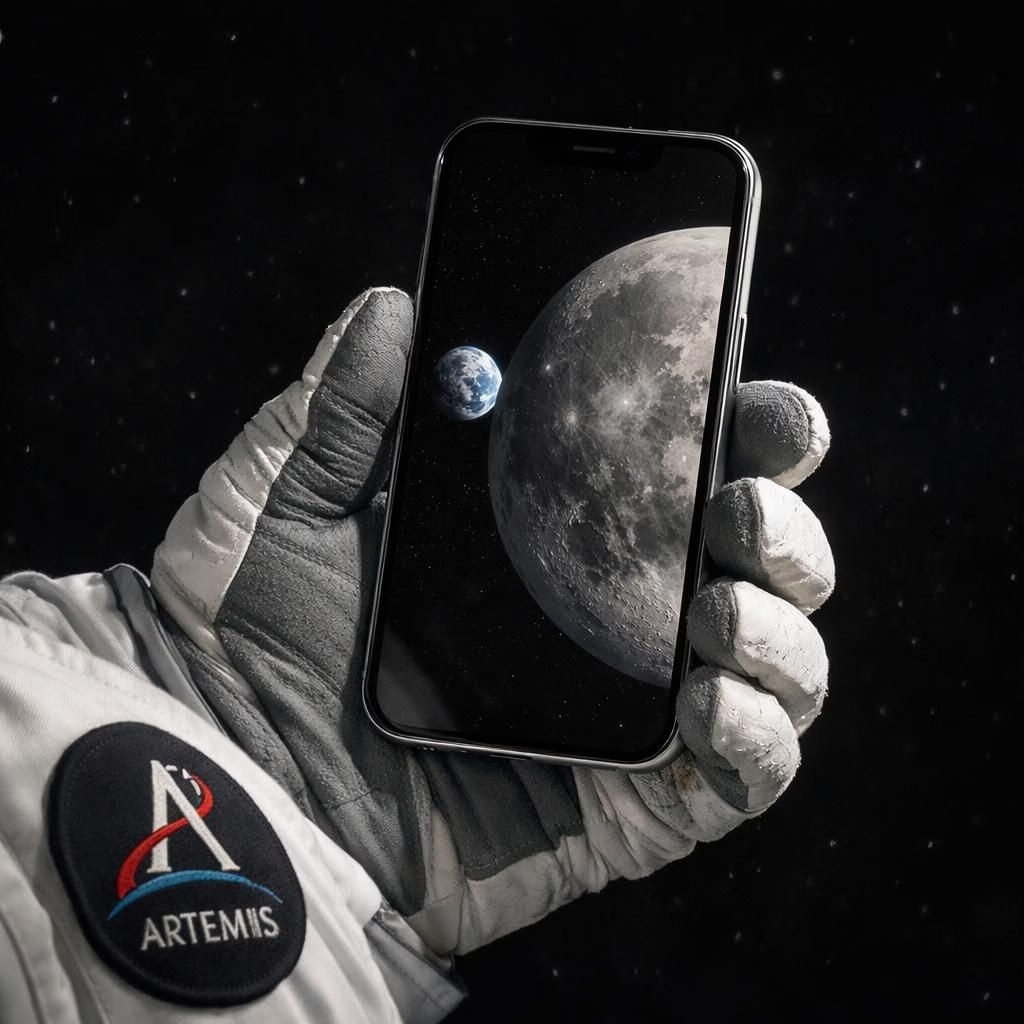
When NASA released a gallery of images captured with the iPhone and the Artemis II mission to the Moon, people did what they do best: marvel, joke, and question physics. The star of the show? The iPhone 17 Pro Max, held by astronauts who know when to press the shutter and when to pretend the camera isn’t there. These Artemis II photos prove you can do serious exploration with accessible tech, even as you chase the big questions about distance, dust, and daylight on the lunar horizon.
iPhone in Space: Artemis II Bridges Public Curiosity and Science
The iPhone 17 Pro Max’s sensor, HDR processing, and RAW capture capabilities allow astronauts to frame the Moon with Earth in the backdrop. The team carefully stabilized the device on a mount, letting the phone handle basic processing before the data linked back to Earth. This isn’t a full-frame DSLR, but it shares the spirit and intent of early space photography.
Beyond the visuals, the project emphasizes education. The Artemis II images help students see texture on the lunar surface, sun angle on crater rims, and how contrast shifts in the vacuum. The files remain compact enough for quick sharing in classrooms while still offering large-print potential for displays. NASA officials and educators alike view this as a bridge between lab benches and living rooms.
Extras and context: metadata such as time stamps, exposure, and focal length are part of the catalog. The team avoids heavy processing to preserve authenticity. The aim is simple: astronauts are on a real mission, and everyday devices can capture meaningful moments without replacing specialized equipment. The iPhone’s role is to augment, not overshadow, the mission’s scientific goals. For broader context, you can explore official mission materials from NASA’s Artemis II program.
Academia and industry observers note a practical takeaway: if pocket-sized devices can document humanity’s steps toward the Moon, schools, hobbyists, and citizen scientists can participate in the conversation. It lowers barriers to storytelling about Artemis II and related campaigns. It also invites discussion about how we define quality in space imagery, and whether the charm of a smartphone shot matters as much as the underlying data. The iPhone remains a tool, Artemis II remains the stage, and the Moon remains a stubbornly beautiful reminder of what we aim to learn.
As you digest these lunar photos, imagine framing your own view of Artemis II with an iPhone in one hand and a curious mind in the other. The merge of consumer tech and frontier science signals a trend: accessibility does not come with lax standards. It embodies collaboration between builders who value purpose and storytellers who share with enthusiasm. The Moon is no longer out of reach for ordinary devices that want to tell extraordinary stories.
Special thanks to MacRumors for the original reporting.
Artemis II Spotlight: iPhone Photography Lands on the Moon
Beyond the novelty, the photos serve educational value. They show the Moon’s texture up close, the sun angle on crater rims, and how contrast changes in the vacuum. The iPhone 17 Pro Max’s files are small enough to share quickly with classrooms and newsrooms, yet large enough to print on a poster. This combination makes space more relatable to non-experts and strengthens public support for future missions of the Artemis program. Artemis II becomes a bridge between lab benches and living rooms.
Engineers and communicators also note how metadata helps. Time stamps, exposure, and focal length are part of the shot catalog. The team avoids over-processing to preserve authenticity. The goal is to tell a clear story: astronauts are on a real mission, and everyday devices can capture the moment without pretending to replace specialized equipment. The iPhone’s role is to augment, not overshadow, the mission’s scientific goals. For authoritative context, see NASA’s Artemis II overview.
The broader takeaway is practical and aspirational. If a pocket-sized device can document humanity’s steps toward the Moon, then schools, hobbyists, and citizen scientists can participate in the conversation. It lowers the barrier to storytelling about Artemis II and related campaigns. It also invites questions about how we define quality in space imagery, and whether the charm of a smartphone shot matters as much as the data behind it. The iPhone remains a tool, Artemis II remains the stage, and the Moon remains a stubbornly beautiful reminder of what we aim to learn.
Practical steps for iPhone space photography
- Stabilize with a lightweight mount or tripod to minimize shake and keep framing intentional.
- Expose with care use HDR or RAW capture to preserve lunar detail on crater rims and the shadowed plains.
- Keep it simple place Earth in the frame or isolate a single lunar feature for impact.
- Review metadata note time, exposure, and focal length to help reproduce or compare shots later.
- Respect the mission prioritize safety and mission needs over aesthetics; the device should augment the science, not distract from it.
FAQ
- Can an iPhone really capture space photos with quality? Yes. With careful settings, stabilization, and light processing, smartphone images can complement traditional gear.
- Does this change NASA photography practices? It highlights storytelling potential and public engagement, while preserving the core role of specialized equipment for science.
- How does this affect education? It lowers barriers for classrooms and hobbyists to discuss Artemis and space exploration in concrete, visual terms.
- Where can I learn more about Artemis II? Start with official NASA resources for mission details and context.
Conclusion
The Moon remains a powerful teacher, and the iPhone’s role in Artemis II imagery shows that accessible tech can expand participation without diluting rigor. Whether you’re a student, educator, or curious reader, you can be part of the conversation using your own device and a thoughtful approach.