

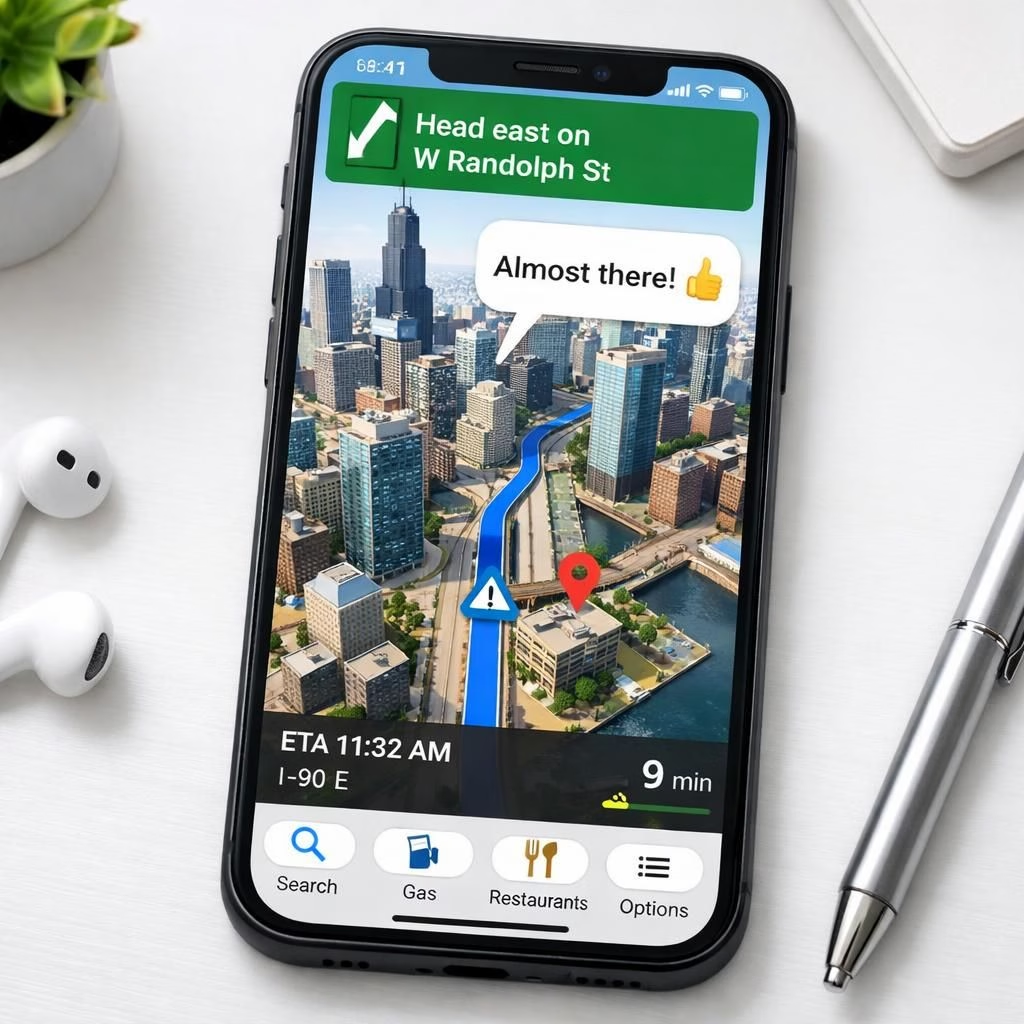
In 2026, Google Maps rolls out two big features—Ask Maps and Immersive Navigation—that feel like a GPS with a personality. Using Gemini-powered upgrades, Maps becomes a smarter travel buddy that remembers your vegetarian favorites and nudges you kindly when you veer off course. From a database of over 300 million places and reviews from more than 500 million contributors, Maps now speaks in a warmer voice and suggests smarter routes with less drama. This upgrade is real and usable today, delivering a familiar relief as navigation finally makes sense of your chaotic commute.
Ask Maps: Conversational travel guidance
Ask Maps is a conversational interface that lets users ask Google Maps complex, real-world questions in natural language, by text or voice, and receive personalised answers. Google says these responses are drawn from information about over 300 million places and reviews from more than 500 million contributors worldwide. For example, you can say, “I want to go to Noida Sector 18 from Connaught Place, suggest best way to reach there and recommend restaurants nearby for vegetarian dinner.” Ask Maps will provide clear directions, options for transport mode, estimated arrival times, and tips pulled from reviews as well as relevant information about restaurants. When Maps has access to your history—places searched, saved or visited—Ask Maps can offer personalised recommendations without you sharing more details. In practice, this means fewer endless searches and more confident decisions as you cruise into the next stop with a smile. And yes, if you prefer a quick chat, Ask Maps can handle that too, so your route planning feels a little less robotic and a lot more human.
Openly pragmatic, Ask Maps also helps with tricky questions: what buses, trains, or rideshare options minimize total travel time, how to combine modes efficiently, or whether a street you’ve scoped is worth crossing. The system isn’t guessing blindly; it pulls from a vast ecosystem of places and user reviews to suggest restaurants, coffee shops, or scenic detours that fit your vibe. If you’ve got a regular spot, Ask Maps can remember it and push it to the top of the list—convenient, friendly, and just a tad obsessive in the most useful way. With Ask Maps, your queries become a conversation, and the conversation becomes a smarter itinerary. Ask Maps can tailor suggestions based on your preferences and past activity, so you don’t have to spell out every tiny detail again and again. With Ask Maps, your past searches become a quiet guide, and Ask Maps learns your preferences over time.
Ask Maps is rolling out now in the United States and India on Android and iOS, with a desktop version coming soon. The rollout is designed to be gradual and practical, letting drivers and pedestrians alike acclimate to a smoother, more conversational flow. In the real world, that means fewer detours caused by ambiguous prompts and more instances of “Yes, that’s exactly the route I wanted.”
Immersive Navigation: A 3D road view
Immersive Navigation marks a full redesign of the driving experience. The update delivers a vivid, real-time 3D view of the world around you as you drive. Buildings, overpasses, and terrain now appear as they actually look, giving users a spatial understanding of where they are instead of staring at a flat, abstract map. Maps will also highlight critical road details such as lanes, crosswalks, traffic lights, and stop signs to help you make correct turns. This feature is powered by Gemini models analyzing fresh imagery from Street View and aerial photography to deliver an accurate, up-to-date picture of the road ahead. It’s not just pretty; it’s practical, turning guesswork into perceived certainty as you navigate through busy intersections and unfamiliar neighborhoods.
Immersive Navigation also broadens the view of the route with smart zooms and transparent building overlays that let you see around corners and prepare for tricky turns well in advance. Voice guidance has been updated to sound more natural, blending seamlessly with your driving rhythm. Instead of the stale line, “In 500 metres, take the exit,” you might hear, “Go past this exit and take the next one for Illinois 43 South.” Google says the system can offer practical tradeoffs when alternate routes exist, such as, “This route is three minutes longer but avoids motorway construction.” Immersive Navigation also addresses the tedious final moments of a drive: it highlights the building’s entrance, nearby parking options, and which side of the street you need to be on, dramatically reducing the “where do I park?” confusion as you arrive at your destination.
In practical terms, Immersive Navigation gives you a broader sense of space, which lowers the cognitive load during complex maneuvers. It’s not just about looking cool; it’s about keeping your eyes on the road and your mind at ease as you anticipate turns, lane changes, and crowded urban corridors. The integration of real-world imagery with live routing makes the experience feel more reliable, especially in areas where street layouts can be confusing to the uninitiated. Immersive Navigation is rolling out across the US first, then expanding to other regions as devices and car systems catch up with the 3D data stream. As more cars integrate Google-built features, the road becomes a shared, better-lit stage for your everyday journeys.
With Immersive Navigation, you get a sense of space rather than a flat diagram. Immersive Navigation lets you see beyond the next turn and plan your approach with confidence. Together with Ask Maps, the two features represent a thoughtful push toward navigation as a cooperative experience rather than a one-way instruction sheet. The combination feels like a natural evolution for a product that wants to be part car, part tour guide, and part reliable friend who happens to drive you somewhere pleasant and efficient.
As you test these features, you may notice a few small quirks or preferences that matter to you. For example, the 3D overlays are most helpful in dense city cores with consistent street data, and Ask Maps shines when you phrase questions in a way that reveals the intent behind your travel needs. The developers have designed the system to be helpful without being intrusive, and most users will find the balance suits everyday life—provided you keep a bit of patience and humor handy when it suggests a slightly unusual detour. If you want a smoother, smarter trip, you’ll probably enjoy both Ask Maps and Immersive Navigation as a team, not as independent tools fighting for attention.
To wrap things up, these updates are present with a focus on practicality, clarity, and a touch of personality. They aim to reduce the friction of planning, improve situational awareness on the road, and offer more personalized recommendations with less fuss. The future of Google Maps looks less like a static map and more like a responsive, confident travel companion that keeps up with your pace and preferences. If you’ve tested these features, share your thoughts in the comments below — we’d love to hear what worked for you and what could still be improved.
Original article: Original source article about Google Maps updates in 2026. Thank you to the authors for the thoughtful material that inspired this rewrite.
FAQs
- What is Ask Maps? A conversational interface in Google Maps that answers complex travel questions in natural language with personalised results.
- What is Immersive Navigation? A Gemini-powered redesign of the driving view that adds real-world 3D imagery and smarter guidance.
- When is the rollout? The features are rolling out now in the US and India for mobile, with desktop access coming later.
- How does personalization work? Ask Maps uses your past activity to tailor recommendations, without exposing extra details.
Conclusion
The updates aim to make Maps a smarter, friendlier assistant on every trip. With Ask Maps handling natural-language questions and Immersive Navigation delivering a spatial, real-time view, navigation becomes less about following commands and more about a guided journey.