

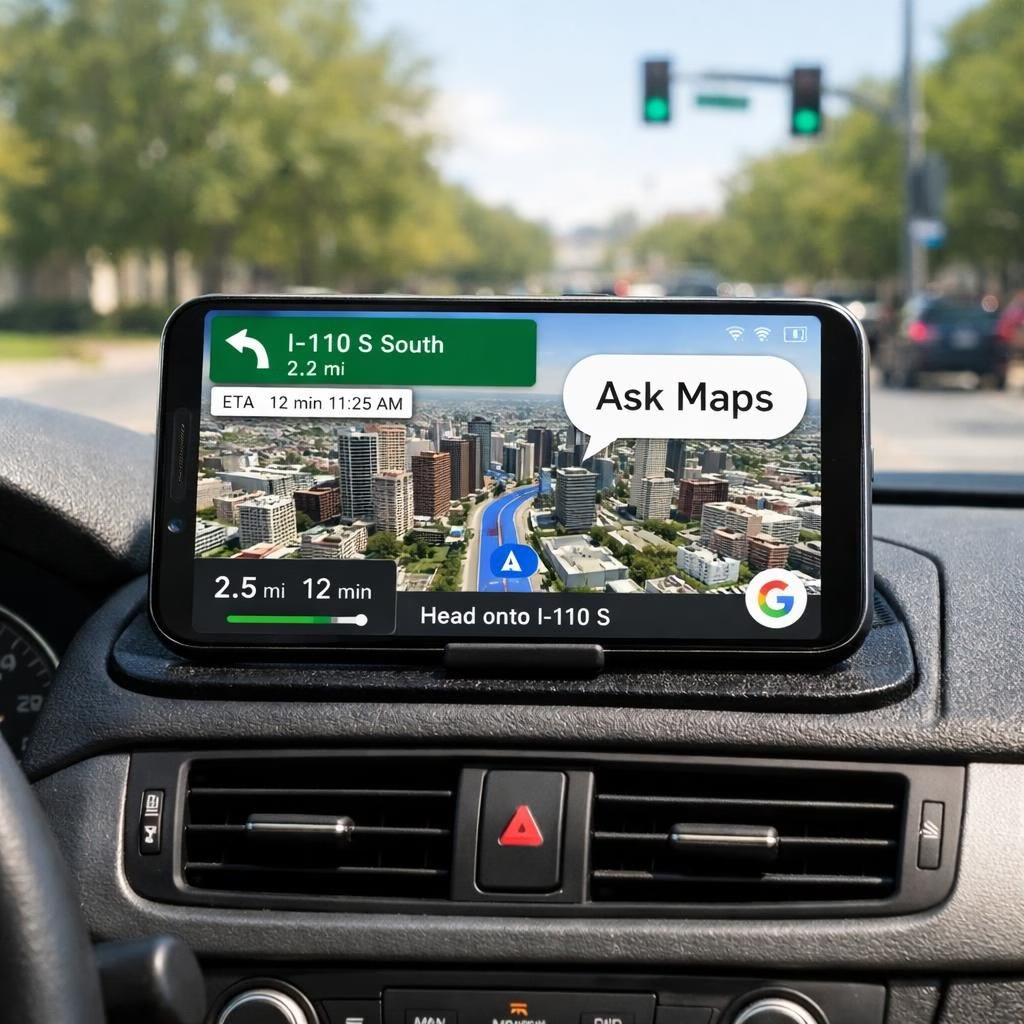
In the world of AI and Maps, the daily commute gains a glow-up, and coffee tastes more confident. Immersive Navigation is Google Maps‘s biggest driving update in a decade, and you can feel the optimism whenever you start the app. The AI and Maps tandem is not just a gimmick; it’s a practical nudge toward safer, smarter, and more enjoyable navigation in 2026. The intent is clear: you should arrive with fewer wrong turns and more stories to tell about it.
What makes this new era possible? At the core sits a Gemini-powered interface that fuses natural language capabilities with traditional Maps data. The Gemini AI and Maps partnership is not a flashy ornament; it actively helps you interpret routes, adjust paths on the fly, and parse notifications in plain English. The interface is chat-centric, so you can ask Maps anything, from “Where’s the nearest gas station?” to “Take me through the scenic route if there’s zero traffic.” And yes, it does not pretend to be your emotionally distant co-pilot; it checks in with a friendly tone and a succinct answer.
AI Maps Immersive Navigation: The Gemini-Powered Interface
When you open the drive view, you’ll notice that 3D Maps visualization has moved from a neat trick to a practical everyday tool. The realistic 3D tiles render more context—buildings, intersections, and crosswalks—so you can gauge turns without squinting at a flat Maps view. The Gemini-powered panel summarizes the upcoming legs, re-weights routes in real time when speeds shift, and sometimes even suggests a quick detour that minimizes stoplights. The effect is not a sci‑fi moment; it’s a real-world upgrade that quietly reduces cognitive load for drivers and keeps their eyes on the road.
Another big leap is the “Ask Maps” chat feature, which acts like a well-informed, roadside buddy. You can chat with Maps about traffic patterns, lane closures, or points of interest without leaving your driving screen. You’ll see succinct answers, sometimes with a little humor, and a short list of alternative routes. The AI that underpins this feature prioritizes safety and clarity, presenting options with concise explanations rather than long scrolls of data.
AI Maps Deep Dive: From Static Routes to 3D Reality
To a casual observer, these changes might look incremental, but the practical impact is meaningful. Immersive Navigation blends live traffic data, 3D spatial awareness, and conversational controls into a cohesive experience. You get turn-by-turn guidance with the added advantage of a more intuitive sense of your surroundings because the 3D perspective aligns with how you actually perceive the street grid. And since you are likely behind the wheel, the interface emphasizes legible type, single-line prompts, and voice-friendly commands. In short, the system minimizes the need to lift your eyes from the Maps.
The AI-driven suggestions are not a lecture in navigation theory; they’re a helpful assistant that learns from your habits. If you prefer the fastest route, it learns your tolerance for risk and time. If you like scenic drives, it solicits your permission to reduce the travel time in favor of views. It respects your preferences while still presenting practical options. You’ll notice that Maps accuracy improves gradually as you use it more, and you’ll feel less “wrong turn anxiety” as you build trust with the interface.
From a user experience standpoint, the design goals are clear: reduce friction, improve situational awareness, and deliver meaningful information without overwhelming you. The AI backbone handles natural language queries, while the Maps data backbone provides precise distances, ETA predictions, and lane-level guidance. You’ll often see subtle animations that indicate the system is reinterpreting the route in response to traffic signals, accidents, or lane closures, which can be surprisingly comforting in a world of unpredictable congestion. And if you ever worry about privacy, the updates emphasize opt-in controls and local processing where feasible, so you can feel good about what’s powering your drive.
For those who crave tips on getting the most from Immersive Navigation, here are a few quick ideas: 1) Practice a few chat phrases so you can rely on the AI when your hands are full; 2) Use the 3D Maps view at complex intersections to plan ahead; 3) Try the scenic route option when traffic is light, but ask Maps to revert to the fastest path if you’re late for a meeting. In 2026, these small choices compound into a noticeably calmer commute, with fewer last-minute decisions that spike stress and reduce safety.
Beyond driving, the new interface has potential crossovers to walking and public transit, where real-time updates could help you choose safer paths or more efficient transfer points. While the core ideas remain simple—make Maps more useful, make chat more natural, and make driving more predictable—the combined effect is a smarter, friendlier navigation assistant that respects your time and preferences. AI and Maps, when used thoughtfully, become a cooperative tool rather than a mysterious tech voice you mute at the next red light.
In sum, Immersive Navigation marks the biggest navigation redesign in years, with 3D Maps, Gemini-powered AI, and chat-driven search weaving into a single, more helpful experience. The changes aren’t flashy for the sake of flash; they’re practical improvements that help you get where you’re going with less friction and more confidence. If you’re curious to explore more, check out the original coverage and join the conversation about how your daily routes might feel different in 2026.
Original attribution: This article builds on thoughtful coverage from 9to5Google and subsequent analyses by WIRED, Bloomberg, Engadget, and Ars Technica. For the full context, you can read the original piece here: Original coverage.
Frequently Asked Questions
- Is Immersive Navigation available on all devices?
- Availability varies by device and Google Maps version. Check your device’s app store and Google Maps settings for availability and opt‑in options.
- How do I safely use the chat features while driving?
- Use voice input where possible and keep glances to a minimum. The chat is designed to answer quickly with concise options.
- What about privacy and data use?
- Google emphasizes opt‑in controls and, where feasible, on‑device processing to protect your information.
- Will the 3D Maps view help at complex intersections?
- Yes. The 3D visualization helps you gauge lane layouts and intended turns before you arrive at the intersection.
How to get the most from Immersive Navigation
- Turn on the Gemini‑powered chat and try a few natural language prompts to see how Maps responds when your hands are full.
- Use the 3D Maps view at complex junctions to plan exits and turns ahead of time.
- When traffic is light, consider the scenic option, then switch back to the fastest route if you’re running late.
External reading
References
- Original 9to5Google coverage
- WIRED coverage
- Bloomberg coverage
- Engadget coverage
- Ars Technica coverage