

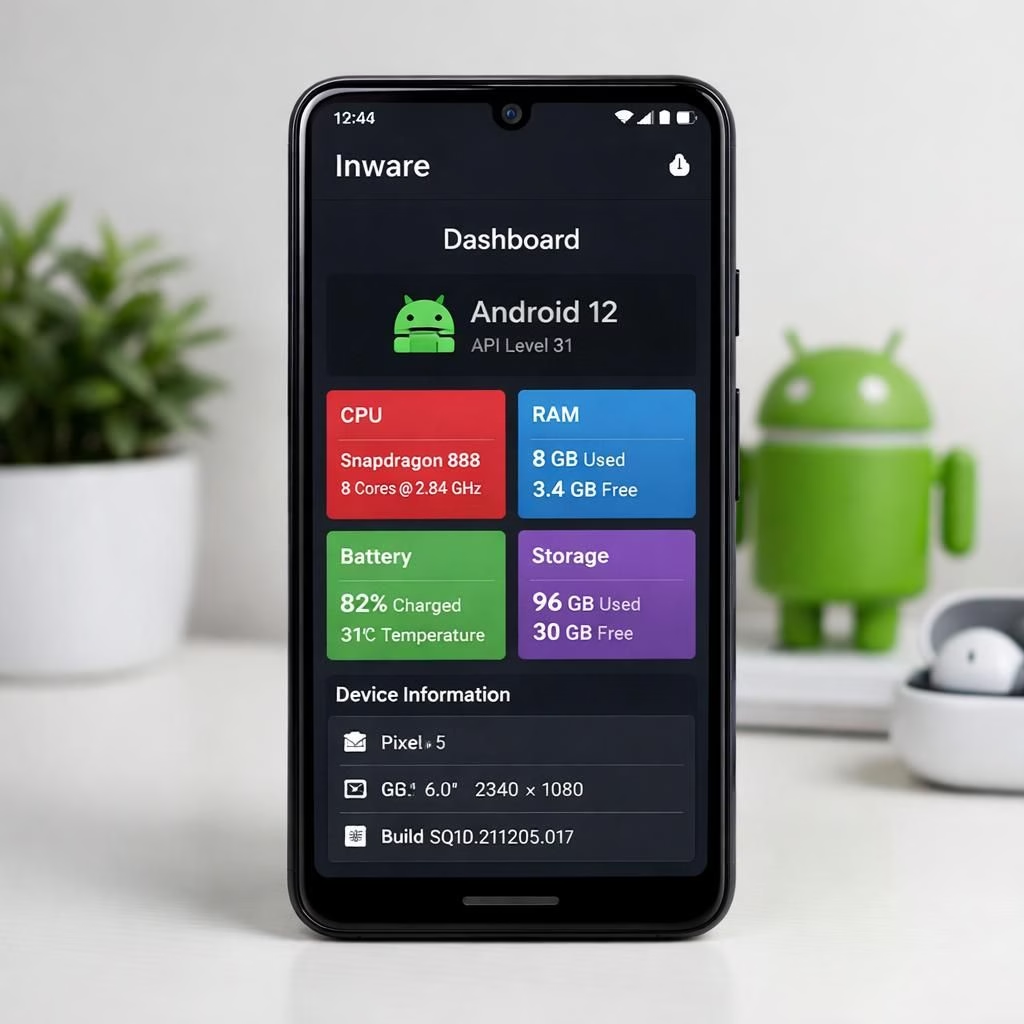
Android and Inware lovers, gather round: the latest makeover turns your device insights into a friendlier, more expressive companion. Inware now reveals more about your Android hardware and software, turning a sea of specs into a practical map you can actually use. This is 2026, and the tool feels less like a lab report and more like a bright, helpful cockpit tour of your gadget.
With the expressive makeover, Inware focuses on clarity as much as detail. The new Gallery view groups visuals by sensor type, battery health, storage usage, and performance metrics, so you can skim or dive as you please. The idea is to empower non-technical users while keeping power users happy with precise data presented in accessible language.
Android insights powered by Inware
On Android devices, the update broadens what counts as useful information. You can now see extended sensor lists, CPU load patterns, and battery cycles presented in approachable graphs. Inware presents device information in a way that respects your time: concise numbers, color coding, and quick summaries. This helps you compare models at a glance, track changes after updates, and spot anomalies before they become problems. Android folks will appreciate how the app highlights what matters most in day-to-day use, such as thermal throttling during prolonged gaming or camera module performance during video capture. The camera module, the display refresh rate, and the storage read/write speeds appear in a friendly panel rather than buried deep in a long scroll. The combination of OS data and Inware‘s presentation makes device health easier to understand and easier to act on.
With the expressive makeover, Inware focuses on clarity as much as detail. The new Gallery view groups visuals by sensor type, battery health, storage usage, and performance metrics, so you can skim or dive as you please. The idea is to empower non-technical users while keeping power users happy with precise data presented in accessible language.
Inware’s expressive makeover for Android devices
The user interface gets a glow-up too. Inware‘s dashboards sport bolder colors, clearer typography, and more intuitive navigation. The Gallery section acts as a visual tour of the device’s personality: quick glimpses at sensors, an overview of running processes, and a gallery-style view of performance milestones. Behind the scenes, the makeover reorganized data pipelines so information updates faster and with less noise. If you like to keep tabs on battery life, you’ll notice fewer misleading fluctuations and more honest charts that reflect real usage. If you prefer to diagnose software quirks, the new drill-downs let you click from a high-level summary to a specific sensor or subsystem without losing your place. This polish makes devices feel a little more like a smart assistant rather than a static gadget.
For everyday users, the shift means easier troubleshooting: you can spot a hot spot on the battery graph during a gaming session and decide whether to close the app or tweak settings. It also means better planning: you can compare devices by their sensor kits and performance charts before you buy. And it means peace of mind: clearer privacy indicators show which sensors or apps are actively reading data, and how often. Inware helps you understand what your device is doing behind the scenes, without turning you into a data analyst. The goal is transparency, utility, and a touch of delight for fans of gadget lore.
For power users who crave more, Inware still offers granular details: per-core CPU usage, memory bandwidth, storage IOPS, and real-time sensor states. But the presentation remains approachable, with tooltips that explain jargon in plain English. The result is a tool that respects your time while delivering meaningful context. The 2026 redesign also emphasizes accessibility: better contrast, scalable typography, and a layout that works well on phones, tablets, and even compact laptops if you dabble in a mobile-first workflow.
From a developer perspective, this makeover signals a shift toward a more modular data paradigm. The app now emphasizes data provenance and update cadence, so you know which numbers came from which sensors and when. This matters when you’re testing device behavior across OS updates or comparing hardware specs between models. It also makes it easier to build custom dashboards or integrate Inware data into other workflows, should you choose to export or API-facilitate your own gadget dashboards.
In short, the expressive makeover on Android through Inware offers more clarity, more context, and more personality without sacrificing accuracy. The user experience feels calmer, more coherent, and a little more fun — enough to make you want to poke at your device rather than fear it. If you’re curious about how your device ticks, the new layout invites you to explore without draining curiosity or battery life.
To stay grounded, the team avoided overloading you with jargon. They kept the information truthful and timely, with sensible defaults and optional deep dives. That balance — a cheerful yet honest presentation — is what turns tech introspection into something you actually enjoy reading and using.
Original article and inspiration: Inware makeover coverage on Google News. A heartfelt thank you to 9to5Google for the original coverage that inspired this rewrite.
We’d love to hear your thoughts on the new Inware experience for Android. Share your impressions in the comments and tell us what you’d like to see next. Your feedback helps shape future updates and keeps the conversation lively.
In short, the 2026 update brightens how Android data is presented. If you’re curious, try the Gallery view and see how Inware helps you spot changes quickly. Share your findings to help shape future tweaks.
FAQ
- What is Inware? Inware is a tool that surfaces Android device data in a clear, actionable way.
- Can I export data from Inware? Yes, you can export data to build your own dashboards.
- Is Inware free? There is a free tier with optional pro features.
- Does Inware impact battery life? It’s designed to be lightweight and non-intrusive while collecting metrics.