

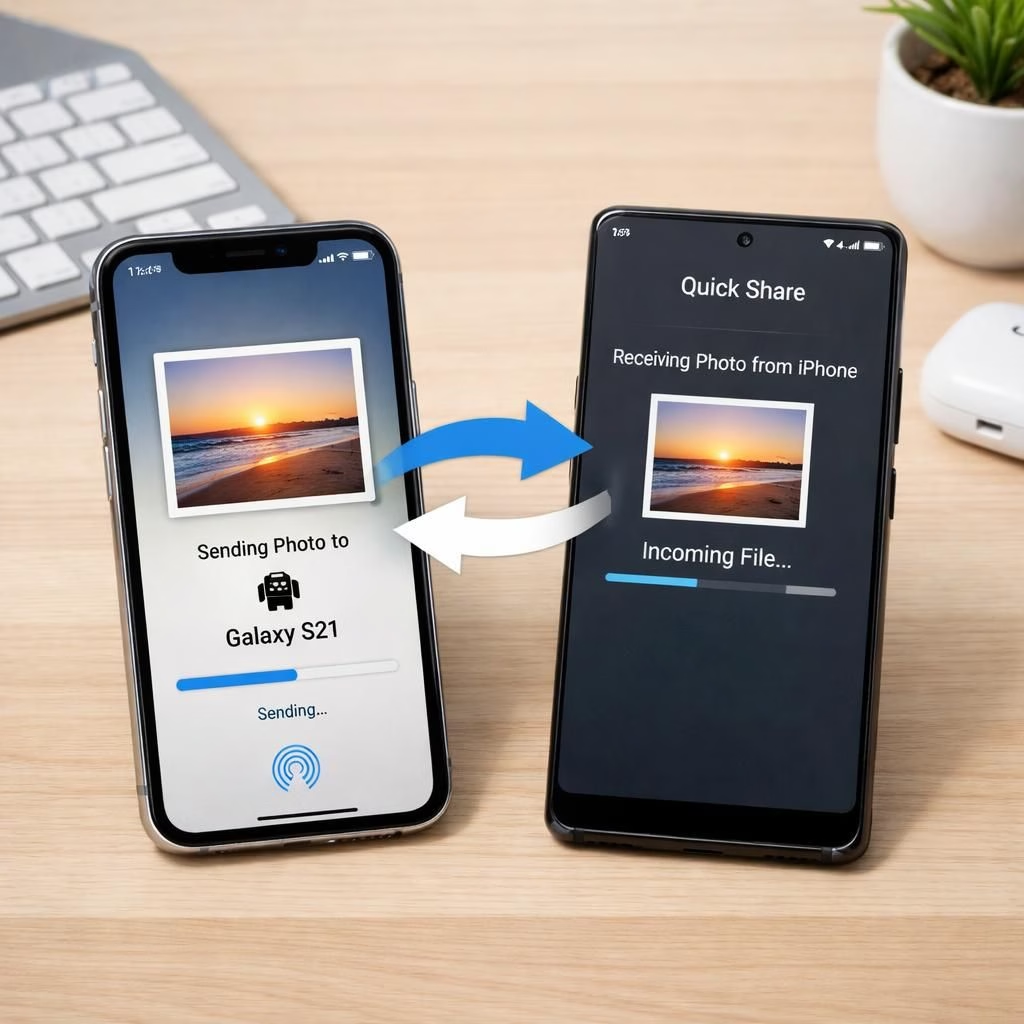
AirDrop and Android have never played nicely in the same sandbox—until now. The tech teams at Apple and Google brokered a quiet truce, and Samsung’s Galaxy S26 is invited to the party via Quick Share. This rollout promises to move media between iPhone and Android devices with fewer hiccups than a chaotic group chat after someone drops a meme about cloud storage. It’s not a miracle, but it feels like one you can actually set up before lunch.
Google finally took aim at cross‑device sharing last year with Quick Share on Pixel 10. In February, the company sketched plans to broaden the circle. The idea remains simple: photos, videos, and documents can hop between an iPhone and an Android device as easily as two iPhone users swap tips on facial recognition. To receive media from an iPhone, Android users must set visibility to “Everyone for 10 minutes.” Yes, that is a setting with actual meaning, and no, you don’t need to hire a coder to understand it.
AirDrop crosses the aisle to Android via Quick Share
When you trim away the hype, this is about convenience. AirDrop has long been a smart, fast method for Apple users. Now Android users can join the same dance floor. The Quick Share feature on Pixel devices and the Galaxy support makes cross‑platform sharing feel less like a chore and more like a polite handshake between devices. AirDrop style speeds are not guaranteed, but the idea is to shrink the gap between ecosystems without forcing users into a frantic cloud sync ritual.
Android-friendly AirDrop: Samsung’s Galaxy S26 joins
The rollout is taking small steps. Starting tomorrow, 23 March, Samsung will push AirDrop support in Korea. If you live elsewhere, breathe easy: Samsung says more regions—North America, Europe, Hong Kong, Japan, and Latin America—will come soon after. This is not a revolution, but a very practical update that might reduce the number of times you mutter about Bluetooth while trying to share a video in a cafe. Android fans get the same Quick Share experience with iPhone senders, and iPhone users gain a new channel that might actually work in daylight instead of in a damp basement at midnight. AirDrop vibes are present, but the wiring is a little looser, and that’s okay.
Samsung emphasizes that additional devices should gain AirDrop compatibility soon. The company also notes that device compatibility can grow as new firmware lands. In practice, you may need to update your Galaxy and your Pixel to enjoy the smoothest transfers. Android devices will be able to accept media from iPhones with just a couple of taps. The intent is simple: reduce the friction when friends flip through photos at a party, and spare the group chat the flood of endless screenshots.
For users, the practical steps are straightforward. On an iPhone, enable AirDrop visibility to receive from “Everyone for 10 minutes.” On an Android device with Quick Share, accept the incoming transfer, then decide where to save the file. If you’re worried about privacy, quick prompts are designed to be clear. This is not a stealth operation; you’ll see what’s sharing and approve it in real time. And yes, there are still limits—some file types or large transfers may hit the ceiling of what Quick Share can manage without the right network conditions.
What this means in real life is simple: fewer taps, less fiddling, more sharing. If you’ve ever endured a multi‑device photo dump, you know the pain. The cross‑platform bridge promises to cut that pain by a decent margin, especially in casual settings like offices or family gatherings. It’s not a silver bullet, but it is a practical upgrade that makes a real difference when a friend’s iPhone wants to hand you a memory card full of vacation snaps and a stranger’s Galaxy wants to save it for later.
Like all big tech moves, there are caveats. Not every device will support every new version of Quick Share, and not every file type will glide across as smoothly as a well‑edited video. The experience will vary by device, firmware, and network conditions. If you’re a photographer or a meme curator, you’ll appreciate the faster tempo, but you’ll also want to double‑check that what you send lands where you expect it. The goal is to minimize friction while preserving a hint of control on what travels between devices.
And yes, if you click a link in this article to buy something, we may earn a commission. That little note helps us keep the lights on as we chase updates like these. It’s a small price for clarity when the tech world keeps rewriting the map of who talks to whom.
In 2026, cross‑device sharing is less about brand loyalty and more about human convenience. The real win is for the user who wants to grab a photo from a friend’s iPhone and save it on a Galaxy without turning the transfer into a scavenger hunt. If you’re curious to try this on your devices, keep an eye out for firmware updates and confirm compatibility in the settings menus. The landscape is still evolving, but the path is clearer than it was a year ago.
Our take? This is a smart bridge. It doesn’t fix every edge case, but it reduces the pain points. If the rollout continues as promised, you’ll soon be able to share more without thinking about platform labels. AirDrop and Android are edging toward a shared language, one that looks a bit like a polite duet rather than a jingle about proprietary ecosystems.
Original article attribution: Thank you to the original author for the inspiration and material.
Want to join the conversation? Share your thoughts in the comments below and tell us how this cross‑device sharing affects your daily life. We’re curious to hear your stories, wins, and caveats.
Practical steps for quick sharing
- On iPhone: Open Control Center or Settings and set AirDrop visibility to “Everyone for 10 minutes” to receive from nearby Android devices.
- On Android: Open Quick Share, confirm visibility, then accept the transfer and choose a save location on your Android device.
- Privacy & prompts: You’ll see clear prompts during transfers; verify the sender and the file type before accepting.
FAQ: Cross‑device sharing questions
- Will this work with all iPhone models? The approach relies on device firmware and app updates; newer iPhone models tend to have the best compatibility, but performance will vary by generation.
- What file types are supported? Photos, videos, and common documents generally transfer smoothly; very large files or rare formats may hit limits.
- Is my data private when using Quick Share? Transfers are designed with user consent and visible prompts; review each transfer before you approve it.
- Do I need special settings or apps? You’ll need compatible firmware on both sides and the Quick Share feature enabled on Android and AirDrop on iPhone.
References