

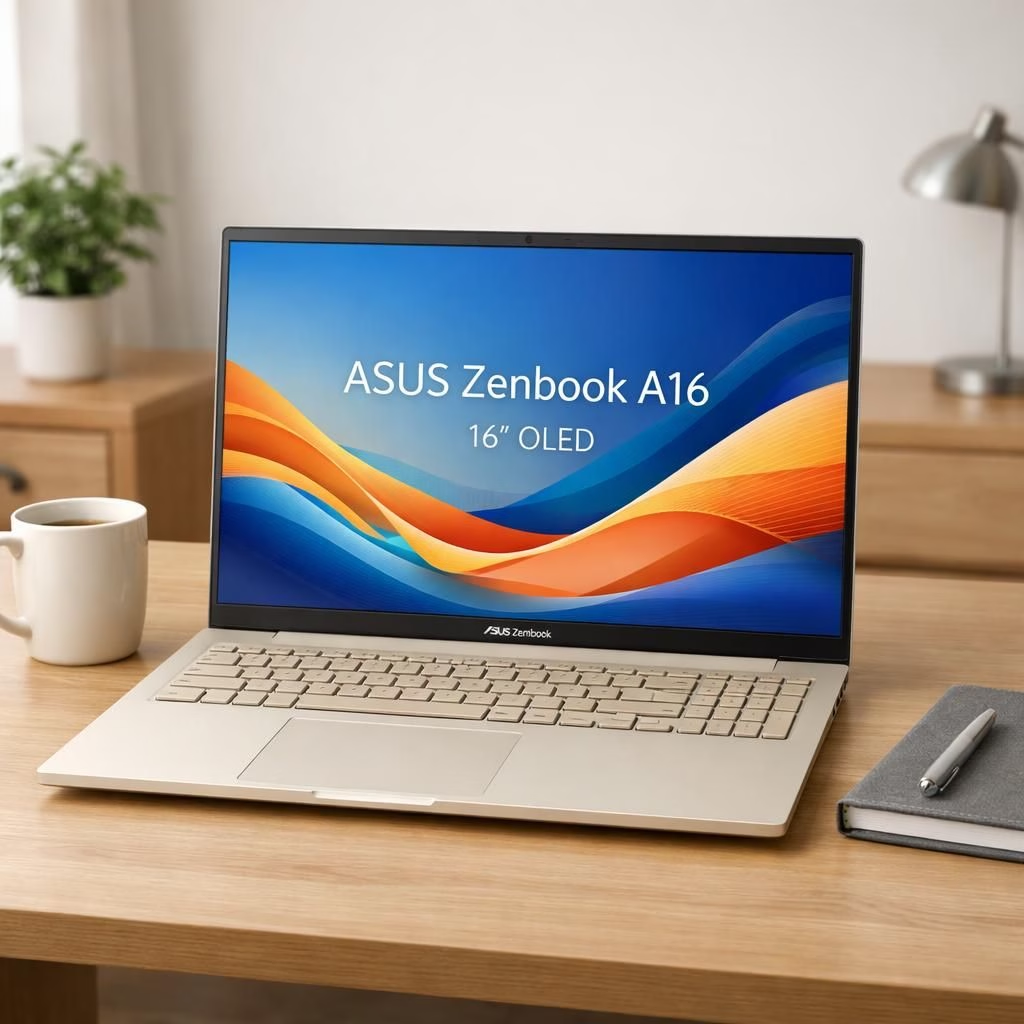
I’ve spent time with the Zenbook A16 and its Windows on Arm underpinnings, and I’m here to tell you this is a rare blend of power and polish in a deceptively light chassis. This 16-inch OLED beast wears its performance on its sleeve and still weighs under three kilograms. The price starts at $1,599.99 for a configuration with 48GB of RAM, a spec-to-price balance that’s hard to beat in 2026. All the strengths I noticed during CES days remain intact, and the early software quirks have vanished like a buggy beta. The result is a Windows laptop with the most screen real estate in a featherweight form factor, offering a compelling alternative to the MacBook Air for folks who care about space, speed, and a bit of swagger.
Zenbook A16 and Windows on Arm in a single frame
On the surface, the A16 is a handsome beast: a 16-inch OLED panel that runs at 2880 × 1800 with a brisk 120 Hz refresh. The chassis uses Asus’ Ceraluminum coating and settles into a warm beige that’s distinctive without shouting. It weighs in around 2.87 pounds and hides a generous 70Wh battery, enough to power through a full day of mixed tasks, video calls, and a little light streaming. The keyboard offers deeper travel than many ultrabooks, and the trackpad is solid enough to feel like a real control surface rather than a compromise. The hinge opens with a single hand, and the overall build quality communicates durability with a graceful minimalism. In practical terms, you’re getting a big, bright canvas for photo edits or document work, without carrying a brick to your coffee shop. Zenbook A16 remains a statement piece, especially when you’re working on the road with Windows on Arm in the mix.
Performance-wise, the A16 ships with a nearly top-tier 18-core Qualcomm Snapdragon X2 Elite Extreme X2E-94-100 chip and a whopping 48GB of soldered RAM paired to a 1TB SSD. In real-world workloads using Windows on Arm, that translates to swift multi-tasking, quick boot times, and responsiveness that feels closer to a traditional high-end Windows x86 machine than to the older Arm-based experiments of yesteryear. In benchmarks and day-to-day editing, the A16 showcased strong multi-core scores and solid single-core responsiveness. The 50-megapixel RAW workflow in Lightroom Classic sailed smoothly, and I could push through a sizable edit queue even with a handful of Chrome tabs open and a video call going on in the background. The screen’s color accuracy and brightness remained impressive in both daylight and darker room conditions, which is not always the case with some OLED panels. Zenbook A16 power, paired with Windows on Arm, makes photo editing feel surprisingly comfortable on the go.
Battery life is the heart of any work-focused laptop, and the A16 earns its keep here. Snapdragon laptops have improved considerably in power efficiency, and the A16 continues that trend. I typically logged an eight-hour workday with a blend of web browsing, document work, a few video calls, and some streaming in the evening. It wasn’t a miracle cure for all-day productivity, but it did everything I asked without forcing me to search for an outlet during a mid-afternoon sprint. If you’re in a meeting that drags on, the A16 isn’t going to fade mid-presentation; you’ll have enough charge to finish the deck and still have some juice left for a quick after-hours rendering session. Windows on Arm keeps the experience cohesive and efficient on this platform.
The audio system is perfectly adequate for daily use, though it isn’t meant to replace a proper speaker setup. The downward-firing speakers sound reasonably rich for a laptop, with a bit less punch in the bass range when you place the device on your lap. The keyboard’s tactile feedback is satisfying, and the typing experience stands out as one of the better aspects of this unit. The trackpad, while not rivaling the largest MacBook surfaces in surface area, is precise and comfortable, with reliable haptic feedback for a satisfying click. In daily tasks, the overall experience feels cohesive: the OS, the hardware, and the screen work together to create a sense of fluid productivity rather than a series of hacks to squeeze more performance out of a tight battery window.
Windows on Arm gains in 2026 laptops
Let’s talk about the ecosystem and what it means to run Windows on Arm in 2026. Qualcomm has pushed its software and developer partnerships forward, increasing game compatibility and bringing more titles to Arm-based Windows devices. Easy Anti-Cheat support is now mainstream enough that casual competitive titles can run without the usual caveats, which is a welcome improvement for those who like to unwind with a quick session between tasks. There are still notable exceptions—some beloved games with online components and specific anti-cheat integrations simply don’t cooperate with Arm yet. Elden Ring Nightreign, for instance, remains nonfunctional on some Arm configurations, even with Easy Anti-Cheat enabled. The reality is that the software landscape is catching up; it’s not instantaneous, but progress is tangible. And if your gaming appetite isn’t voracious, the A16’s integrated graphics are more than adequate for 1080p titles at modest settings, especially given how much power you get under the hood for productivity work. Windows on Arm is finally credible for everyday tasks on a large-screen ultrabook.
From a business perspective, the Snapdragon route makes a lot of sense for a device intended to be light, long-lasting, and user-friendly. You aren’t buying a battery-draining gaming rig here; you’re buying a refined portable workstation with enough horsepower to handle photo editing, video calls, and heavy web usage with ease. The 48GB RAM is a particularly generous feature for a Windows-on-Arm device, letting you keep large datasets open and switch between tasks with minimal friction. The combination of a bright 16-inch OLED panel, tactile keyboard, and a long-lasting battery gives this machine a distinct advantage for professionals who travel or work across multiple locations without frequent recharging. Windows on Arm hardware is proving to be a practical alternative for traveling creatives and busy professionals alike.
In everyday use, the A16 demonstrates that Arm Windows is no longer a novelty. It’s a credible, practical option for people who want a big screen, decent graphics, and all-day battery life without paying the premium heft that some ultraportables demand. The price-per-performance ratio is compelling, especially when you compare its spec-to-price balance with many Windows laptops chasing dual-processor fantasies and heavier chassis. The A16’s beige finish and understated, laptop-perfect profile keep things tasteful and functional, rather than flashy, which is exactly the tone a lot of professionals prefer when they’re deep into a project and not into their laptop’s appearance. Zenbook A16 plus Windows on Arm is a thoughtful combination for the modern mobile workflow.
One caveat that remains relevant is the broader software ecosystem. Arm-based Windows is now mature enough for most daily workflows, but certain creative or gaming pipelines still demand x86 compatibility. If your work includes heavy, GPU-accelerated tasks or a wide library of Windows games, you may still find yourself toggling between emulation modes or considering a dual-processor setup. However, for many users—especially those who value a large, color-accurate display, strong battery life, and ample RAM—the Zenbook A16 offers a compelling, forward-looking platform. And let’s be honest: in 2026, having 48GB of memory soldered onto the motherboard is not just a perk; it’s a reminder that ultrathin can still be generously equipped without turning into a garage-sale bargain bin.
Bottom line: this device isn’t a MacBook Air killer, but it’s a fascinating, competitive alternative for Windows enthusiasts who want a big screen and big RAM without the extra heft. If you crave performance, portability, and a dash of Windows-on-Arm charm, the Zenbook A16 is a strong option. If you’re after the purest portable content-creation experience with the most raw CPU power, you might still lean toward the MacBook Pro, but the A16 makes a very good case for itself as a widely capable, well-balanced machine that’s not afraid to be different.
Final thoughts: while price spikes in some markets have people bracing for inflation, Asus appears to have kept the 1,599.99 USD entry price attractive for the base model with 48GB RAM and 1TB SSD. The A16’s combination of a large OLED display, robust RAM, strong multi-core performance, and all-day battery life makes it a credible alternative for Windows lovers who want a premium, portable powerhouse with Windows on Arm under the hood. If your workflow benefits from a big screen and plenty of memory, this is worth a serious look—and if you’re a Mac user, you’ll want to weigh your comfort with macOS against the flexibility and Windows-friendly software ecosystem you get here.
If you have thoughts about how the Zenbook A16 feels in everyday use or whether Windows on Arm has finally hit its stride on a device this size, please share them in the comments. Your experiences help others weigh the trade-offs of big-screen portability in 2026.
Original article: The Verge Zenbook A16 review. Thank you to The Verge for the original material.
Thank you for reading! If you enjoyed this take, feel free to share your thoughts in the comments.
Practical quick take
- Big screen, portable form: 16-inch OLED with a light chassis makes on-the-go editing and review comfortable.
- Massive RAM, strong multitasking: 48GB soldered RAM helps keep large datasets open while you switch tasks.
- Windows on Arm reality check: Great for productivity, uneven for gaming; expect continued ecosystem progress.
Pros and Cons
- Pro: Large, color-accurate display with strong battery life.
- Pro: 48GB RAM for demanding workflows and multitasking.
- Con: Gaming on Arm remains uneven for a broad library of titles.
- Con: Bezel-to-bezel beige styling won’t be for everyone.
FAQ
- Does the Zenbook A16 run full Windows software? Yes. It ships with Windows on Arm, so most daily apps run smoothly, while some x86 programs may need emulation or alternatives.
- How does battery life hold up? Typical eight-hour workdays are common with mixed usage, and you’ll still have juice for after-hours tasks.
- Is it a MacBook Air killer? Not exactly, but it’s a compelling Windows alternative with a big screen and strong RAM for those who value Windows ecosystems.