

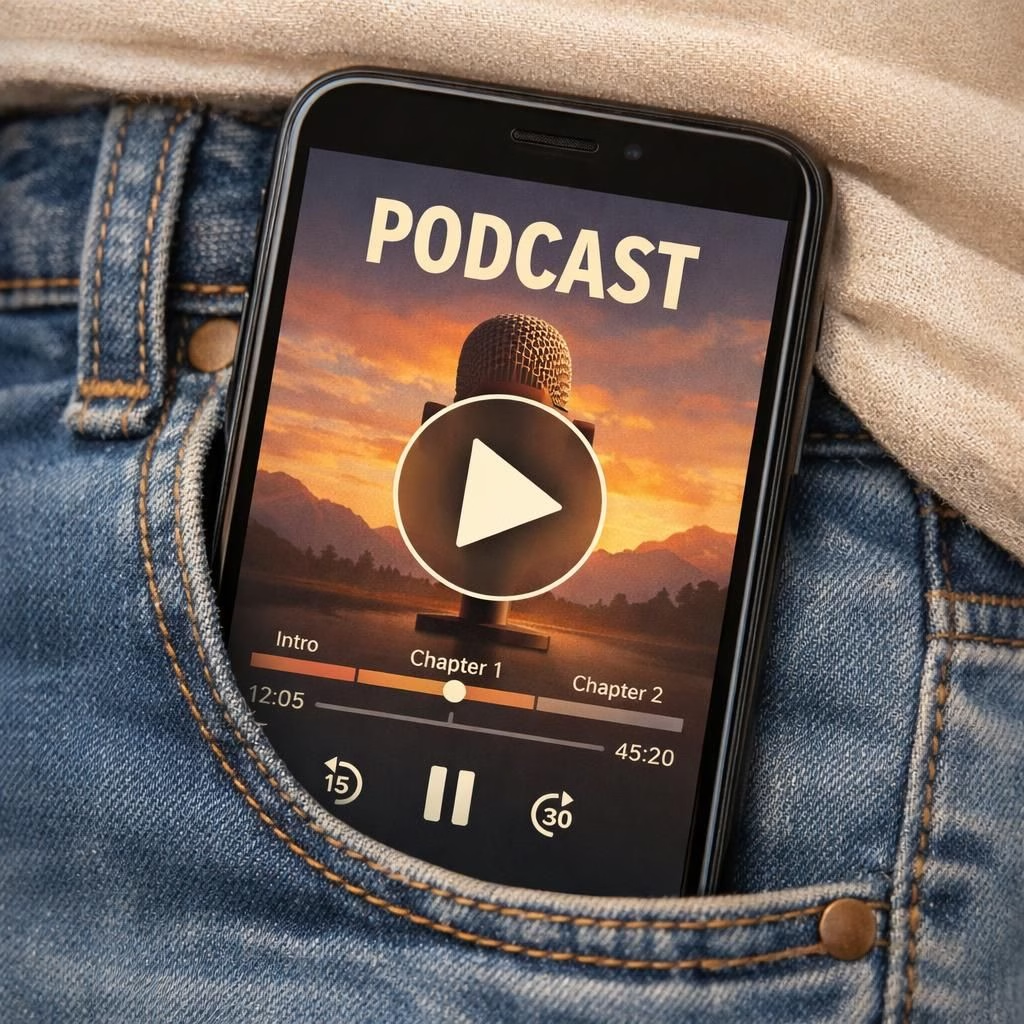
Today YouTube is rolling out an on-the-go mode for listening to podcasts and an auto speed feature for podcasts. Android Premium users get first access, with iOS arriving on a staggered timeline. The update embraces an audio-first mindset, giving listeners a calmer surface while keeping the content in focus. It’s a practical nudge for anyone who wants to hear without a constant video backdrop.
YouTube on-the-go mode for podcasts listeners
The on-the-go mode rethinks the interface for quick, distraction-free listening. When activated, the video panel quiets down, replaced by a single still image and a larger, simplified playback control cluster.
A compact timeline shows video chapters, making it easier to jump around the episode without scrolling through a busy video feed. The toggling happens per video through the video’s settings, so you retain your regular YouTube experience when the mode isn’t needed.
YouTube even tosses in a motion-detection pop-up that can appear if you’re moving while watching, a small guardrail against accidental taps during a jog or a commute. The net effect is a more focused listening session—handy for long-form podcasts or carefully curated audio series—without demanding a complete overhaul of how you use YouTube day to day.
Maximize podcasts with YouTube auto speed and smart controls
The auto speed feature stands out as a thoughtful productivity hack for podcasts enthusiasts.
It automatically adapts playback speed based on the content and a minimum speed you choose.
In practice, slower moments—redundant intros, long ad reads, or stretches of explanatory narration—get a gentle nudge to move faster. Meanwhile, faster segments settle back toward your baseline pace when the moment passes.
The system is designed to be non-intrusive; you set a floor, and the playback glides above it, adjusting as needed.
This can dramatically shorten listening times for those who want to tackle multiple episodes in a single commute, yet it still preserves the cadence of key passages you don’t want to miss.
Controls stay clean and accessible: a straightforward minimum speed slider, a clear reset option, and per-video toggles that let you tailor motion to your environment.
If you’re a heavy podcasts consumer who loves to skim through interviews or lectures without losing track of essential details, auto speed is a practical ally. It’s not about rushing content; it’s about making your listening routine more efficient, so you can fit more quality episodes into a busy day.
YouTube signals that this feature should feel helpful rather than gimmicky, and the balance appears to be the guiding principle as the product team experiments with pacing rules and edge cases. The feature also harmonizes with the broader ecosystem, including the YouTube Music app, where AI-assisted prompts for podcasts recommendations are expanding, aligning discovery with listening habits across products.
Additionally, YouTube is expanding its Ask Music AI search to include podcasts. In YouTube Music, you can prompt the AI to fetch podcast recommendations by genre, activity, or creator.
This cross-pollination mirrors what rival services have started, illustrating a growing trend toward AI-enabled discovery that respects the listening moment. For listeners, this means fewer dead-ends and more likely matches to your current mood or activity—whether you’re cooking, commuting, or winding down with a long-form conversation. For creators, it suggests new opportunities for discoverability when episodes are anchored by clear, genre-aligned prompts rather than purely textual metadata. Spotify tested similar prompts earlier this year, underscoring a broader movement toward AI-enabled podcast discovery across platforms.
Looking ahead, the mix of AI-assisted discovery and smarter playback controls could push listeners toward longer, more immersive podcasts experiences without sacrificing convenience. The features discussed here are not a hard sell for speed at all costs; they’re designed to respect user intent and context. For those who want to tailor the experience, the settings provide a practical sandbox: enable the on-the-go mode when you’re walking or commuting, and rely on auto speed during longer drives or workouts. The combination aims to deliver better listening with less fiddling, keeping the focus where it belongs: on the story, not the interface.
In terms of privacy and data use, users should stay mindful of how motion-detection prompts are triggered and what data is used to optimize playback. The rollout is designed to be opt-in and per-video, which helps keep the feature unobtrusive and aligned with user preferences. If you’re curious about power usage or how the AI could influence suggestions, this is a great moment to test and observe how your listening habits change with smarter playback and focused interfaces.
We’d love to hear how you use the new on-the-go mode and auto speed in your daily routine. Share your experiences and tips in the comments to help others get the most out of YouTube and podcasts listening. This update also raises questions about accessibility and data usage—worth considering as you decide how to tailor the feature to your personal needs.
Original article attribution: A big thank you to The Verge for this analysis. Read the original article here: Original article: YouTube adds on-the-go mode and auto speed for Premium listeners.
FAQ about YouTube on-the-go mode and auto speed
- What is on-the-go mode? It’s a lightweight, audio-first layout that replaces the video panel with a still image and larger playback controls for distraction-free listening.
- How does auto speed work? It automatically adjusts playback speed based on content and your minimum speed setting, speeding up slower parts and easing back later.
- Is this available on all devices? Android Premium users get early access; iOS and other users will receive it on a staggered timeline as the rollout expands.
- What about privacy? The feature uses motion sensing on a per-video basis and is opt-in, with options to disable prompts in settings.
- Where can I discover more podcasts? In YouTube Music you can use AI prompts to find recommendations by genre, activity, or creator.