

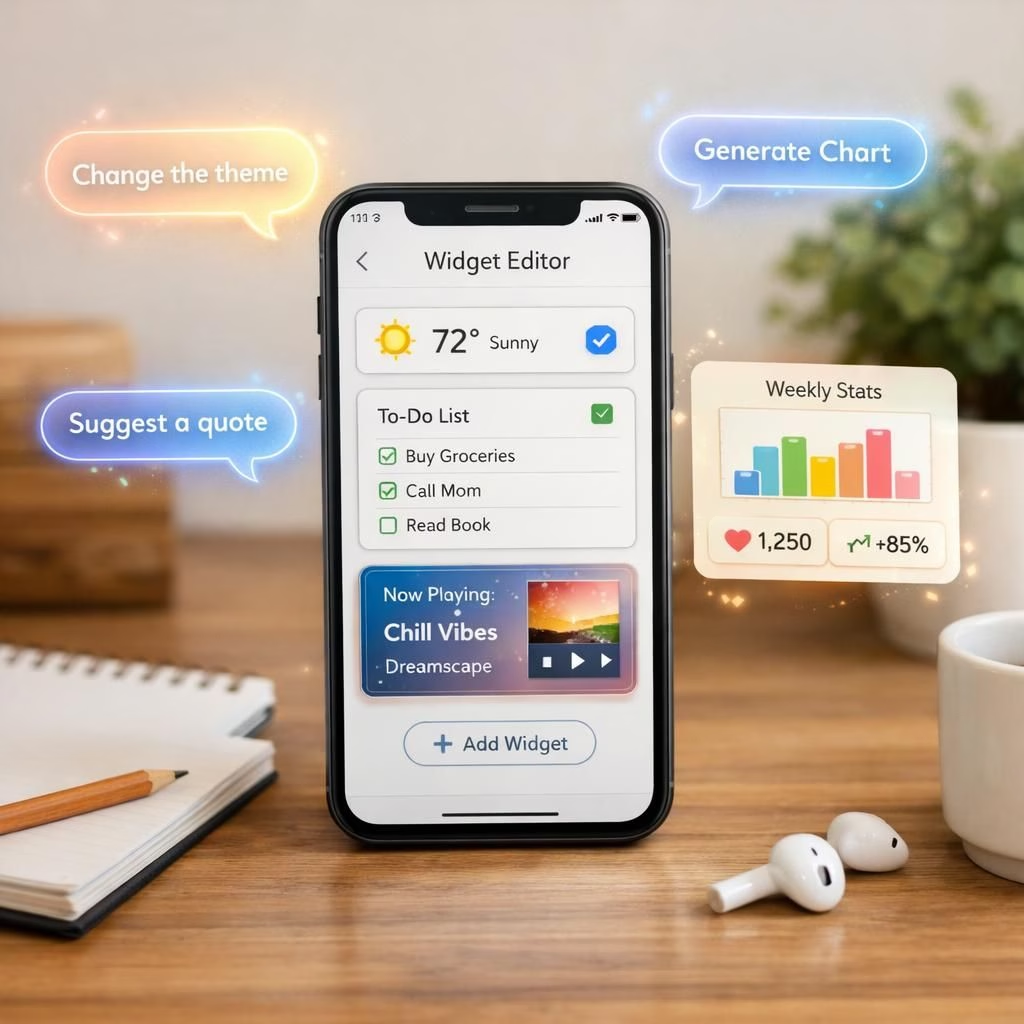
There was a time when the slogan ‘there’s an app for that’ felt like destiny. Today, that promise still hums, but the real magic is turning a vibe into code. In 2026, two ideas are quietly shaping how we build for ourselves: Vibe Coding and [Generative UI](https://www.geekyopinions.com/tag/Generative-UI). We spend our days inside apps—scrolling, tapping, and hoping for the exact feature we crave—and the next breakthrough might be something we assemble, not something we download. Vibe Coding nudges non-developers to tune apps to their own preferences, while [Generative UI](https://www.geekyopinions.com/tag/Generative-UI) promises a phone that adapts its interface on the fly to what we need, when we need it.
Vibe Coding: Personal Apps for Everyday Nerds
At Google I/O, the vibe-coding dream got a major nudge. Google announced an update to its AI Studio vibe-coding tool that lets you whip up a native Android app and export it to a phone in minutes. Start with personal utilities; the Play Store rules still apply, but if you want a habit-tracking feature nobody else offers, you can build it yourself. If a whole app feels ambitiously silly, a widget might be your testing ground. At the Android Show last week, Google teased widgets created with a prompt—examples include weather metrics dashboards or recipe suggestions. The underlying tech leans on Gemini’s knowledge base, which means the possibilities are wide, if the system actually runs smoothly. The allure of placing precise data on a screen where you want it is hard to resist. Mastered well, it could tilt our phones toward deeper personalization. In 2026, Vibe Coding is less a dream and more a practical workflow for those who want a custom tool chest they can assemble in minutes.

Vibe Coding isn’t just a buzzword; it’s a workflow shift. You tell the system what you want, and it translates your intent into a working artifact. This is not magic; it’s a smart collaboration between human goals and machine interpretation. The best part is that you don’t need a full development background to begin experiments. A habit tracker, a tiny expense monitor, or a screen-based reminder widget can emerge from a short, precise prompt. The promise is clear: save time, reduce back-and-forth with developers, and own the feature you long for. If you want something that behaves exactly as you expect, Vibe Coding provides a direct route to that outcome. In 2026, the bar for what counts as a practical prototype has moved closer to a weekend project than a months-long sprint.
For builders and casual tinkerers, the combination of Vibe Coding and [Generative UI](https://www.geekyopinions.com/tag/Generative-UI) lowers the barrier to entry. You can start with a simple widget, grow into a multi-screen mini‑app, and then export your work as a native solution in minutes rather than months. The best part is not just speed; it’s the empowerment of shaping your own technology. In 2026, this empowerment is both practical and fun: you build something that reflects your daily routines, your preferences, and your quirks—without waiting for a third party to release the exact feature you need.
Reality checks exist, of course. The tools rely on cloud knowledge and generated outputs, which means privacy considerations and data handling decisions matter more than ever. Expect a learning curve: prompts may misfire, and initial outputs might be imperfect. The upside is a more transparent, iterative process where you see what you build evolve in real time. In short, Vibe Coding and [Generative UI](https://www.geekyopinions.com/tag/Generative-UI) aren’t magic wands; they’re faster, smarter ladders to the balcony where your ideas finally sit comfortably on your device.
Getting started with practical prompts
Practical advice for 2026 is simple: start small and iterate fast. Define a single goal, like a weather snapshot widget or a simple habit log. Use either vibe-coding tools or [Generative UI](https://www.geekyopinions.com/tag/Generative-UI) prompts to sketch a minimal interface, then test on your phone. If you like one layout better, refine prompts to explore variants. Keep a log of what works and what doesn’t so you can reproduce success later. The more you experiment, the more you’ll learn about how you want your digital world to look and operate. Vibe Coding and [Generative UI](https://www.geekyopinions.com/tag/Generative-UI) reward experimentation with tangible, personalized results that you can actually use every day. And yes, you’ll probably laugh at how earnest your prompts sound the first time you try to describe a widget for your coffee ritual or your commute.
As we move through 2026, the trend is clear: people want to own their tools, not merely rent them. Vibe Coding enables you to craft features that fit your life, while [Generative UI](https://www.geekyopinions.com/tag/Generative-UI) helps those features feel natural and responsive. The integration of these ideas could lead to a future where your phone is less a generic gadget and more a thoughtful extension of your daily workflow. And if you enjoy the sense of control that comes from shaping your own digital environment, you’re in good company—the movement is growing, and it’s only getting more practical with time.
What do you think about Vibe Coding and [Generative UI](https://www.geekyopinions.com/tag/Generative-UI) shaping your smartphone? Try it, experiment, and share your experiences in the comments.
Original article: Thank you to The Verge for the original material. Original source article for inspiring this summary and commentary.
References
- The Verge coverage: Google I/O 2026 — Android AI Studio, widgets and shortcuts
- Android Developers: App Widgets
- Apple Shortcuts overview