

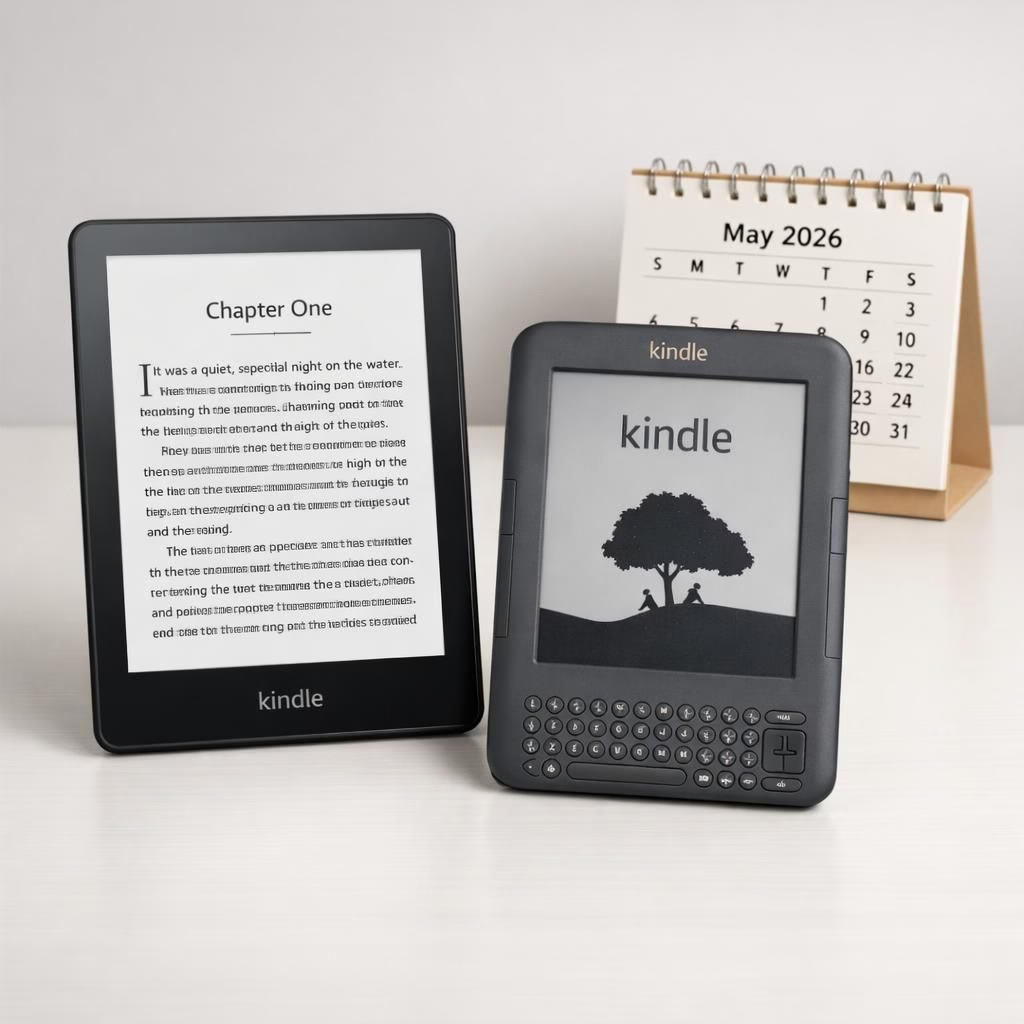
Kindle lovers, take a seat: 2026 marks a retirement window for pre-2012 models, but your reading life remains bright. Tips2026 thinking guides upgrades without drama, and your library stays within reach on newer devices and apps. The core truth stays intact: you can still read what you already own, just not purchase, borrow, or download new content on the old hardware. This is not a goodbye to reading; it’s a nudge toward modern hardware that’s faster, lighter, and more reliable.
Kindle Tips2026: What to expect for 2012-era devices
The May 20, 2026 deadline is real, and it targets Kindle e-readers and Kindle Fire devices released in 2012 and earlier. Amazon confirms that these devices will no longer be able to buy, borrow, or download new content from the Kindle Store. If you’re already sitting on a shelf with a dusty old Kindle, don’t panic—your current downloads will still be readable, and you can access your account and purchases through the Kindle mobile app, Kindle for Web, and on newer devices. The good news is that your existing library remains accessible as long as you use the same account you’ve used for years; the bad news is that the old hardware won’t play ball with fresh purchases after the deadline.
- Kindle 1st Generation (2007) and Kindle DX/DX Graphite (2009–2010)
- Kindle Keyboard (2010) and Kindle 4 (2011)
- Kindle Touch (2011) and Kindle 5 (2012)
- Kindle Paperwhite 1st Gen (2012)
- Kindle Fire 1st Gen (2011) and Kindle Fire HD 7 (2012)
- Kindle Fire HD 8.9 (2012)
Beyond the list, Amazon has promised advance notice by email with a clear explanation of what is and isn’t possible on each device. Pre-2012 Kindle Fire devices will face the same limitations for books as their e-reader counterparts, though other apps and services on those devices won’t be affected.
For longtime users, the core path remains: if you want to keep a seamless reading experience, consider upgrading to a newer Kindle device or use the Kindle app on a compatible smartphone, tablet, or computer. The transition is smoother if you plan ahead since your purchases are tied to your account rather than the device itself. If a device is deregistered or factory reset, it cannot be re-registered after the May 20 deadline, so a careful migration plan is worth the minimal extra effort.
In 2016, Amazon required software updates on several 2012-era devices to keep Kindle Store access alive. A full decade later, that window closes for the older models. The upshot is simple: keep your eye on the upgrade path, but don’t panic about your current library. Your favorite titles are not going anywhere—just the delivery mechanism will be more modern, arguably more reliable, and better protected by current security standards.
Tips2026 Upgrades: How to score a discount on a new Kindle
Fortunately, Amazon isn’t leaving loyal readers in the lurch without a little love. If you’ve been holding onto an older Kindle, the company is offering a 20 percent discount on new Kindle devices and a $20 ebook credit. The promotion is designed to help you migrate without breaking the bank, and the credits will be added to your account after upgrading. The discount and credit are valid through June 20, 2026, at 11:59 PM PT. This gives you ample time to compare models, test the latest displays, and decide whether you want a lighter device with a sharper screen or a tablet-like experience for multimedia reading.
Practical tips for making the most of Tips2026 upgrades:
- Review your current library and note any titles you’d like to read on a newer device. If you have a large number of older purchases, ensure you’re logged into the same account you’ve used since the early days for seamless access.
- Compare Kindle models that balance screen quality, weight, and battery life. If your eyes crave a bigger page or a higher-contrast display, the newer Paperwhite or Oasis lines are worth a look.
- Plan your upgrade timing. The 20% discount and $20 credit apply through June 20, 2026, so a quick plan now beats a rushed purchase later.
- Make a simple data check. Export or back up important highlights and notes where you can, then re-sync with your new device once you upgrade.
- Keep expectations realistic. Some apps and services that worked on older Kindle Fire devices may not translate perfectly to every newer model, but the overall ecosystem remains strong and user-friendly.
To maximize the role of Tips2026, start by choosing a device that fits your reading habit: if you primarily read black-and-white text, a modern Kindle e-reader with a glare-free display can dramatically reduce eye strain. If you enjoy light app-based features, a Kindle Fire or a modern Kindle with a compatible app suite could be a smarter multimedia option. The goal is not to erase the past but to weave it into a future that’s faster, lighter, and more reliable for your daily reading ritual.
In addition to the upgrade incentive, note that the old purchases will still be accessible on newer devices as long as you sign in with the same account you’ve used for years. If you plan to upgrade, consider setting up the new device ahead of time, transferring your accounts, and testing access to your library before the May deadline to avoid any last-minute hiccups.
Attribution and thanks: Special thanks to The Verge for the original reporting on this transition. Original article: The Verge – original article.
What do you think about this shift for Kindle devices? Have you already started your upgrade plan, or do you plan to stick with your current hardware a little longer? Share your thoughts and experiences in the comments below—we’d love to hear your real-world tips and stories.
FAQ about pre-2012 Kindle devices and Tips2026
- Will I still be able to read books I already downloaded?
- Yes. You can read them on your device or via Kindle apps as long as you use the same Amazon account.
- What happens if my device is deregistered or factory reset?
- It cannot be re-registered after May 20, 2026, so plan the migration before then.
- Can I still access my Kindle purchases on a computer?
- Yes—the Kindle Cloud Reader and supported apps let you access your library on supported devices.
- Are discounts available for all Kindle models?
- The 20% discount applies to eligible new Kindle devices purchased during the promotion, through June 20, 2026.
External context and official guidance can help you plan. See Amazon’s Kindle Help page for device compatibility: Amazon Kindle Help. For broader tech coverage, Bloomberg Technology offers ongoing context on how Kindle hardware and services are evolving: Bloomberg Technology.