

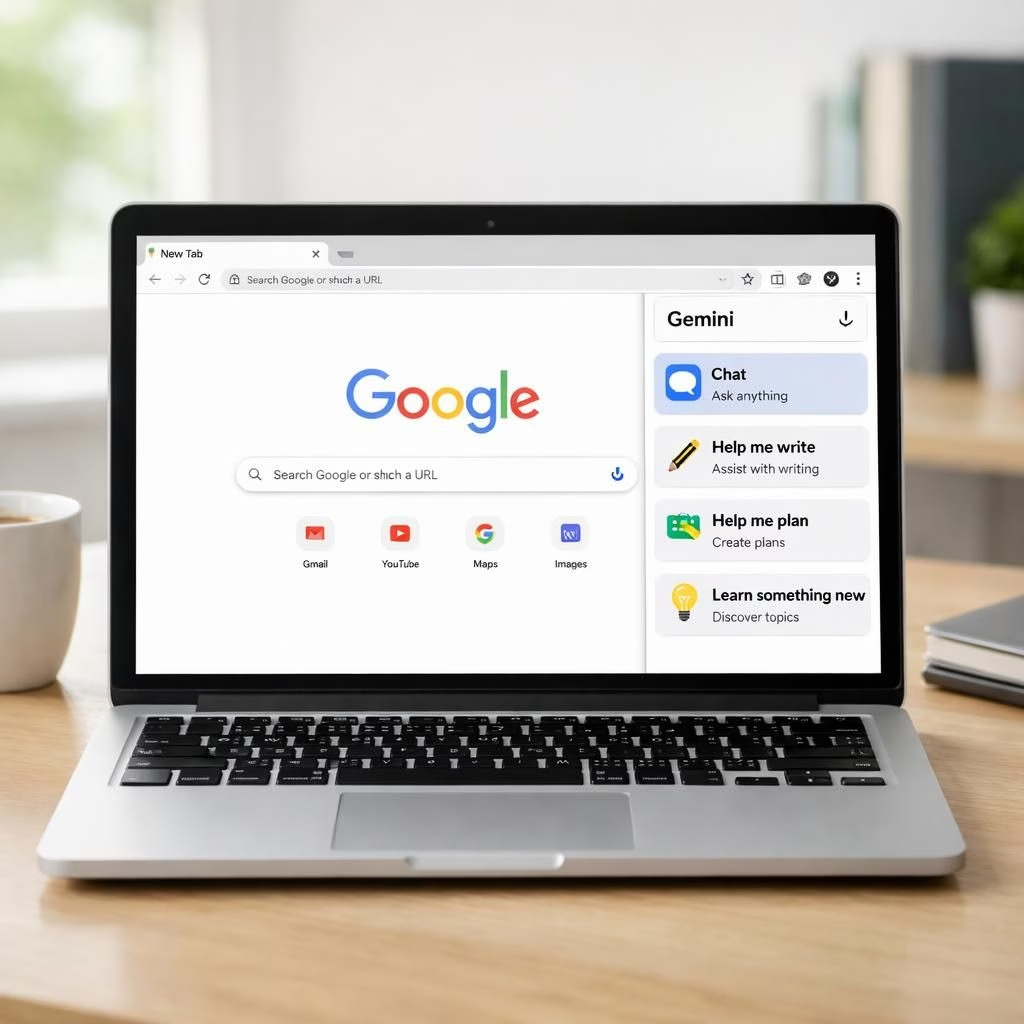
Gemini in Chrome and Tag B are rolling out to Indian users with the new Gemini 3.1 model. The goal is simple: help you find and understand information fast without jumping between a dozen tabs. Imagine a built-in assistant who can summarize a long page, draft a reply, and remember where you clicked last. Google is expanding support to more than 50 languages, including Hindi, Bengali, Gujarati, Kannada, Malayalam, Marathi, Telugu, and Tamil. The rollout starts on desktop and iOS, with more platforms to follow. Charmaine Dsilva, Chrome’s director of product management, says the experience is more intuitive, secure, and proactive. India joins the US, Canada, and New Zealand in the early wave, with the US having launched in September. Gemini in Chrome aims to reduce tab chaos and boost confidence when you browse in 2026. It feels like your browser learned a few new tricks from a very patient colleague. All this runs on Tag B that make suggestions as you type.
Gemini in Chrome: A smarter browser companion
With Gemini in Chrome, you can chat with a browsing assistant without switching tabs. A side panel slides in on the right, letting you ask questions, summarize a press release, or search for a product without leaving your current page. It can remember pages you’ve visited and pull related notes into one view. The result is smoother multitasking, not chaos. When we asked it for a Pixel 9 Pro XL case, it suggested options with quick price cues and useful ratings. If you want faster results, you can tell it to search under a budget or check delivery times. The experience feels like a patient helper who respects your time and preferences.
In practice, Gemini in Chrome shines when you compare how you would previously juggle tabs, and now you get a consolidated view. You can reference saved notes and cross-check results across open pages, all from the side panel. The AI-powered assistance learns your style over time and offers practical, task-focused suggestions rather than noise. The flow is calm and efficient, not a detour through a maze of bookmarks. It’s the kind of upgrade you notice when you realize you spent less time chasing information and more time acting on it.
For many professionals, Gemini in Chrome reshapes how you work with information day to day.
AI features: multilingual power for India and beyond
Language coverage is a standout. Google is expanding support for more than 50 languages, including Hindi, Bengali, Gujarati, Kannada, Malayalam, Marathi, Telugu, and Tamil. That matters for India, where accessible Tag B can make information easier to grasp and act on. The initial rollout is desktop and iOS, with Android on the horizon. In 2026, the reach grows beyond India, with Canada and New Zealand joining the expansion and the US already enjoying early access. The result is a browsing experience that feels less robotic and more like a patient, multilingual consultant ready to help you interpret results and plan next steps. This broader language support helps educators, students, and professionals alike to work faster and with more confidence.
Beyond language, Gemini in Chrome connects with Gmail, Maps, Calendar, YouTube, and more. You can schedule meetings, locate places, and ask questions about videos without leaving the current page. A creative tool called Nano Banana 2 is embedded in Chrome to edit images on the fly; describe the change in the side panel, and the command is executed directly on the page. Security is a core design principle; Google says the system is trained to recognize threats like prompt injection and to ask for confirmation before sensitive actions, such as sending an email or adding a calendar event. Automated red-teaming and rapid auto-updates help keep protections current, reducing the risk of surprises while you browse in 2026.
In practice, the integration feels cohesive rather than layered. The browser is now a collaborative workspace, not a set of isolated tools. The side panel makes it easy to combine tasks—summarize a press release, pull a quick shopping list, and check a map—without breaking your train of thought. Practically speaking, this can save minutes on a busy day and improve accuracy when you’re comparing options or collecting sources. The aim is to keep you focused on your goals rather than chasing the next tab, and the early results look promising for a future where Tag B features feel like a natural extension of the browser rather than a disruptive upgrade.
As Google explains, this initiative marks a careful balance between convenience and safety. The Gemini in Chrome team highlights proactive safeguards, clear confirmations for sensitive actions, and a transparent approach to updates. The emphasis on security and user control is designed to reassure even cautious users while offering tangible productivity gains. The combination of Gemini in Chrome and Tag B features creates a streamlined, language-rich browsing experience that invites exploration rather than fatigue. The year is 2026, and the promise is clear: a browser that helps you think through tasks faster and with less friction.
Original article: https://www.example.com/original-google-gemini-chrome-2026. Thank you to the authors for the thoughtful material that inspired this rewrite and its insights into Gemini in Chrome and Tag B features.
Interested readers are invited to share their thoughts in the comments below. Your experiences with Gemini in Chrome and Tag B features can help others navigate these new capabilities with confidence.
Gemini in Chrome: Practical usage tips
- Open the side panel to summarize long pages, draft emails, or pull key points without leaving your current tab.
- Ask Gemini to compare options (for example, product bills, timelines, or shipping estimates) in a single consolidated view.
- Save notes and reference them across tabs to build a coherent set of sources for reports or presentations.
- Use Nano Banana 2 to edit images on the fly by describing the desired change in the side panel.
AI features and language accessibility
- Leverage multilingual support to understand results and plan actions across Hindi, Bengali, Gujarati, Kannada, Malayalam, Marathi, Telugu, Tamil, and more.
- Schedule meetings, navigate maps, and get video insights without leaving your current page.
- Trust and safety are built in with prompts requiring confirmations for sensitive actions and regular security checks.
FAQ
- What is Gemini in Chrome?
- It is an AI-assisted feature embedded in the Chrome browser that works in a side panel to help summarize, search, and manage tasks across open tabs.
- Which languages are supported?
- Google has announced support for more than 50 languages, including major Indic languages like Hindi, Bengali, Gujarati, Kannada, Malayalam, Marathi, Telugu, and Tamil.
- Is it secure to use Gemini in Chrome?
- Yes. Google trained the models to recognize threats such as prompt injection and requires confirmations before sensitive actions. Automated red-teaming and rapid updates help maintain protections.
- When will Android be supported?
- The rollout began on desktop and iOS, with Android on the horizon as the feature expands to more platforms.
Conclusion
Gemini in Chrome represents a meaningful shift in how browsers support daily work. By combining a responsive side panel, multilingual guidance, and strong safety safeguards, Google aims to turn browsing into a more proactive, efficient experience. If you’re curious, try enabling Gemini in Chrome on your desktop or iOS device and see how a few well-placed prompts can transform your workflow.