

Accessibility and Apple Intelligence are at the center of Apple’s latest updates for 2026, a year that promises smoother screens, smarter commands, and a little more whimsy in daily tech routines. This batch of improvements expands VoiceOver, Magnifier, Voice Control, and Accessibility Reader with richer image descriptions, more natural language input, and on-device translation. The result feels practical and friendly: your devices become better teammates without shouting about it from the rooftops. In short, the company is leaning into accessibility as a core design principle, and the punchline is simple — tech should listen as well as it speaks, and it should respect privacy while doing so.
Accessibility and Apple Intelligence: What’s New in 2026
First, VoiceOver and Magnifier get smarter without losing their humanity. VoiceOver gains an Image Explorer that uses Apple Intelligence to describe photos, receipts, and other visuals with context instead of a dry caption. The Live Recognition feature allows you to ask questions about what’s in the camera viewfinder using natural language, then follow up in your own words. It’s not just about seeing more; it’s about understanding what you see, in a way that feels conversational rather than clinical. Accessibility becomes less about checking a box and more about turning everyday moments into informed, accessible experiences.
Magnifier now brings the same level of intelligent exploration to a high-contrast interface. Users can describe their surroundings with spoken requests, for example saying “show me the nearest door” or “zoom in on the sign,” and get immediate, relevant feedback. The combination of VoiceOver and Magnifier shows how Apple Intelligence can be a quiet ally, translating complex scenes into digestible, actionable information while keeping the user in control.
Second, Voice Control evolves into a more intuitive partner thanks to natural language input. No longer must you memorize button labels or exact words; you can describe what you want in ordinary speech. Phrases like “tap the purple folder” or “open the guide about best restaurants” become reliable, conversational gestures. The update also helps with apps that aren’t perfectly labeled for accessibility, bridging gaps with user-friendly language that feels natural rather than robotic. This is where accessibility meets everyday practicality in a way that makes sense for real people, not just testers in a lab.
Accessibility Reader receives a meaningful upgrade as well. It adapts to a broader set of source materials — from scientific papers to multi-column layouts — and now includes on-demand translation that preserves formatting, fonts, and colors. Translation becomes part of the reading experience rather than a separate chore, which means more readers can stay in their preferred setup while still consuming content in their language of choice. Apple Intelligence helps this feature stay fast, readable, and respectful of the original design choices authors made.
Third, the article highlights on-device subtitles generated for video content. This is not merely about closed captions for the hearing-impaired; it’s about privacy-preserving, automatic transcription that works across the ecosystem — iPhone, iPad, Mac, Apple TV, and Vision Pro. Subtitles can be customized in the playback menu or Settings, so you can tailor the experience to your preferred size, color, or background. In practice, this means more people can enjoy a broader range of media without relying on external servers to do the heavy lifting, aligning with Apple’s privacy-by-design ethos.
On the Vision Pro front, Apple introduces an eye-tracking-based control feature for compatible power wheelchairs. This is not sci‑fi; it’s a practical extension of assistive technology that leverages precise eye-tracking to offer an alternative drive input. The system works reliably in varied lighting and doesn’t demand constant recalibration, which means more dependable independence for users who rely on assistive mobility. Early support includes Tolt and LUCI drive systems in the United States, with plans to expand as developers collaborate. This is accessibility in motion — literally — and it makes the idea of using a wheelchair with a computer-powered headset feel less like a gimmick and more like a real, everyday option.
Accessibility and Apple Intelligence: Everyday Toolkit for Everyone
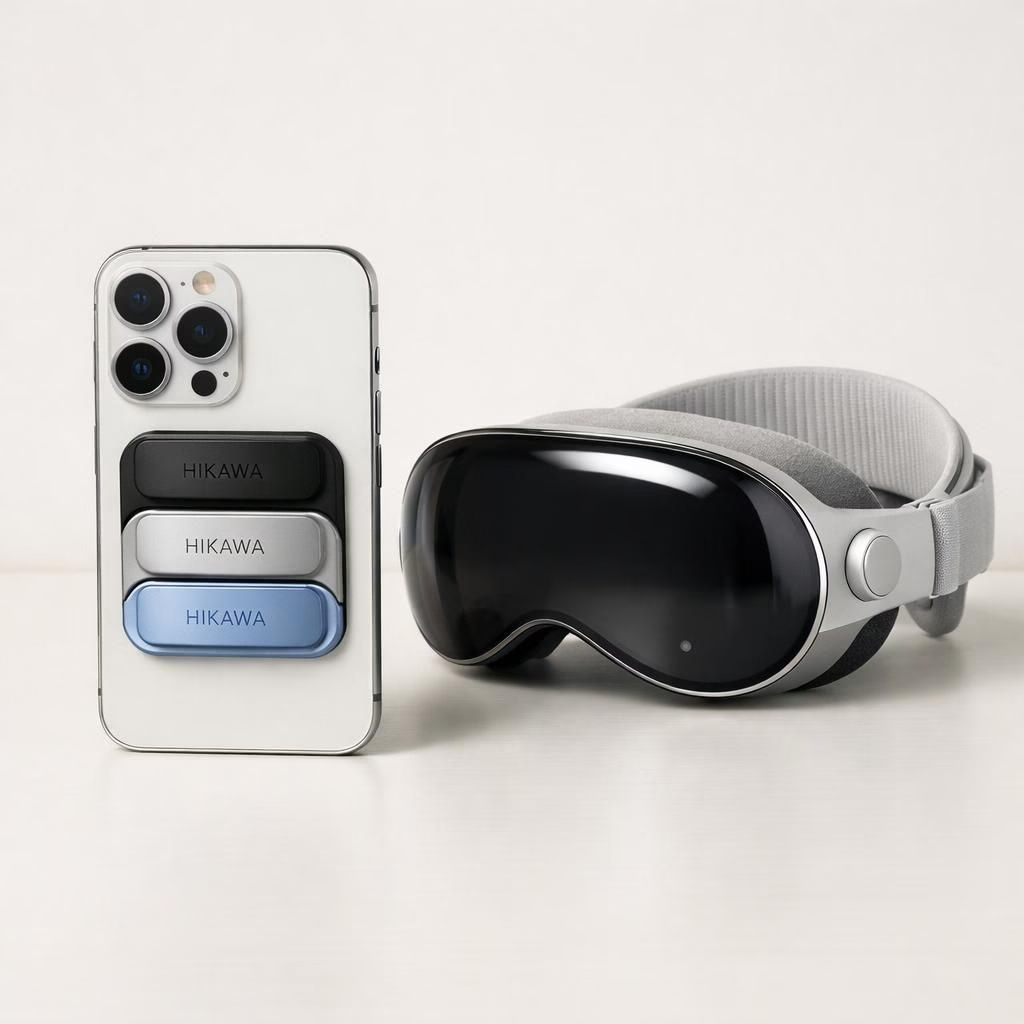
To complement the software updates, Hikawa’s Grip & Stand for iPhone is available today in three new colors. The accessory is designed with accessibility in mind, providing a firmer grip and a more versatile stand so that people with grip or dexterity differences can hold and use their iPhone more comfortably. This is a strong reminder that accessibility is not a single feature but a system of tools that work best when hardware and software align in practical ways. The collaboration with Hikawa underscores Apple’s commitment to inclusive design by including input from disability communities early and often, a philosophy echoed by Tim Cook and other Apple executives in recent statements.
Tim Cook once noted that Apple’s accessibility approach is “unlike any other.” The practical upshot, in 2026, is that new updates feel less like a patch and more like a thoughtfully integrated expansion of capability. Sarah Herrlinger and the Global Accessibility Policy and Initiatives team explain that Apple Intelligence is not about adding complexity; it’s about giving people more intuitive, private, and personalized control over their devices. The result is accessibility that respects users’ privacy while still offering powerful, flexible tools for input, exploration, and customization.
Accessibility and Apple Intelligence: Everyday Toolkit for Everyone
For everyday users, the combination of VoiceOver, Magnifier, Voice Control, and Accessibility Reader with translation and image context creates a more inclusive digital environment. The updates are designed to be discoverable but not overwhelming. You can start with a simple action — describe the thing you want to do, and the system will interpret it in natural language. You can push a few buttons or rely on eye-tracking for hands-free control. It’s not about forcing a new workflow; it’s about offering choices that fit different abilities and preferences. When you mix on-device subtitles with improved image descriptions, you gain a more complete, more private multimedia experience that travels across your Apple devices with your data under your own control.
As with any significant upgrade, there are growing pains and learning curves. Apple emphasizes privacy-by-design, which means your data isn’t funneled through cloud servers for routine tasks. Subtitles, translation, and image description are processed on-device whenever possible, which keeps your content closer to you and your control panel closer to your fingers and eyes. The result is a more capable ecosystem that doesn’t demand you to change the way you talk, view, or interact with your devices — it invites you to bring your own style to accessibility.
What This Means in Real Life
In practice, these updates should feel like a well-timed assist from a patient friend who just happens to be a powerhouse of technology. People who are blind or have low vision gain richer context from image descriptions and more reliable navigation through natural language input. Those who rely on captions get on-device subtitles that respect privacy and can be tailored for readability. Users in wheelchairs gain a new control pathway through Vision Pro eye-tracking, expanding autonomy in daily tasks. And for anyone who enjoys a sleek, adaptable grip, the Hikawa accessory offers new aesthetic choices without compromising comfort or accessibility.
The 2026 push from Apple isn’t just about adding features; it’s about weaving accessibility into the fabric of everyday life. It’s a reminder that technology shines brightest when it flexes to meet people where they are. The emphasis on privacy-by-design, user choice, and inclusive design signals an industry standard that prioritizes lived experience as much as hardware specs. If you’ve ever wished your devices understood you better, these updates feel like a thoughtful nudge in the right direction — a nudge that arrives with style, efficiency, and a bit of lighthearted optimism.
We’d love to hear how you plan to use these features in your daily routine. Share your thoughts on how Apple Intelligence and Accessibility could shape your activities, your work, and your play. Your feedback helps push the conversation forward and keeps accessibility at the forefront of product design.
Original article: Apple Newsroom — Apple unveils new accessibility features and updates with Apple Intelligence (May 2026). Thank you to the Apple Newsroom for the original material that inspired this rewrite.