

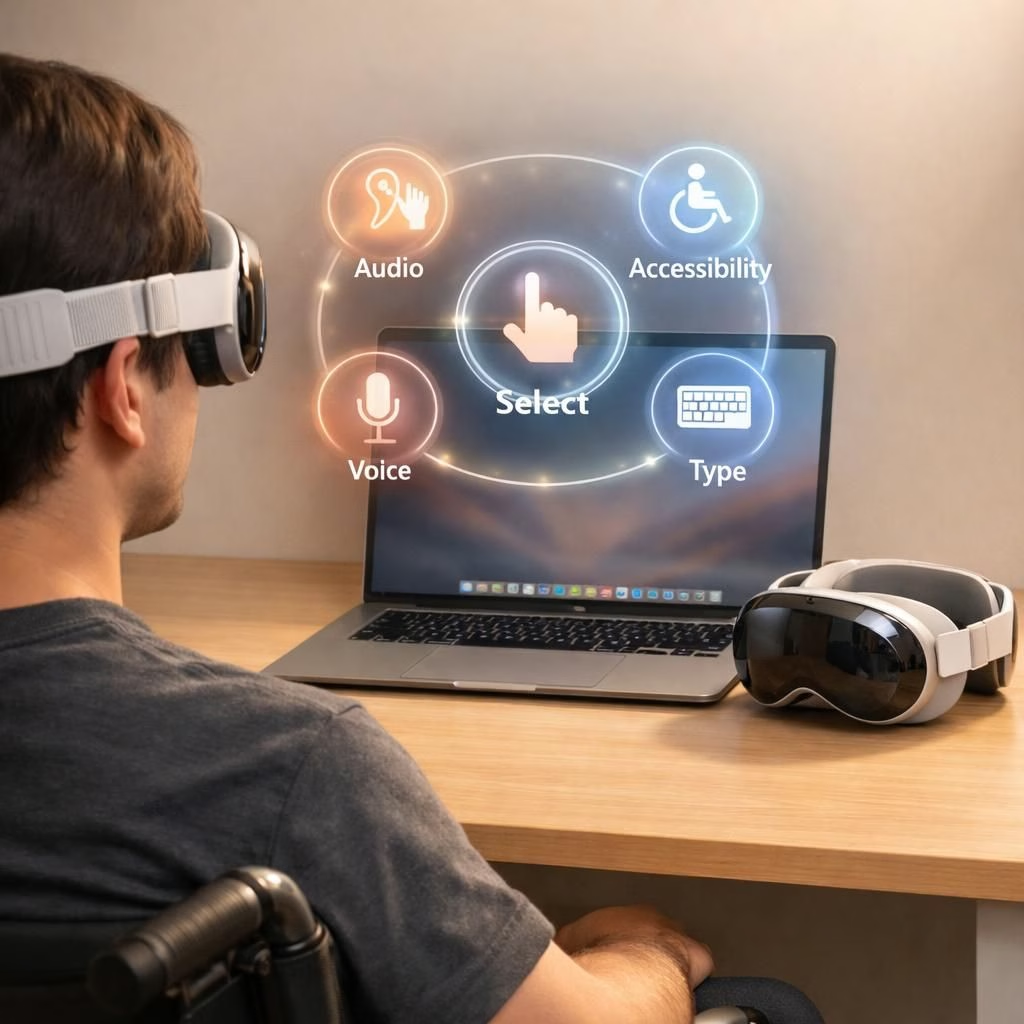
Accessibility and Apple Intelligence have joined forces for 2026, delivering a thoughtful suite of features across iPhone, Mac, and Vision Pro. The goal is pragmatic: more control, more clarity, and a touch of playfulness in how we interact with our devices. If you value a gadget ecosystem that anticipates needs without crowding your workflow, you’re in luck. This isn’t a standard press release; it’s a reimagining of how technology can stay out of the way while still being ready when you need it. In this collaboration, Accessibility remains the star for people who rely on assistive tech, and Apple Intelligence acts as the extra brain that makes those tools smarter, faster, and more responsive. The result is a more inclusive experience across hardware and software, with a lighthearted confidence that tech can be useful without being rule-heavy.
Accessibility and Apple Intelligence across iPhone, Mac, Vision Pro
Across iPhone, Mac, and Vision Pro, Apple Intelligence features receive a notable boost from Accessibility. Text rendering is sharper, with dynamic sizing options and higher-contrast modes that make reading easier in bright sun or dim rooms. Voice control gains new vocabulary and faster commands, so tasks happen with fewer taps and more proactive thinking. Screen-reader users will notice improved VoiceOver descriptions that feel more intuitive, as if the device understands not just the words, but the intent behind them. People who rely on switch control or Braille displays will experience smoother navigation, less lag, and more predictable focus management, reducing frustration during long sessions.
On Vision Pro, intentional design meets eye-tracking finesse. Apple Intelligence helps translate eye movements into precise selections, gestures, and cursor movements, letting a user in a wheelchair or someone who prefers hands-free interaction move through apps with confidence. The combination of an immersive headset and refined accessibility layers signals a new era of adaptive interfaces. This isn’t science fiction; it’s practical craft: real-time adjustments for brightness, contrast, and audio cues, all tuned to what the user needs at that moment. Accessibility isn’t an afterthought here; it’s the guiding principle that shapes early prototypes and final releases alike.
Developers are invited to lean into this synergy. When Accessibility and Apple Intelligence collaborate, apps can offer smarter labels, clearer feedback, and more resilient focus rings. The idea is to reduce cognitive load—so you don’t have to fight the device to get it to listen. The synergy also embraces privacy and security gently, making it clear that smarter features should not require sacrificing your control or data dignity. Accessibility becomes a core partner, not a checkbox, in the design language of iPhone, Mac, and Vision Pro.
Apple Intelligence powering new Accessibility features, including eye-tracking wheelchair control
One headline-worthy advance is the use of eye-tracking to operate a wheelchair. With Vision Pro’s capabilities and Apple Intelligence at the helm, a user can navigate a cursor, select actions, and trigger command sequences by glancing at targets and dwelling briefly on choices. It’s a striking example of how accessibility tech grows from assistive tools into everyday mobility options with broader appeal. The goal is empowerment: a user can go where they want, when they want, with a streamlined feedback loop that confirms each step. This kind of eye-based control works best when it’s predictable, safe, and responsive, and the underlying software stack aims to deliver just that—low latency, high reliability, and clear, accessible cues that keep users oriented without overwhelming them.
Alongside Vision Pro enhancements, Apple Intelligence brings back a familiar, tactile accessory to many households: the MagSafe iPhone stand and grip. The revival isn’t mere nostalgia; it’s a practical accessory that supports hands-free operation, stable device positioning, and easier one-handed use for those who need it. The stand and grip pair well with updated accessibility features, offering a solid anchor for devices that are frequently in motion or used in dynamic environments. In this ecosystem, the stand acts as a physical companion to digital accessibility, making it easier to maintain a steady pose while the software assists with voice commands, screen reading, and navigation aids. Accessibility and Apple Intelligence together ensure even the simple act of placing a phone on a stand becomes a smoother, more inclusive experience.
The broader impact is clear: with these updates, people who rely on accessibility features gain more predictable interactions and a more cohesive experience across devices. Apple Intelligence acts as the connective tissue, translating user intent into reliable actions, while Accessibility keeps the user’s needs front and center. This carefully choreographed collaboration helps keep the interface from feeling abstract or alienating; instead, it feels like the software is listening, understanding, and responding in a responsible, timely way. If you’ve ever wished for a device that respects your pace and your preferences, these updates speak to that wish with a friendly, pragmatic tone. Accessibility remains the constant, and Apple Intelligence amplifies its reach—without losing the human touch.
For developers and power users alike, the update opens doors to more inclusive design patterns. Shortcuts, voice prompts, and haptic feedback can be choreographed to leverage the strengths of both Accessibility and Apple Intelligence. The result is a smoother onboarding path for new users and a richer, more reliable experience for seasoned ones. There’s a careful balance here: enabling advanced features while ensuring Accessibility remains intuitive and non-intimidating. The message is hopeful and practical: technology can be both capable and considerate, offering power without taking control away from the user.
What this means for the everyday user
Accessibility in everyday life with Apple Intelligence
In practical terms, these integrations translate to fewer roadblocks and more consistent experiences. Some tangible benefits include clearer on-screen feedback when navigating with eye-tracking, reduced cognitive load from smarter defaults and adaptive UI, and easier access to essential functions on Vision Pro, iPhone, and Mac. For someone who benefits from assistive tech, this convergence is a welcome step toward a more seamless digital life. For mainstream users, it’s a glimpse into a future where Accessibility and efficiency go hand in hand, with Apple Intelligence quietly smoothing the edges so your device feels like a helpful companion rather than a silent obstacle. Accessibility and Apple Intelligence together create a more inclusive ecosystem that doesn’t require you to work around it; instead, you work with it—efficiently and pleasantly.
As with any rollout, there will be iteration. Feedback from users who rely on these features will shape refinements over the coming months. The spirit is constructive: improve the tools, keep the experience clear, and let the technology fade into the background so you can focus on what you’re trying to accomplish. Accessibility remains central to the product narrative, while Apple Intelligence acts as the enabling force behind smarter interactions and more reliable performance across devices.
In short, 2026 looks to be a year where Accessibility is not an afterthought, but a feature baked into the core software and hardware design. The collaboration between Accessibility and Apple Intelligence promises to translate intent into action with greater reliability, and that is good news for anyone hoping for tech that understands them just a little better each day. The future feels practical, optimistic, and a touch clever, which is exactly the tone we need as we navigate new interfaces and the next generation of devices.
Original article attribution and thanks: Our coverage draws on the excellent reporting from CNET, MacStories, 9to5Mac, and Engadget. We’re grateful for their original material and thoughtful analysis that helped shape this read.
Original article attribution: Special thanks to CNET for the initial coverage of Apple Intelligence and Accessibility across iPhone, Mac, and Vision Pro. See the original article here: CNET coverage on Apple Intelligence and Accessibility. We also acknowledge related insights from MacStories, 9to5Mac, and Engadget for their in-depth perspectives.
References
- Apple Newsroom: Apple unveils new accessibility features and updates with Apple Intelligence
- CNET coverage on Apple Intelligence and Accessibility
- MacStories coverage of accessibility features
- Engadget coverage of accessibility features
- 9to5Mac coverage
- Apple Intelligence tag (external reference)