

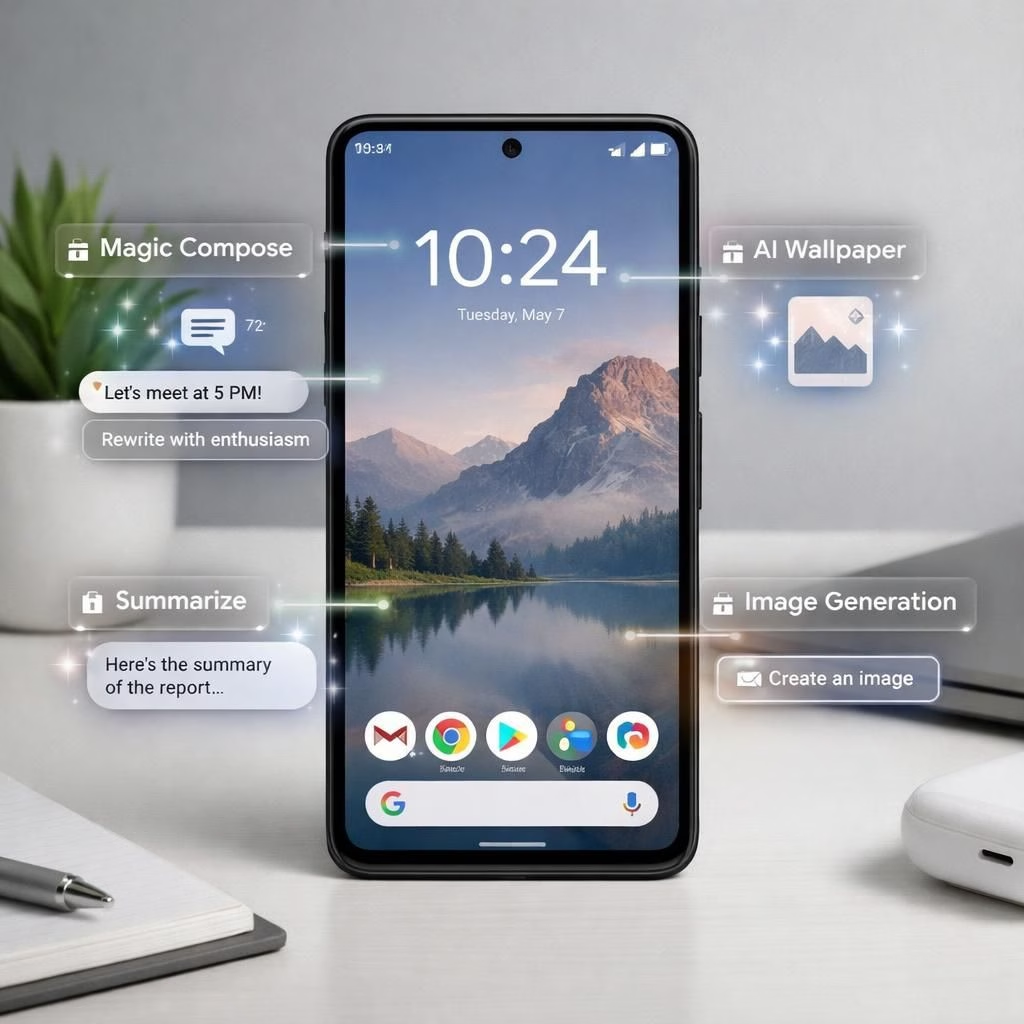
Android 17 lands on Pixel phones today, delivering a chorus of AI features and performance tweaks that Pixel fans have asked for since the last update. The Verge, 9to5Google, blog.google, and Bloomberg headline the news, but the real party is in the small, practical gains you’ll notice every day on your Pixel device using Android 17.
Android 17 on Pixel: A Welcome Update
With the June update, Google rolled out 38 fixes tailored for Pixel, smoothing battery curves, quelling minor bugs, and sharpening camera AF. Pixel owners may notice faster wake times, steadier app behavior, and fewer random notifications. It’s not a revolution, but it is a solid tune-up that makes Pixel life that much smoother.
The Verge highlighted the rollout, while 9to5Google detailed the Pixel fixes, and blog.google published the official release notes. In practice, Android 17 brings tweaks that align with a Pixel-first ethos, improving transitions and reducing jank in common tasks. The goal is consistency: a Pixel experience that feels crafted, not cobbled together.
Pixel AI Features with Android 17 Helpers
AI features in Android 17 are designed to be useful and unobtrusive. Expect smarter subject detection in photos, improved scene recognition, and faster, more accurate voice transcription in everyday apps. The Pixel camera gains richer HDR, better color accuracy, and a few automated tweaks that often make a photo look better without manual adjustments. These improvements cut down on fiddling and help you capture moments you’ll actually want to revisit.
On the software side, Android 17 includes predictive actions that pre-load apps you’re likely to use based on location and time, reducing wait times. The assistant can suggest routes, reminders, and information about nearby services in a privacy-respecting way. This is the kind of AI you notice when it’s helping you rather than shouting for attention.
Pixel and Android 17: A Seamless Ecosystem
For Wear OS 7 users, the integration feels tighter than ever. Notifications glide to your wrist with fewer taps, and health data sync happens in real time with minimal lag. The Pixel and Wear OS 7 synergy means you can glance at a notification and act on it with a quick voice command or a single tap. That friction reduction is what separates a smartphone that’s smart from a device that simply pretends to be.
AR enthusiasts gain a more approachable entry point thanks to Android XR. Developers can explore more accurate depth sensing, smoother overlays, and more reliable runtime performance on Pixel hardware. The result is a platform that invites experimentation while keeping the user interface approachable. Android 17 on Pixel becomes a backstage pass to better AR experiences without making you feel like you’re chasing a moving target.
Security and privacy remain a priority. The 2026 updates emphasize safer permissions, better control over background activity, and faster security patches. If you’re mindful about app access, you’ll appreciate the balance between capability and control that Android 17 on Pixel delivers. It’s not about locking you out; it’s about keeping you in control while still granting helpful access to features you want.
From Bloomberg’s perspective, the AI features are set to expand over the summer. Google leans into practical AI, focusing on usability and reliability. The tone is pragmatic: make features that you can rely on and that improve daily tasks, not just entertain you for a moment before fading away.
As users, we don’t expect a gizmo for every day of the week. We expect a cohesive ecosystem that helps us stay organized, save time, and feel confident that our devices are secure. Android 17 on Pixel achieves this by prioritizing stable performance, predictable updates, and a gentle learning curve that makes advanced features accessible. It’s the kind of update that earns appreciation without demanding a long tutorial.
A note of gratitude goes to the publications covering this update. The Verge, 9to5Google, Bloomberg, and blog.google collaborated to present a balanced view of Android 17’s arrival on Pixel devices. The consistent thread across outlets is that the change is incremental but meaningful, especially for users who rely on Pixel’s software to keep their day on track.
Original coverage from The Verge and friends is appreciated. Thank you to The Verge for the thoughtful reporting on Android 17 arriving on Pixel devices and the subsequent June update. You can read the original article here: The Verge.
If you want to weigh in, drop your thoughts in the comments below. Let’s talk about your favorite Android 17 moment on Pixel and how you’re enjoying the AI enhancements in 2026.
Getting the most from Android 17 on Pixel
- Make sure the June update is installed via Settings > System > Updates.
- Enable AI features under Settings > Privacy & Security > AI features (adjust as you see fit).
- Improve camera results by letting the AI assist with photos; try auto HDR and scene recognition.
- Customize notification preferences to balance helpful prompts and interruptions.
FAQ
- Q: What is Android 17?
- A: It is a software update that brings AI features, performance tweaks, and Pixel enhancements to devices in the Pixel family.
- Q: When is the update rolling out?
- A: The June rollout is underway, with staged availability across supported devices over several weeks.
- Q: Will this update affect battery life or app behavior?
- A: Yes—users typically see smoother battery curves and steadier app performance after the fixes and improvements settle in.
References
External references
- Bloomberg coverage on Android AI features and updates
- 9to5Google coverage of the Android 17 June update
- The Verge (general coverage