

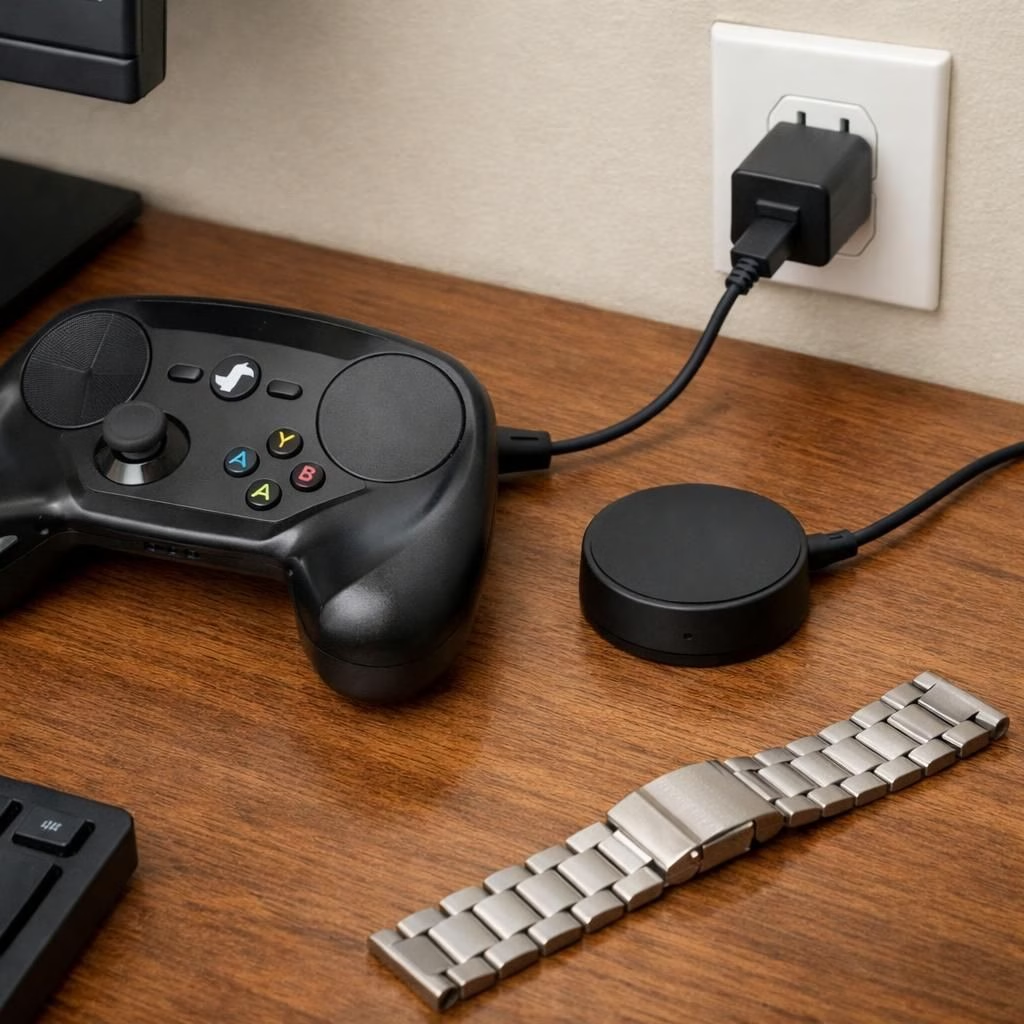
Steam Controller safety and charging puck: practical guide
Stories aren’t just clickbait. They flag real-world risks when metal items meet charging hardware. The core truth is simple: a Steam Controller and its charging puck setup can be safe, but it hinges on how you manage metal proximity, surfaces, and power. Think of it as cooking with a knife—care keeps the kitchen intact. The charging puck is not a toy. It delivers power through metal-adjacent physics that can surprise you if you skip basic safety habits.
Practical tips for the Steam Controller and charging puck
Here are practical, actionable steps that balance curiosity with caution.
- Place the charging puck on a flat, non-flammable surface. A desk mat or wood surface is ideal; avoid rugs or fabrics that can catch a stray spark.
- Keep metals away from the puck when charging. If you wear a metal watch or bracelet, remove it during charging or position it well clear of the puck’s reach.
- Use the original or officially recommended charger. Cheap substitutes can behave oddly near metal objects and heat.
- Inspect for damage before charging. Any discoloration, melting, or odd warmth means stop and reassess or replace the charging puck.
- Charge in a well-ventilated area with a working smoke detector. It’s not glamorous, but it’s sane safety.
- Unplug once charging finishes. Don’t leave the charging puck plugged in all night while you dream of new game all-stars.
- Store the puck away from metal workshop tools or ferrous items. A tidy desk reduces chances of accidental contact with conductive pieces.
- Avoid charging the puck near liquids. Water and electricity are not a good mix, even in small splashes.
- If you notice any unusual sounds or smells, stop using the setup and test power with a multimeter or consult the maker’s guidance.
These guidelines apply whether you’re a casual gamer or a tinkerer who treats the setup like a tiny lab experiment. The goal is simple: keep power delivery predictable and keep metal parts at a safe distance during charging.
What went wrong and how to avoid it with the Steam Controller and charging puck
The reports in tech news—spanning Ars Technica, Digital Foundry, Android Authority, TechRadar, and Yahoo Tech—describe near-miss incidents rather than inevitable failures. In plain terms: Steam Controller enthusiasts can enjoy the device safely, but you should not ignore the hazard signals when metal items are involved. The charging puck is designed to be convenient, not reckless. When metal watch bands or other conductive wearables get close, a spark can occur under certain conditions. That’s not a design flaw as much as a reminder that electricity respects boundaries and distance.
From a product design perspective, the takeaway is hopeful: with better guidance and simple habits, the risk reduces dramatically. In many cases, the near-disaster stories came from stacking risks—metal near hot hardware, crowded power strips, or unstable charging surfaces. Each of these can be mitigated with thoughtful placement, clear labeling, and a culture of cautious charging rather than casual proximity.
Safer habits for 2026 with Steam Controller design and charging puck considerations
Let’s blend practical engineering thinking with a dash of humor. You can keep the Steam Controller experience delightful while honoring the physics at play. The following recommendations help designers and users alike minimize risk and maximize enjoyment.
First, embrace proper separation. When you charge, give the puck some elbow room away from metal items. The human body and metal accessories are not a reliable shield against stray currents; distance matters. Second, favor non-conductive accessories around the puck. If you want to customize, choose caps or sleeves that keep metal parts from spanning close to the charging surface. Third, keep the charging area clean and uncluttered. A tidy workspace reduces the chance of accidental contact and makes power events easier to monitor. Fourth, consider a simple safety check routine: visually inspect, unplug, then test power after any rearrangement of your desk. These habits compound over time and translate into fewer scary moments and more great gaming.
Another important angle is education. Users should be aware that every charging puck has a maximum safe current and that higher-than-specified loads can heat up components. The smarter practice is to charge within the recommended range, use a surge-protected outlet, and never improvise with makeshift cables. These steps aren’t glamorous, but they pay off with reliability and longer device life.
Practical design notes for creators and testers
For engineers and product reviewers, the takeaway is an invitation to improve user guidance. Clear, concise warnings about metal proximity, visible indicators during charging, and robust swivel-free mounting options can reduce error. Designers can also explore passive shielding or ferrite rings to damp stray currents. The goal: make safe charging obvious at a glance, not after a mishap. In short, smarter packaging and clearer instructions help ensure that a Steam Controller setup stays calm, cool, and collectible rather than dramatic and dangerous.
As users, we celebrate the playful side of tech while respecting its real limits. The arc from a near-disaster headline to a well-informed, safe practice plan is exactly where informed communities shine. This is a story about responsible curiosity: enjoy the gadget, but don’t flirt with danger. The result is more consistent performance and fewer headaches when life interrupts the best-laid gaming plans.

In closing, this is a story about safer play, steady power, and the small, smart habits that keep equipment happy. If you’ve tinkered with a Steam Controller and its charging puck, share your experiences below. Tell us what worked for you and what surprised you.
Special thanks to the original reporting and context from Ars Technica, Digital Foundry, Android Authority, TechRadar, and Yahoo Tech for highlighting these real-world moments. A note of gratitude goes to the researchers and writers who keep us informed and entertained. Thank you to Ars Technica for the original coverage of the Steam Controller’s drop-in charger story.
References
- Ars Technica: PSA on Steam Controller charging hazard
- U.S. Consumer Product Safety Commission
- NFPA: Electrical safety basics for consumers
- Electrical Safety Foundation International