

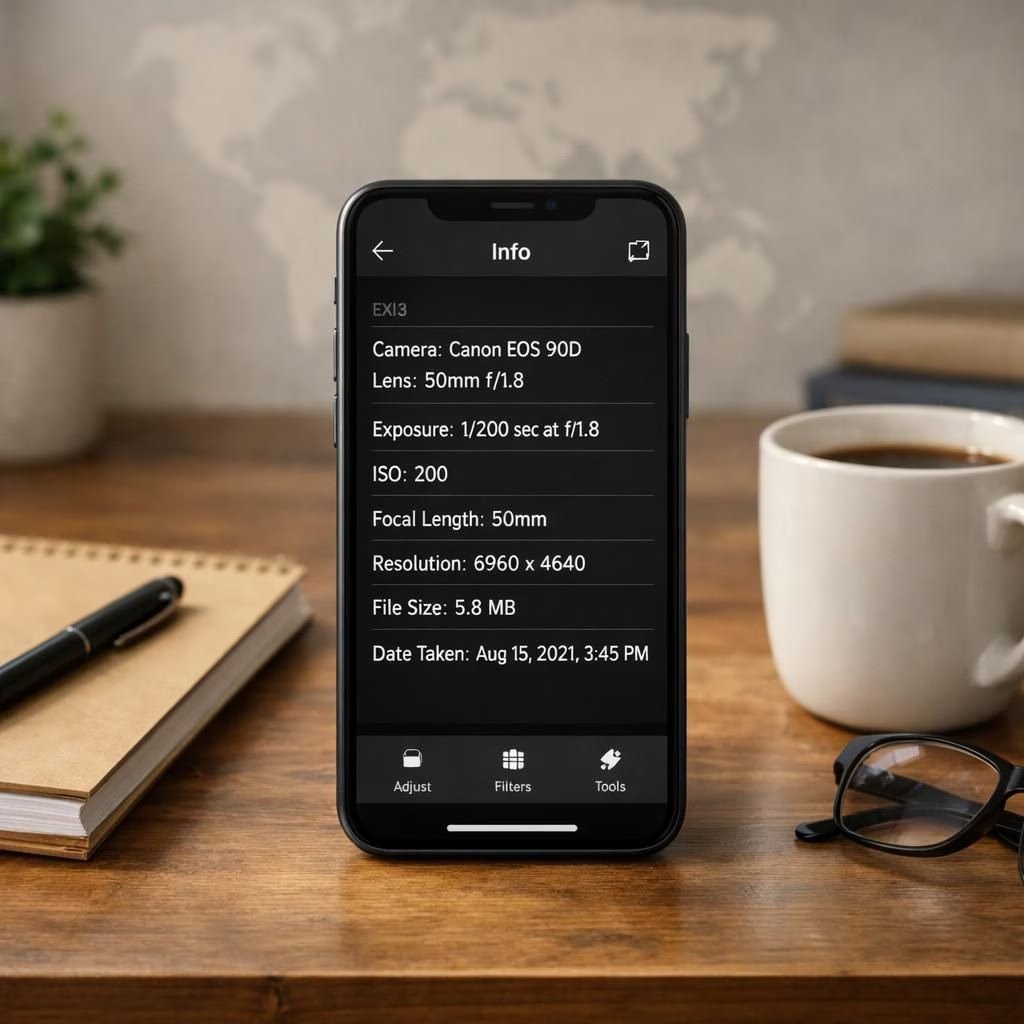
Your photos tell stories, but they also tell maps. If you post online, those stories can reveal where you were and when. Two phrases matter here: location privacy and photo metadata. Protecting location privacy reduces risk, while cleaning photo metadata keeps surprises from hitching rides; this piece offers practical steps without doom scrolling or guilt trips.
Location privacy: Guarding geotags in your shots
Start by knowing where your photos keep clues. Most cameras, phones, and apps stamp EXIF data onto images. That EXIF data can include coordinates, time, and even device model. If you upload without stripping it, you share your location privacy with strangers. The fix is simple and doesn’t require tech anxiety. Disable location tagging in camera apps and hide location details in social apps. On iOS, open Settings, Privacy, and disable Location Services for the Camera. On Android, use a similar path, and consider removing geotags after capture. Many apps offer an export option that strips exact GPS data. If you cannot switch off, crop the image before posting. A quick rule: post fill-ins, captions, or edits that suppress exact pins. That single habit makes a big difference in location privacy across platforms. Crop early, save separately, and avoid sharing behind that tempting location tag.
Privacy is a daily practice, not a one time toggle. Treat your camera as a proxy for consent, not a treasure map. Educating friends and family helps prevent accidental sharing that could expose you. When you travel, take a moment to delete photo metadata from travel photos. Choose secure sharing options those apps offer, or use offline methods. Do not reuse raw files for multiple posts; re-export with fresh photo metadata. If you are unsure, pause posting and ask a trusted friend for a quick check. Digital hygiene combines with common sense to create a calmer online footprint. Remember that devices in shared spaces can push your data out into the air. Three quick cautions are to review, refresh, and remove sensitive items before posting.
The habit is simple but powerful. Crop releases, blur where needed, and resist the urge to show a real map in captions. A small practice from the start prevents a cascade of unintended disclosures later. When you’re unsure, ask yourself whether a follower needs to see the exact place or just the moment. If the answer is the moment, you probably do not need the coordinates at all. Public posts with too many clues invite opportunists and curious onlookers. The goal is to share memories, not publish a treasure map.
photo metadata: Stripping data without tears
We also need to address photo metadata, a quiet carrier of context. Metadata includes camera model, settings, date and time, and yes, location clues. In many posts, this data travels with the image unless you strip it. That means a single click can reveal where you were, what gear you used, and when. For most readers, this is not paranoid fantasy; it is routine risk. The fast fix is to strip photo metadata before posting. If you cannot modify the app easily, use a third-party tool to batch-strip. Popular editors, galleries, and social platforms now offer explicit options to remove EXIF. Some apps can strip on export, others on upload, and a few require manual steps. Always review the result by re-opening the image and checking the metadata. If you cannot find an option, save a copy and strip with a dedicated tool. The habit matters more than the tool you choose. Before sharing, ask three questions: Do I need photo metadata? Is my audience sensitive? If the answer is no, strip it and move on. Here is the practical balance: keep what adds value, drop what exposes you. If you want to be cheeky, write captions that focus on mood rather than exact place. That approach preserves location privacy while retaining meaning. Photos still tell stories, and you can tell them responsibly. A little care multiplies joy and reduces risk for you and others. Remember location privacy and photo metadata in equal measure. Treatment of data is a habit, not a sprint, and it pays off over time.
In practice, the goal is balance: publish memories without publishing a map. Do not treat every photo as a passport; treat it as a postcard. If you manage a family account or a travel blog, establish a simple routine: turn off exact geotags by default, and strip photo metadata before any public post. This mindset shift makes privacy approachable for beginners and satisfying for seasoned posters alike. The steps are straightforward, but the impact is real: you gain control over what you share and what you protect. Remember, a little foresight today can save a lot of questions tomorrow.
When you have finished editing, double-check that captions align with what you’ve removed. A clever caption can replace the thrill of a precise pin with a broader sense of place. If you’re documenting a city break, you can still convey atmosphere, timing, and vibe without naming exact venues or sidewalks. That kind of thoughtful posting respects both your audience and your own privacy needs. After all, you are the author of your online story, and you should decide which chapters reveal maps and which chapters reveal moments.
If this guide resonates, feel free to share your thoughts in the comments. I’d love to hear your experiences with protecting location privacy and shedding photo metadata. For beginners and pros alike, the practice is friendly, practical, and often witty. You can post more confidently after you learn these steps. Small changes accumulate, and your photos remain personal memories, not public maps. Location privacy and photo metadata are both about consent, control, and respect. Treat your audience kindly, but treat your data better.
Special thanks to WIRED for the original article. See the original for more detail: WIRED original article.
References
- How-To Geek: How to remove EXIF data from photos
- Exif data – Wikipedia
- Original article: WIRED original article