

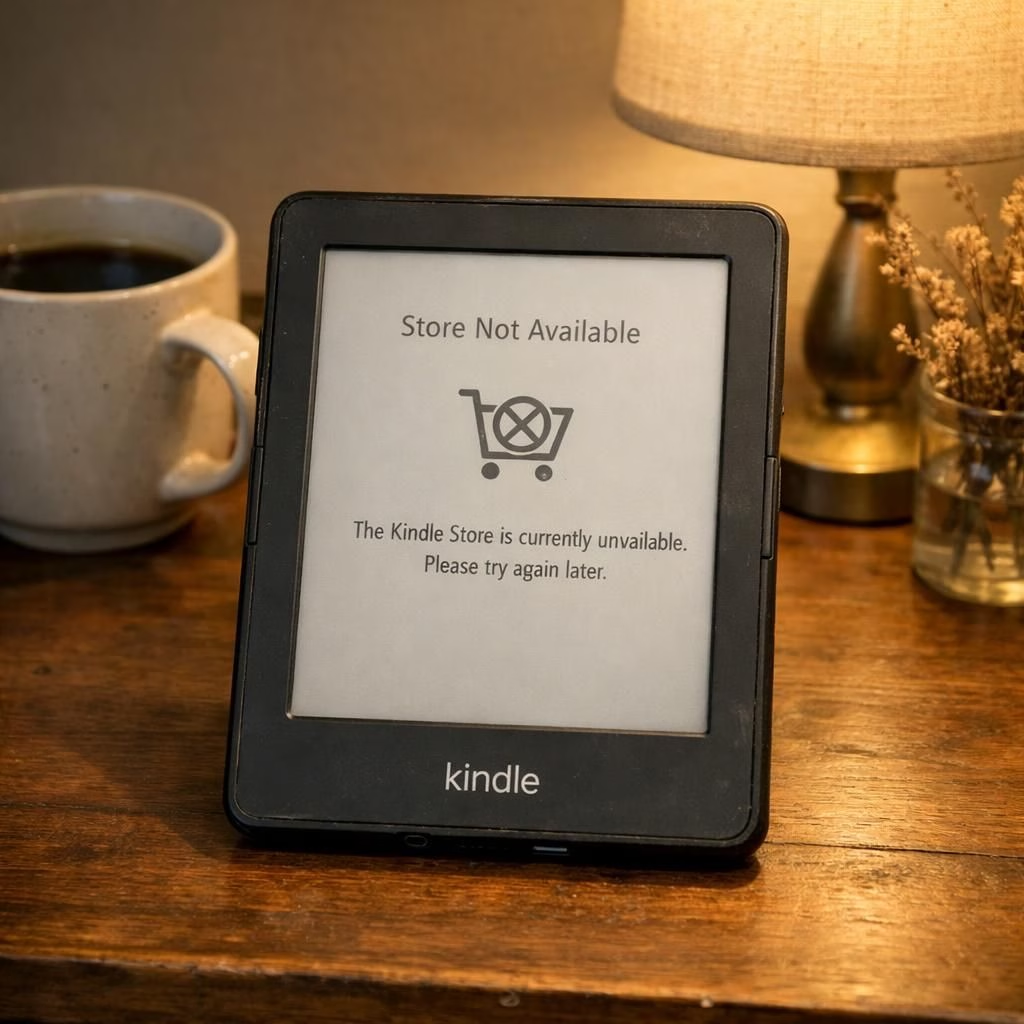
As a long-time reader and consumer, Kindle fans and EbookAccess watchers alike have watched with mixed curiosity as Amazon signals a 2026 policy shift: older Kindle devices will lose access to the Kindle Store in certain regions. This isn’t a panic-inducing moment for everyone, but it marks a real pivot in how we think about digital libraries, device lifecycles, and the economics of updates. In plain terms: the Kindle you may have lugged onto sunny beach trips is about to be offered a tighter leash, and the EbookAccess concept is being reframed for a new generation of hardware and software constraints. The upshot is simple: if you cling to a classic ereader long enough, you’ll learn to adapt, or you’ll miss some of the newest storefronts and features. Either way, the conversation is real, and jokes about enduring firmware will keep flying around tech forums like confetti at a party.
We’re not talking about a sudden, do-or-die shutdown. Instead, think of this as a policy refresh with a strong service-level emphasis. Amazon is recalibrating its store access for older devices to prioritize security, performance, and a streamlined catalog. The practical effect is that some devices may no longer be able to browse, purchase, or download content directly from the Kindle Store. For readers who own the older hardware, there will be workarounds, alternative apps, and channel shifts—but also the opportunity to reflect on what a truly future-proof reading setup looks like. Yes, the tone here is pragmatic, but the humor remains: your bookshelf won’t disappear, just the direct path to certain shelves on certain devices.
Kindle and EbookAccess: What changes in 2026?
First, let’s be precise about what’s changing. The Kindle Store is the gateway to new titles, updates, and the latest features like improved typography, better library management, and API-backed syncing. When support ends for older devices, those devices may still display content you already downloaded, but new purchases or automatic updates could be blocked. Some devices may require you to re-download books to a compatible app, or to switch to a Kindle app on a different platform to access your library. In short: the neat, direct bridge between device and store becomes a little more circuit-boarded. This is not a judgment on the devices themselves; it’s a prioritization decision that helps Amazon manage security, performance, and the evolving hardware landscape. The Kindle ecosystem remains valuable, but its compatibility map is getting more selective, and that has real-life consequences for EbookAccess enthusiasts who prefer older hardware or a tighter reading setup.
From a user perspective, the main changes you’ll notice involve access to new purchases, subscription features, and some limited offline options. If you used a legacy Kindle, you may not see new storefront features, and you might be asked to move purchases to a newer device or app. If you rely on EbookAccess for cross-platform reading, you’ll want to ensure your reading workflow remains uninterrupted by mapping your library to devices that still support the Kindle Store or using official Kindle apps on tablets, phones, or computers. The practical takeaway is this: plan a reading setup that gracefully spans devices, rather than pinning all your hopes on a single legacy unit. And yes, you’ll likely hear a few chats about jailbreaking methods in forums, but those routes come with risks and are not recommended for everyday readers.
Kindle vs EbookAccess: Practical steps to adapt
Step one is inventory. Check which devices you own that still connect to the Kindle Store and determine if there are alternative paths to access your books. If you have a dedicated Kindle device that’s no longer supported for new content, consider pairing it with a modern Kindle app on another device. The goal is to keep your Kindle library accessible without forcing you to replace every gadget at once. In this light, the EbookAccess concept remains a helpful lens: it’s about flexible access across ecosystems, not ideological purity around one device.
-
Step 1 — Inventory and bridge ideas. List every device that can reach the Kindle Store and identify viable bridges (e.g., a modern tablet or computer with a Kindle app) to keep your Kindle purchases accessible. Consider whether you can use a different platform to access your library without losing formatting or highlights. The Verge reports that platforms are increasingly cross-checking capabilities for older hardware, so planning now pays off later.
-
Step 2 — Diversify your reading setup. Add a second device or platform to act as a bridge. A tablet or computer with a Kindle app can be a smooth, reliable link to your purchases and notes. With ZDNet noting evolving user experiences, this diversification helps safeguard your library against single-point failures. EbookAccess remains a useful framework for thinking about cross-device resilience.
-
Step 3 — Prioritize security and longevity. Favor devices that receive regular security patches and ongoing support. If a device cannot run the latest Kindle app or access the Kindle Store, the goal is to preserve access via trusted apps on other hardware while staying within safety best practices. This approach aligns with the broader shift toward a more secure, modular reading life.
-
Step 4 — Test and document your workflow. Keep important titles downloaded locally where possible, and maintain a tidy library with clear labels showing which items work where. Exploration and patience will minimize friction during transitions, and it also helps you enjoy Kindle and EbookAccess without drama.
Step four is exploration. Look for official guidance from Amazon, because not all changes are distributed evenly across regions. The policy shift may reflect business priorities, regional licensing, and device compatibility constraints. If you’re in a region where updates arrive gradually, you might see a mix of supported and unsupported storefront behaviors for older devices. That’s not a conspiracy; it’s supply-and-demand shaping the digital bookshelf. And for those who relish EbookAccess as a concept, the shift invites you to plan cross-device reading paths, test new apps, and keep your favorites handy across devices rather than pinned to one piece of hardware.
Finally, don’t forget the human factor. This is not just about devices; it’s about readers, authors, and the communities built around books. If you are an author who earns royalties through Kindle Store sales, you’ll want to verify distribution channels and ensure your readers aren’t left behind. If you’re a consumer who loves old hardware for nostalgia or stability, you’ll need to adapt. The good news is that this evolution comes with better security and a cleaner ecosystem over time, even if the initial transition is slightly bumpy. And yes, Kindle and EbookAccess remain hot topics in forums because readers like to debate the best workflow for maximizing value from their libraries.
For those who crave devices that stay evergreen, consider focusing on devices and apps that receive regular security patches, robust support, and ongoing compatibility with new titles. The best strategy is not to put all your faith in one device, but to build a small, flexible toolkit: a primary modern device for new purchases, a secondary device for backup reading, and a stable online library that you can access from several platforms. This approach honors the spirit of Kindle and EbookAccess—access, convenience, and resilience—without getting lost in a maze of outdated hardware and brittle workflows.
One striking takeaway is how this shift nudges readers toward more deliberate digital habits. It’s easier to hoard devices than to curate a living library. Yet the reality is kinder when you cultivate a setup that emphasizes versatility and accessibility across devices. If you’re new to the ecosystem, you’ll learn to pick devices and apps that complement each other, rather than compete for a single role. If you’re a longtime fan of the Kindle brand, you’ll still get a strong reading experience, even if you have to adjust your routines. And if you’re a dedicated EbookAccess enthusiast who loves cross-platform reading, you’ll be rewarded with a library that travels with you rather than being stranded on a single device.
As a closing note on what to expect, anticipate ongoing updates from manufacturers and publishers about compatibility timelines, digital rights management, and offline access options. The goal is to keep reading enjoyable and affordable, not to lock readers into an ever-accelerating upgrade treadmill. The best approach is to stay informed, prepare a flexible plan, and keep a sense of humor about the inevitable quirks that come with any large-scale platform update.
We’d love to hear your experiences and strategies. How are you handling the shift in Kindle and EbookAccess in 2026? What devices or apps do you find most reliable for keeping your library intact? Please share your thoughts in the comments below.
Original reporting and context from The Guardian, TODAY, BBC, ZDNet, and The Verge informed this overview. Special thanks to these outlets for their foundational coverage of Kindle device support changes.
Original sources and attribution: The Guardian, TODAY, BBC, ZDNet, The Verge.
For broader coverage, you can also review credible reporting from BBC News, TODAY, The Verge, and ZDNet.