

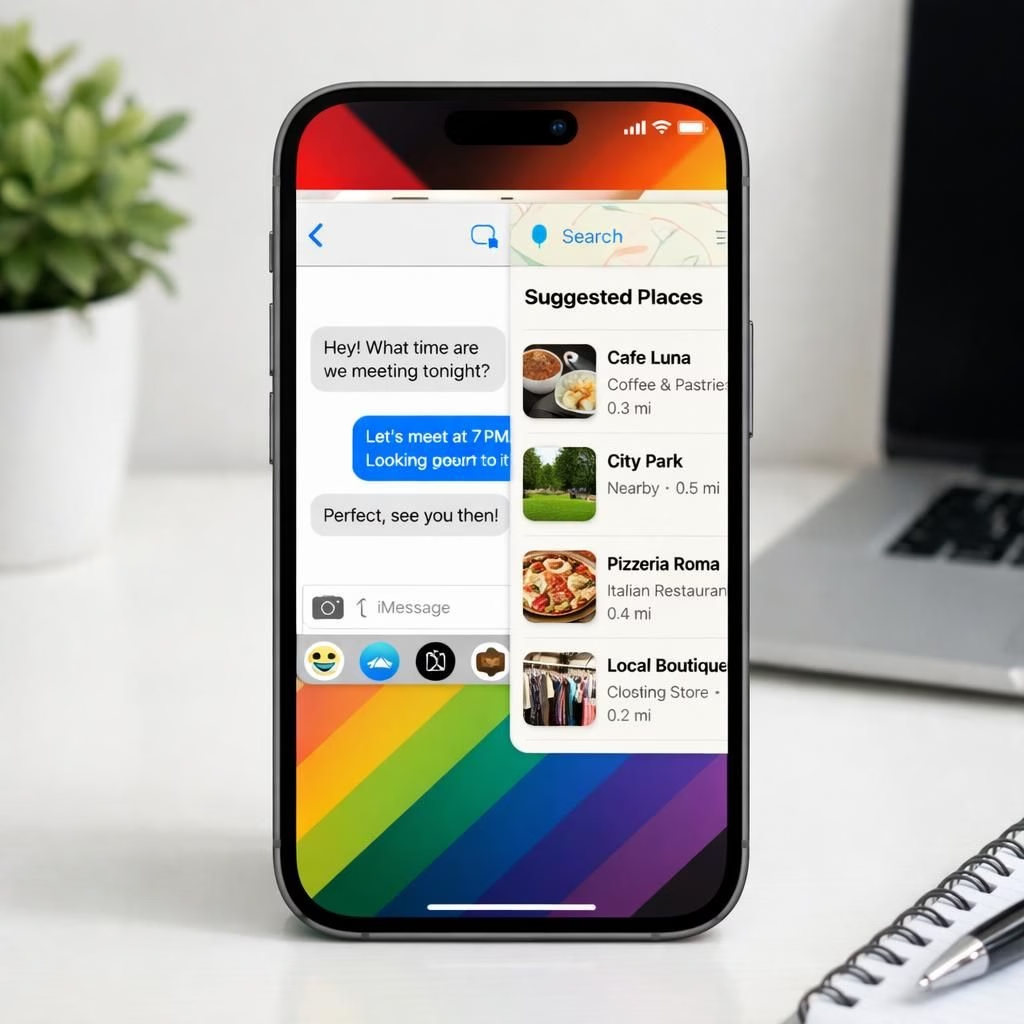
iOS and RCS collide in Apple’s 26.5 release, a moment where the iPhone meets cross-carrier chat with a twist and a wink. The update brings end-to-end encryption for RCS conversations between iPhone and Android users, but the fine print is mercifully honest: both participants must be on carriers that support the feature, and rollout will happen gradually. For many, this beta adds a familiar lock symbol to RCS messages, echoing iMessage protections while navigating the practical realities of carrier support. Meanwhile, iPadOS 26.5 mirrors the path on iPad, ensuring students and workers alike can enjoy the same privacy and chat options on a larger canvas.
iOS improvements and RCS rollout
On the iPhone side, Apple sticks to its habit of mixing polish with pragmatism. Apple enables end-to-end encryption for RCS messaging, offering privacy without forcing a platform swap. Carriers will be the gatekeepers of the rollout, and that means we might see delays before every friend and family member gets the shielded chat experience. The result? A small but meaningful step toward parity with iMessage in cross-device conversations, now more visible in everyday texting because the lock icon signals real encryption, not just a marketing badge. The transition is incremental, which is classic Apple: meticulous, safe, and quietly ambitious.
Maps, Suggested Places, and Pride on iOS
Maps gains a tidy new section called Suggested Places, offering recommendations based on location and recent searches. Think helpful hints without the nagging sense that your phone is reading your mind, but also a testbed for future advertising groundwork. Yes, iOS 26.5 quietly lays the groundwork for ads in Maps, which will likely arrive as a design-friendly dialogue rather than a clumsy banner. The company adds a Pride Luminance wallpaper to celebrate diversity and brighten the device aesthetic, matching the Apple Watch faces and bands that have already joined the motif. The wallpaper refracts light into a spectrum that shifts with the device orientation, bringing a bit of color psychology to your home screen. Overall, Maps remains a strong tool with a dash of marketing intent, balanced by the practical delight of good directions.
WWDC 2026 preview: iOS 27 ahead and RCS roadmap
Yes, the tease is real. Apple hints that iOS 27 may be the next big leap, a pivot that shifts attention from feature-heavy updates to efficiency, privacy hardening, and perhaps more meaningful integration with across-platform messaging. The 26.5 update positions iOS as a platform that wants to nail cross-compatibility with RCS while still pushing on home automation, app privacy, and energy efficiency. In practice, that means a smoother experience for iPhone users when chatting with Android friends, a more dynamic Maps experience with Suggested Places, and a continued emphasis on design polish that the brand loves to brag about. For iPad users, the updates arrive with similar weight, ensuring that the tablet remains a capable companion in a multi-device world.
Security notes, like those in Apple’s official documentation, remind us to check carrier support before assuming full RCS across all friends, and that some regions or devices may not receive all features at once. It’s a pragmatic reminder that cross-platform encryption is a collaborative effort between Apple, carriers, and network providers, and not a magic switch. For anyone curious about the technical details, official support pages remain the best source of truth, and the security content pages are worth a bookmark for future updates. For official details, see Apple’s support resources: RCS messaging on iPhone and security content for software updates.
What this means for everyday users is a blend of cautious optimism and practical expectations. Expect longer initial setup times for some features, minor battery life implications while new services calibrate, and a broader sense that Apple is quietly choreographing a future where cross-platform messaging and colorful UI elements live in the same ecosystem. If you’re the type who loves to test beta features, now is a good moment to enroll your device in the beta program and keep an eye on carrier announcements. If you prefer a stable daily routine, you’ll still get the familiar iOS comfort with additional privacy cues and a refreshed Maps layout.
Original article: Original article. Thank you to the authors for the material that inspired this rewrite.
Have thoughts about these updates? Share your thoughts in the comments below, and tell us how you plan to use RCS in your conversations or how you feel about Maps advertising groundwork on iOS.
Frequently Asked Questions
- Is RCS end-to-end encrypted for all users with iOS 26.5? Availability depends on carrier support and rollout timing. Not all regions will see the feature at once.
- What does the lock icon signal? It indicates encrypted RCS messages when both participants are on supported networks.
- Will Maps display ads in this release? The update notes acknowledge groundwork for ads in Maps, but the ad experience is expected to arrive gradually and with care to user experience.
- Can I update an iPad to 26.5? Yes. Open Settings > General > Software Update on an eligible iPad and install the update when prompted.
How to try the new features (practical steps)
- Open Settings on your iPhone or iPad.
- Go to General > Software Update and install iOS 26.5 or iPadOS 26.5 if offered.
- Review carrier support for RCS features and ask your provider about rollout timelines.
- Test by sending a message to a friend on a different platform and look for the lock icon on the message bubble.