

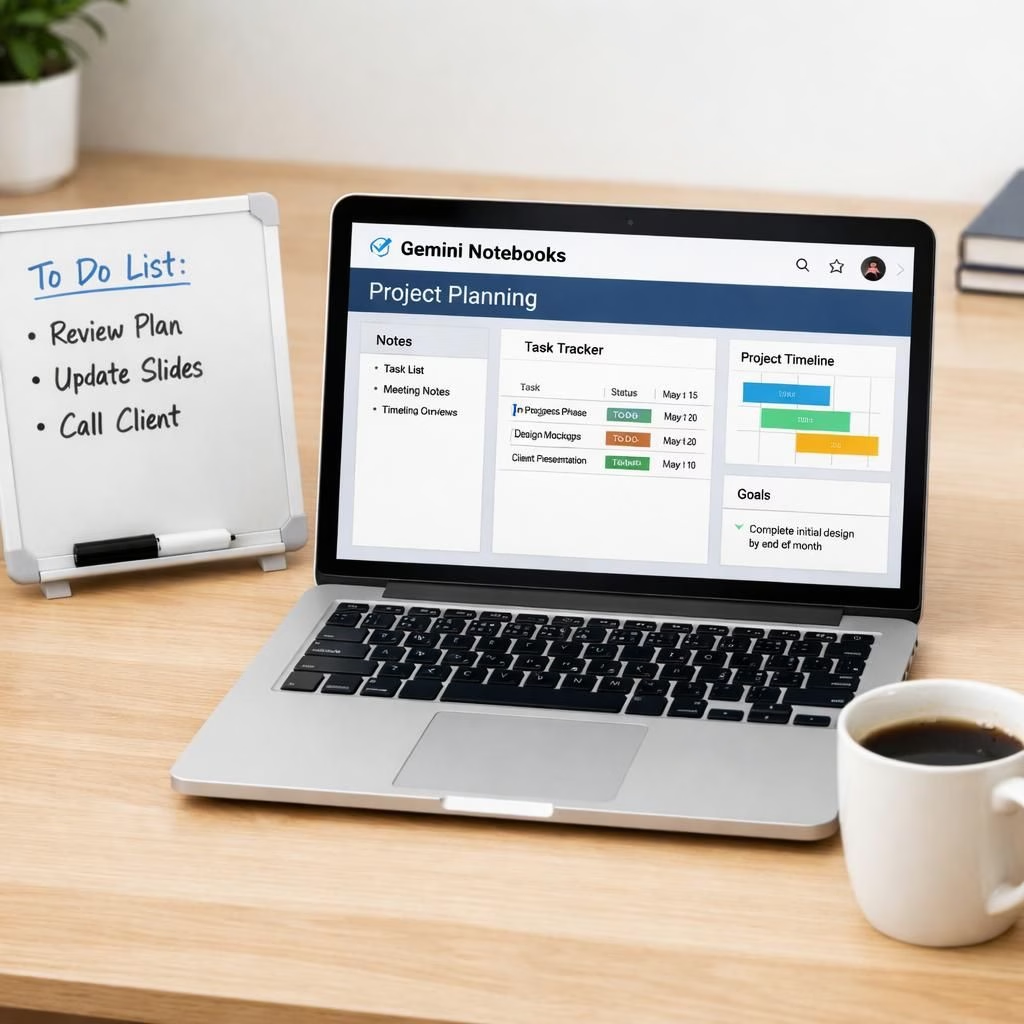
Welcome to the sunny side of productivity, where Gemini Notebooks quietly turn chaos into a clean project map. If you ever thought organizing work meant sacrificing personality for margins, think again—the Gemini interface blends friendly vibes with practical structure in 2026. Notebooks show up where you need them, ready to capture ideas, tasks, and chat snippets without turning your screen into a snow globe of chaos. In short, Gemini helps you stay in the flow, while Notebooks keeps the workflow neat and navigable.
The core idea is simple: you can group conversations into Projects and attach notes, tasks, and links. Gemini automatically threads related chats, while the Notebooks acts as a lightweight project ledger. The new Notebooks feature syncs with NotebookLM, so your ideas travel with your work, not in separate monologues. For teams that juggle multiple threads, this combination offers a hallway map rather than a scavenger hunt through chat history.
Gemini Notebooks: A lightweight project hub for everyday teams
With a project hub powered by Gemini and Notebooks, you can label conversations, pin decisions, and export summaries for post‑mortems without breaking your rhythm. The Notebooks panels sit alongside chats, offering quick add‑ins like due dates, owners, and checklists. Meanwhile, Gemini’s search and smart linking help you surface context that used to live in mismatched tabs or scattered emails. This is not a victory lap for AI; it’s a practical toolkit that respects the cadence of real work.
Notebooks in Gemini: Organize chats into Projects
Imagine turning a chaotic thread about a launch into a clean Project with a single dashboard. That’s the Notebooks in Gemini promise. Each Project can house relevant chats, tasks, links, and versioned notes, so everyone knows where decisions live. If a colleague asks for status, you point to the Project, not to a dozen chat windows. The effect is calmer, cheaper cognitive load, and a better sense of momentum.
From a developer’s lens, the architecture aims for low friction. You don’t have to copy paste or re‑type outcomes to preserve a memory of the sprint. Notebooks syncs across devices, ensuring you can add a thought on mobile and have it ready when you sit at your desk. Gemini nudges you toward a coherent narrative rather than a tangled thread. This is the kind of improvement that makes retrospectives less cringe and more insight.
Practical tips to maximize Notebooks in Gemini:
- In Gemini, create a fresh Project in Notebooks for each initiative so chats stay grouped.
- Tag tasks with owners inside Notebooks, and let Gemini surface cross‑project context when you search.
- Use the Project dashboards in Gemini to export summaries for stakeholders, not slide decks you dread.
- Review notes in Notebooks before standups to keep energy high and surprises low.
Security first matters here. Notebooks in Gemini respects access controls and helps you keep sensitive chats where you intend them. The team stays nimble, but you still decide what crosses the line between private brainstorm and public update. If you worry about data leakage, lean on permissions, audit trails, and sensible sharing rules. In a world of rapid collaboration, this balance keeps momentum without sacrificing trust.
Yes, there are tradeoffs, as with any tool. The Notebooks in Gemini feature works best when teams keep tagging disciplined and avoid turning projects into digital jungles. It’s not magic; it’s a well‑crafted workflow that rewards consistency and a touch of curiosity. If you’re a power user who loves dashboards and clean histories, you’ll feel right at home in this blend of Gemini charm and Notebooks practicality.
For teams who like a little sprint planning with their chat, here are some quick moves: start a Project in Notebooks for major initiatives, use clear owners and due dates, and let Gemini surface relevant context during reviews. The more you integrate Notebooks with Gemini, the more you’ll notice fewer miscommunications and faster alignment across stakeholders. And if you’re worried about adoption, remember that small, visible wins—like a single dashboard summarizing progress—can shift cultures as effectively as any grand manifesto.
As we experiment with 2026 tools, the combination of Gemini and Notebooks feels like a thoughtful nudge toward better team memory. It respects how people actually work: with conversations, notes, and decisions that belong together, not in separate silos. The result is less time spent hunting for context and more time spent delivering value. And yes, a little humor helps keep the system approachable, which is exactly the kind of vibe these features aim to support.
Share your thoughts on Gemini and Notebooks in the comments—what works, what confuses, and what you wish for next year. Your experience helps shape how these tools evolve for real teams like yours.
Original article: The Verge — Thank you for the original reporting and for sparking ideas about smarter project organization in 2026.