

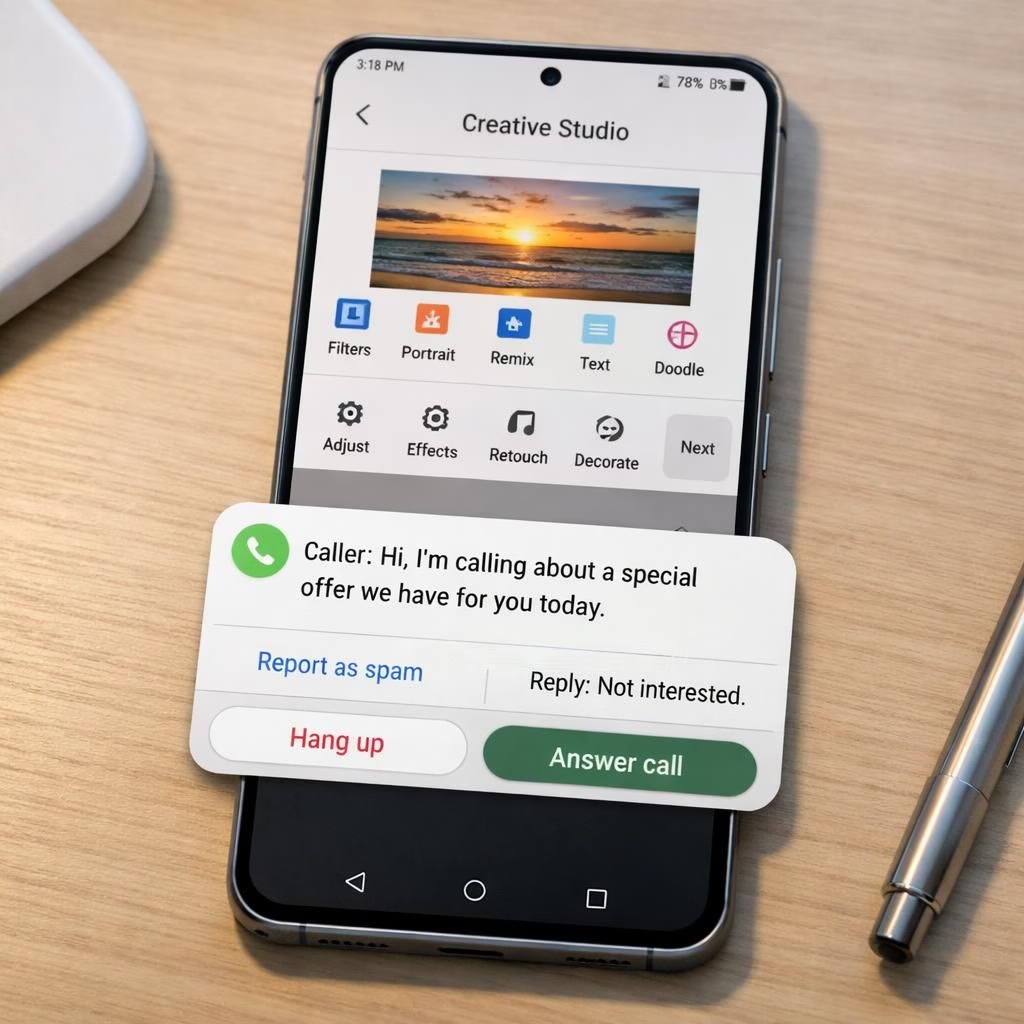
Galaxy AI and Tag B are stepping out of the rumor mill and into daily life, as Samsung quietly rolls a beta that fits nicely into the Galaxy ecosystem. The Galaxy AI features aren’t a sci‑fi promise; they’re practical, witty, and ready to help in 2026. The Tag B beta isn’t just about shiny icons—it’s rethinking how AI can assist you during a busy day on Galaxy devices. If you’re hunting for a smart nudge to your routine, this update reads like a friendly spare battery for your phone life, with a dash of humor baked in.
Galaxy AI powers practical tools you actually want
In the Galaxy AI suite, Creative Studio becomes a cooperative teammate rather than a distant laboratory project. You can generate stickers or quick image edits without needing a full desktop rig. The AI can help craft visuals that suit your chat style, whether you’re sharing memes with friends or sketching a quick product shot for a tiny business. Call Screening is more than a polite filter; it provides transcripts and context so you can decide with a nod, a sigh, or a swift decline. It’s the kind of feature that respects your time while making routine calls feel less like a hot potato. Photo Assist is expanded to offer more guided edits, easy corrections, and smarter suggestions for color balance or cropping—helping you keep photos consistent from one shot to the next. And Audio Eraser, previously a nice-to-have, becomes more capable with third‑party app support, so third‑party noise-removal tools can live inside One UI 8.5’s workflow rather than on the distant edge of an app store rumor.
What makes Galaxy AI worth a casual nudge is its balance between clever automation and human control. You’re not living in a fully autonomous ad, you’re getting a toolkit that learns your preferences and nudges you toward better results. The update doesn’t try to replace your taste; it augments it. In 2026, this is the kind of enhancement that feels like a fair trade: you gain speed and precision with AI, while you still call the shots on what ends up on social media, in your photo album, or in your work inbox.
One UI 8.5 beta expands the AI toolkit for Galaxy users
The Tag B beta is the real bridge between AI promise and AI practice. It’s available to Galaxy Z Fold 7 users and S24-series devices now, with the S25 family also receiving the feature set in this wave. If you’re still on the older interface, you’ll need to wait for a stable 8.5 push to see the full AI lineup, but the beta signals a clear direction: more capable AI helpers natively woven into everyday tasks. The software path remains familiar—Settings > Software Update—and the big cognitive leap sits in how the AI features surface. Generative image editing and sticker creation arrive in Creative Studio, with the option to tweak images and craft personalized assets right from your device. There’s improved image editing in Photo Assist, and Audio Eraser gains greater compatibility with third‑party apps, so you don’t have to juggle multiple tools just to remove a stray background sound or a noisy neighbor’s drone of a ringtone.
Samsung clearly intends to extend these tools beyond the newest flagships. In 2026, expect the company to roll out a more expansive family slate that includes devices from the last couple of years, perhaps even the curious corners of the Galaxy Lineup. The beta hints at a future where AI features are not reserved for the latest gadget but become a familiar companion across a wider crowd of devices. It’s a pragmatic approach: keep the core AI DNA intact while allowing room for device-specific refinements so you get a consistent experience with less friction.
What this means for everyday use and future devices
For everyday users, the immediate payoff is a smoother, more capable surface for visual work and communication. Creative Studio’s AI-assisted edits and sticker generation save time and spark creativity, especially for social or small‑business content. Call Screening transcripts help you triage calls without losing context, and you can respond later with a careful message instead of reacting in the moment. Photo Assist becomes more a co-pilot, nudging you toward better framing and color balance while you shoot or scan through old photos. Audio Eraser’s broadened compatibility means you can experiment with sound removal in more apps, which is handy for quick podcasts or video notes without a bulky editing suite.
- Generative tools in Galaxy AI can speed up content creation on the go.
- One UI 8.5 beta ties AI actions to common workflows, reducing taps and menus.
- Integration with third‑party apps means you’re not locking yourself into a single ecosystem.
From a user experience standpoint, the beta is a thoughtful nudge toward a more capable but still human-focused interface. The AI features are designed to assist rather than intrude. They respect your preferences, offer clear controls, and provide a predictable path to customization. Samsung’s approach mirrors what many power users crave: AI that understands context, not AI that redefines your identity with every tap. As we move through 2026, the partnerships between Galaxy AI and One UI 8.5 are likely to grow, with more devices joining the AI party and more features maturing into stable releases.
Tips, troubleshooting, and what to expect next
If you’re eager to try the beta, start with a device that’s already in the update path—Galaxy Z Fold 7 or the S24-series. Check Settings > Software Update, install the latest beta, and explore the Creative Studio and Photo Assist panels first. If you rely on Audio Eraser for noise removal in third‑party apps, test a couple of apps to confirm compatibility and note any quirks that surface in the early days of the beta. For those with older models, patience remains the virtue; Samsung has signaled a broader roll‑out across device generations, but the exact timing depends on firmware readiness and carrier approvals. In 2026, the trend is clear: Samsung wants AI features to be widely accessible, but not at the cost of stability or user control.
Practical users will appreciate a few best practices: keep a clean start screen with quick access to Creative Studio, enable Call Screening for direct line support, and use Photo Assist as a learning tool to refine your photo style. When you tune your AI preferences, you’ll notice fewer prompts and more relevant suggestions. The beta’s success will hinge on a balance between automated usefulness and the freedom to override AI decisions when your taste diverges from the algorithm’s current idea of “good.”
As we approach 2026, the AI trajectory in Samsung’s One UI continues to point toward a more integrated, more capable, and slightly more entertaining user experience. If you’re curious to see how these tools evolve, keep an eye on future beta notes and changelogs, and don’t be shy about giving feedback that helps refine generation quality, privacy controls, and performance across devices.
Original article: https://www.sammobile.com/news/galaxy-s24-fold-7-galaxy-s26-ai-features-one-ui-8-5-beta/
We’d love to hear your thoughts on how Galaxy AI and Tag B have changed your daily device interactions. Share your experiences and ideas in the comments below, and tell us which AI feature you’re most excited to try in 2026.
References
- Original source: Sammobile
- Samsung Newsroom: Galaxy AI & One UI 8.5 Beta Update
- TechRadar: Samsung One UI 8.5 Beta — What to Expect