

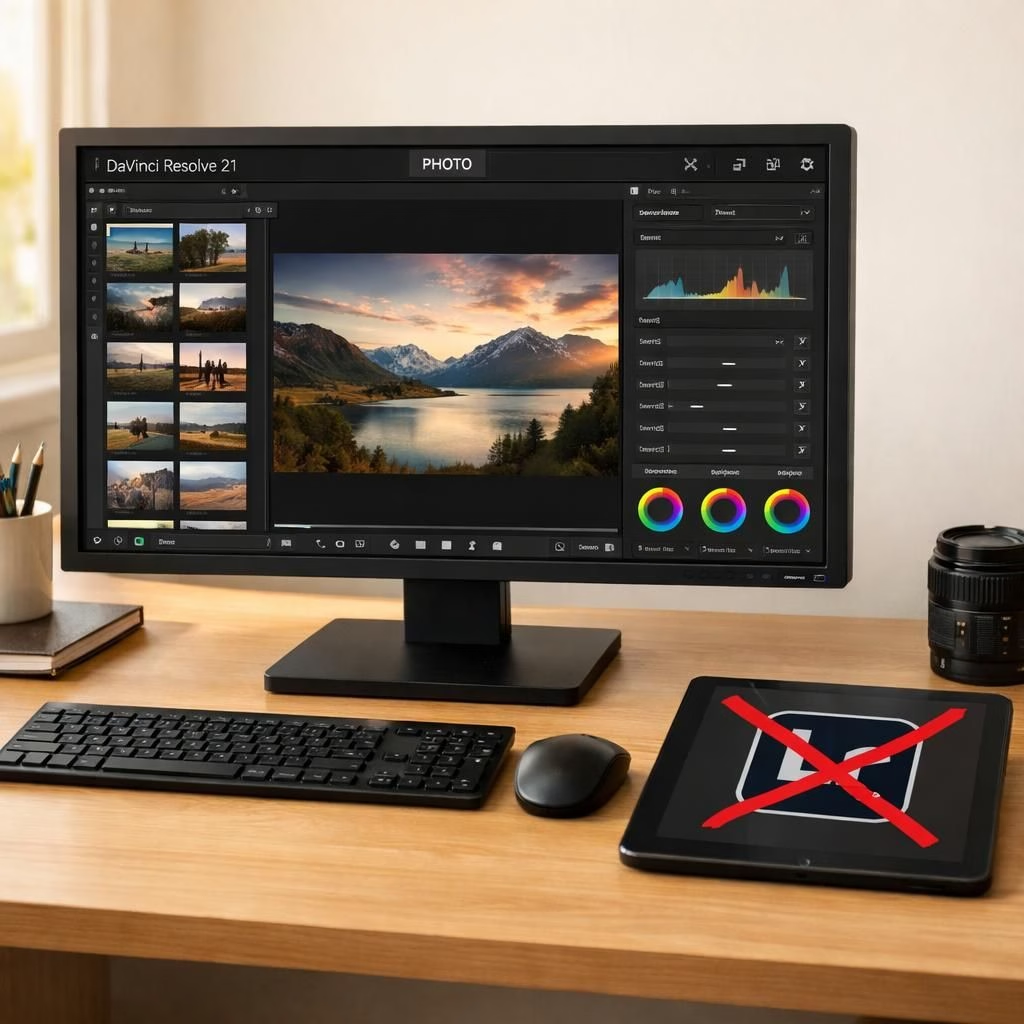
In the world of photo editing, DaVinci Resolve 21 lands with a confident wink, delivering a new Photo Page and a compelling challenge to Lightroom. The move blends cinema-grade color tools with still-image sensibilities, inviting both pros and enthusiasts to rethink how a colorist’s toolkit can handle photos as well as film.
DaVinci Resolve 21 and the Photo Page shake up the workflow
DaVinci Resolve 21 isn’t just a rebrand. It packs a Photo Page that mirrors the app’s famous color grading nodes while adding tightened controls for stills. For editors who have chased consistency across video and photo, this is a friendly nudge. The Photo Page surface is cleaner, with quick access to white balance, curves, and LUT previews, plus AI-assisted enhancements that feel like caffeine for your pixels. The idea is to offer a single toolset for both frames and frames of film, making the bar a little shorter for the curious and the busy.
Early hands-on chatter suggests the Photo Page in DaVinci Resolve 21 preserves the studio’s color integrity while offering a more approachable path for stills than a detour into separate software. It’s not about cloning Lightroom; it’s about inviting a broader crowd to experiment with color science that has historically lived in the video world. The result? A workflow that invites photographers to think in terms of color pipelines, nodes, and look development—without forcing them to leave the comfort of their usual edit suite.
Why this matters for Lightroom users
Lightroom has long ruled the still-image editing world with catalog-driven workflows and robust raw processing. The DaVinci Resolve 21 era introduces an alternative path: color science rooted in film-grade pipelines, now working with still images via the Photo Page. It’s not a demolition job; it’s a possibility. Users can compare dynamic range, color spaces, and tone mapping in a way that knits into video projects later on. The core takeaway: if you love precise color and a flexible, node-based mindset, the DaVinci Resolve 21 approach offers an exciting, often faster route for some tasks that Lightroom handles with ease, but not with the same cinematic flair.
For those curious about AI, DaVinci Resolve 21 brings AI-powered refinements that compress time without erasing control. The Photo Page can quickly adjust exposure, noise, and sharpness while letting you hand-tune skin tones and skies. The result is a toolkit that respects the storytelling instincts of photographers and videographers alike. The balance is the thing; the aim is to empower artists, not to overwhelm them with jargon. And yes, photographers who value speed will notice improvements in batch edits, presets, and the ease of testing color grades on a representative still image without losing sight of the final deliverable.
Photo Page: A new era for still photographers
When you land on the Photo Page, it’s not a baby version of the video suite. It is a purpose-built space that borrows the best from color grading and adds a practical layout for stills. You get familiar controls—curves, wheels, masks—retooled for photos, along with a responsive interface that feels like it was tested by busy creators who still want accuracy over gimmicks. The storytelling workflow improves as you can visualize LUTs and color maps in a context that makes sense for still frames. The integration with project timelines means you can plan edits in a way that aligns with sequences, color language, and mood. The result is more consistent color across both frames and frames of film, which is a win for multi-format creators. The Photo Page isn’t just a gimmick; it’s a purposeful expansion of Resolve’s toolkit, designed to sit proudly on the desk of anyone who treats photography like a form of cinema.
Industry watchers note that the speed of updates remains balanced by a thoughtful attention to detail. The Photo Page in DaVinci Resolve 21 keeps the power users happy with granular control while inviting newcomers to experiment with a cleaner, more accessible interface. The design choice signals a broader trend: premium color tools want to bridge the divide between stills and motion, acknowledging that many creators juggle both tasks daily. If you’ve ever wished your colorist brain could sketch with both photography and video, DaVinci Resolve 21 gives you a place to do just that.
- Still-image editing is sharpened by multi-point color controls.
- Color grading presets double as creative starting points for photos and video.
- AI features accelerate repetitive tasks while preserving manual precision.
- Cross-format workflows become simpler and more predictable.
As you explore the Photo Page experience, you’ll notice how DaVinci Resolve 21 encourages a unified approach to color. For photographers, this means you can test looks with confidence and then apply the same color language to a video timeline later, reducing repetition and keeping your creative intent intact.
Getting started with a practical workflow can help you decide whether the Photo Page fits your projects. Below is a quick 3-step approach to trying DaVinci Resolve 21 on a still photo while keeping your usual edit rhythm intact.
- Open a representative RAW or RAW-converted still in DaVinci Resolve 21 and switch to the Photo Page for a side-by-side comparison with your current editor.
- Adjust exposure, white balance, and color using the Photo Page controls; experiment with one or two LUTs to see how your mood shifts without losing detail.
- Save a preset or a personal look and test it on a batch of similar images to evaluate consistency across a small set before rolling out to a full project.
In sum, this approach offers a future where the editor’s toolbox isn’t split by file type but unified by intent. Lightroom users might find it a refreshing alternative or a powerful addition, depending on whether their projects lean cinematic or still-focused. The Photo Page invites a broader audience to explore color as a storytelling tool, not just as an automatic correction engine. It’s a nudge toward smarter, faster, and more cohesive creative workflows that honor both craft traditions—still photography and motion design.
Try it on a project you care about and see if the Photo Page in DaVinci Resolve 21 unlocks new ways to tell stories with color. If you’re curious about how it stacks up against Lightroom in your own hands, the best test is hands-on exploration and honest comparison.
Please share your thoughts in the comments below. How does the DaVinci Resolve 21 approach land for you? Do you see the Photo Page becoming a staple in your workflow? Have you compared it side-by-side with Lightroom?
Special thanks to Engadget for the original reporting on DaVinci Resolve 21 and the Photo Page. Original article: Engadget original article.
References
- Engadget: Blackmagic’s DaVinci Resolve 21 takes on Adobe Lightroom with a new Photo Page
- Blackmagic Design – DaVinci Resolve
- Digital Camera World: DaVinci Resolve 21 Photo Page coverage