

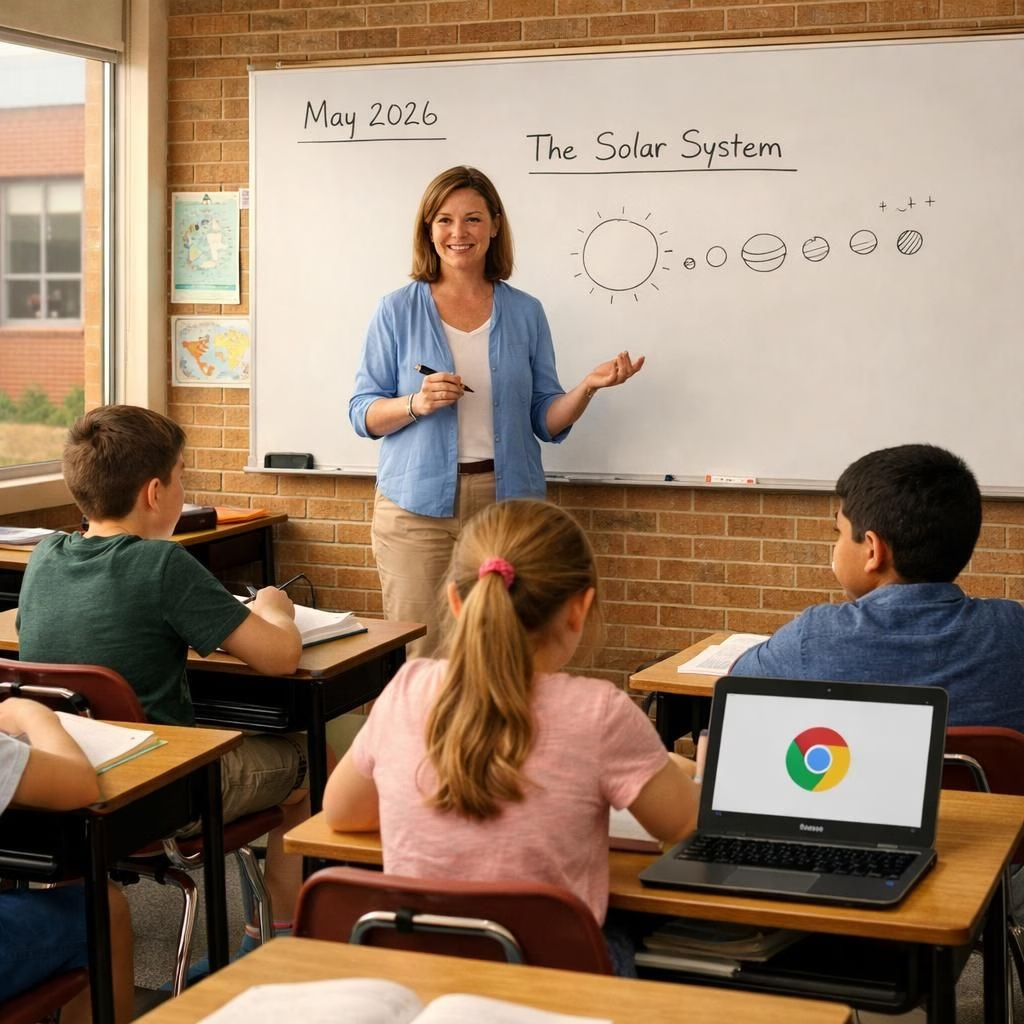
In McPherson, Chromebooks and Tech in Education met their match in a quiet, measured experiment. The district pulled back the heavy laptop load to see what learning really asked for: more talk, more hands, more sleep for the brain. The result is a hopeful remix of classroom life, where pencils, whiteboards, and careful planning share the stage with devices only when teachers intend it.
Distractions persisted, but the mood shifted. Some students continued to game during class, others used Gmail to send snide notes, and a few Zoom sessions drew unhelpful crowds. Yet a calmer rhythm emerged as note-taking moved back to paper, and teachers designed activities with clear, intentional goals. This is not a war on technology; it is a calibration of when and how it helps learning.
Chromebooks and Tech in Education: A Practical Reset
When the school banned daytime device use, the sum of the classroom day changed. The drop in online bullying and disciplinary issues surprised many. The staff celebrated fewer interruptions on lectures and more room for dialogue. The principal spoke plainly: this is intentional tech use, not a rejection of innovation. The devices still have a place, but their role is now clearly defined. The shift feels less like punishment and more like tuning the orchestra for a better performance.
Historically, schools spent billions chasing a dream of one laptop per child. After years of such investments, researchers observed modest gains at best. The new thinking is that stronger skills come from collaboration, conversation, and practice with tangible tools. This reframing isn’t nostalgia; it’s design thinking for classrooms in 2026.
Tech in Education and Chromebooks: Lessons from Kansas
McPherson Public Schools sit in a red-brick building dating from 1938, a reminder that classrooms can be rigorous without becoming museum pieces. The school’s culture is now guided by hands-on learning: lab benches with old microscopes, projectors that still hum, and a renewed love for paper planners. The building’s vibe feels old-fashioned in the best sense, proving you can modernize without erasing the past.
The district began with a policy to distribute low-cost laptops to every middle schooler. The pitch was the democratization of learning: equal access to online texts and digital tools. In practice, some platforms felt too gamelike, others failed to deliver, and the pandemic squeezed even more reliance on tech for remote work. The result was a reconsideration of what actually helps students grow: practice, feedback, and real-time discussion.
As January rolled around, the school embraced a lighter touch. Homeroom sessions emphasized organization and interpersonal skills. Students learned to keep a paper planner, to manage assignments offline, and to borrow a device from the library if they needed to glimpse something online at home. Teachers introduced board games and card games as part of learning activities, turning quiet moments into opportunities for collaboration and creative thinking. The result wasn’t a retreat from technology; it was a reallocation of it to the places where it makes the most sense.
In one sixth-grade lesson, students solved fractions with dry-erase boards while the room buzzed with peer discussion. In a seventh-grade class, teachers invited students to decide how they would demonstrate a thesis: write by hand on salmon-colored paper or use a Chromebook for a digital draft. Most chose handwriting, a signal that cognitive deep work can thrive without constant screen presence. Meanwhile, computer science lessons show students they can code the physical world—sensors and LED lights turn ideas into tactile experiments. The point is clear: technology should serve thinking, not replace it.
Several students noted benefits of the shift. One shared that the calmer environment reduced conflicts around gaming; another said that talking with classmates rose when screens aren’t dominating the desk. The change in classroom life is visible in small moments: board work, group projects, and improvised debates that feel more like a studio than a test hall.
Meanwhile, the move resonates beyond McPherson. Nearby schools are experimenting with tech-free afternoons, and state legislatures discuss policies to limit screen time and ensure safety. A trend toward more thoughtful use of devices appears in many districts, including calls for monitoring tools and opt-out options for families who want them. The question remains: how to balance access, safety, and curiosity in a world where screens are never far away?
In Kansas and elsewhere, the arc is not a retreat from technology. It is a pivot toward what truly helps students grow: curiosity, collaboration, and confidence built through hands-on experiences. The campus still hosts science labs, a functioning library, a chorus, and a gym—plus the occasional dart stuck in the ceiling as a reminder that playful energy can be redirected into safe, creative outlets. The old halls still carry students forward, but with a sharper aim and a lighter touch.
To summarize: technology is a tool, not the keeper of the crown. A classroom thrives when teachers design meaningful tasks, students talk, and everyone uses devices with intention. That balance is not a verdict against innovation; it is a thoughtful invitation to use the best tools at the right moments.
Original article: Thank you to the original author for the material. Read here: McPherson Chromebooks: A Modern Classroom Tale.
Would you like to share your thoughts? Please leave a comment below and join the conversation.
Practical steps for Chromebooks in the classroom
- Define a clear learning goal for every device activity and publish it to students and parents.
- Schedule device-free days to emphasize handwriting, discussion, and hands-on projects.
- Provide offline materials and printable activities to reduce default screen time.
- Use a library-based Chromebook borrowing system for home use if needed, with defined limits.
- Design activities that require collaboration, not just individual scrolling.
Educators say Chromebooks are useful when integrated with paper exercises and collaborative tasks.
Balancing Tech in Education with hands-on learning
To fulfill the promise of Tech in Education, schools should plan tasks that require collaboration, problem-solving, and tangible experiments. Chromebooks are one tool among many; when used intentionally, they amplify thinking rather than replace it.
Frequently Asked Questions
- Why this shift now? This approach reflects evolving evidence: technology can aid learning, but its value rises when teachers design meaningful tasks and collaborative activities.
- Will Chromebooks disappear from classrooms? No. Devices remain useful for targeted activities, but they are not the default for every lesson.
- How can parents control screen time? Many districts offer opt-out options; parents should discuss policy with teachers and review available monitors or reports.
- What about safety and privacy? Schools typically provide guidelines, filters, and supervision. Parents can request information about monitoring and data use.
For readers seeking more evidence, see reputable coverage on the effectiveness and challenges of classroom technology in credible outlets linked in the References below.
Conclusion
Technology remains a powerful tool, but its impact depends on thoughtful design. By prioritizing clear goals, collaboration, and hands-on activities, schools can balance access with focus and curiosity. The path forward is not zero-sum: it is a smarter blend of paper and screens that serves real learning.
References
- Original source: https://indianexpress.com/article/technology/tech-news-technology/chromebook-remorse-tech-backlash-at-schools-extends-beyond-phones-10610675/
- Edutopia on tech integration and learning: Technology integration tips
- UNESCO guidance on 21st century skills in education: Education 21st Century Skills