

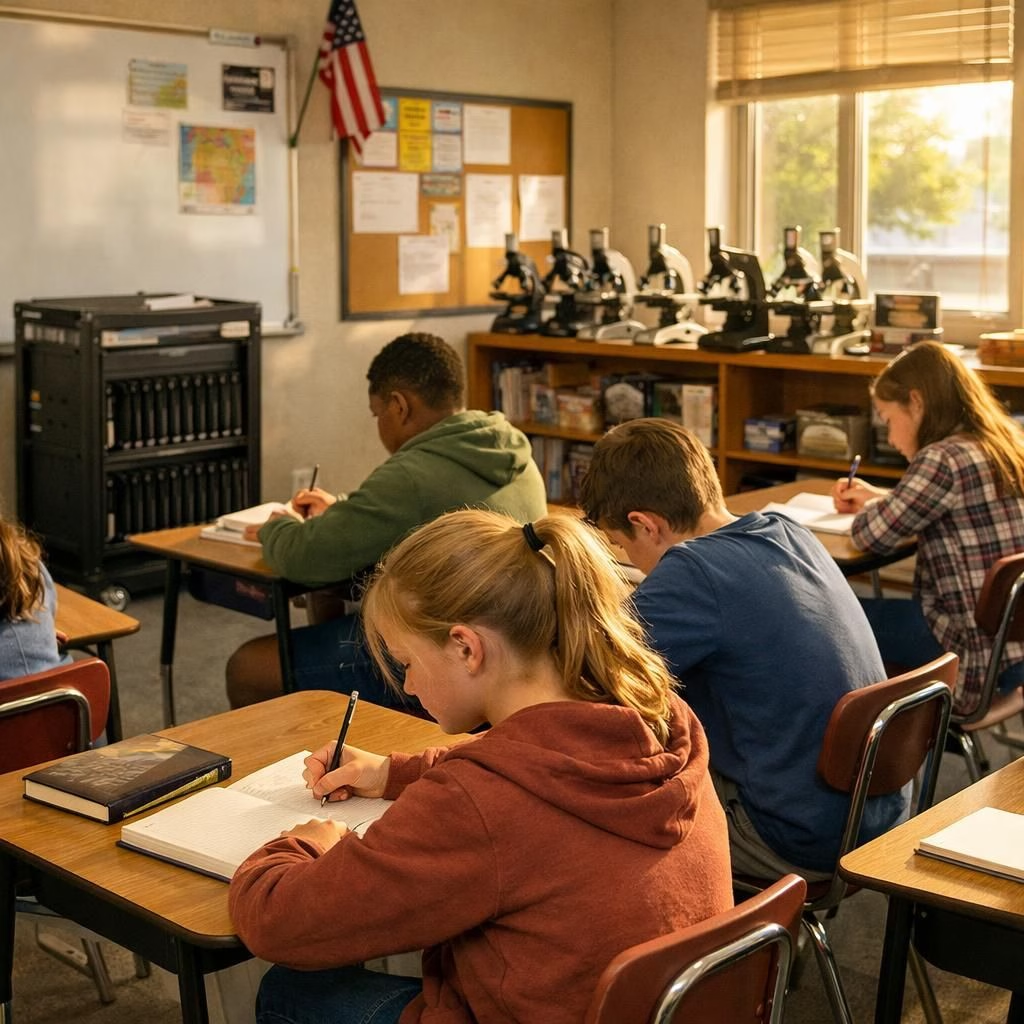
McPherson Middle School in Kansas has spent years battling digital devices for children’s attention. Chromebook remorse and a growing tech backlash are shaping a thoughtful pivot in how classrooms use technology. The aim isn’t to shun devices but to make learning more concrete, social, and humane in 2026.
Four years ago, the school banned student cellphones during the day. Yet distractions persisted: YouTube videos streamed in class, games were played, and some students used school Gmail to bully peers. In December, administrators asked all 480 students to return Chromebooks used in class and at home. The school now keeps the laptops in carts parked in classrooms. Students take notes mostly by hand, and Chromebooks are reserved for teacher-directed activities. As Esping notes, we could not let Chromebooks be the huge distraction they had become. This technology can be a tool; it is not the answer to education.
Chromebook remorse in the classroom
McPherson sits in a red brick building from 1938, with vintage science equipment and old microscopes. The device pullback is part of a broader national rethink about one laptop per child. After decades of spending on Chromebooks, iPads, and apps, studies show mixed gains. UNESCO and other groups warn that too much tech can distract. School leaders, educators, and parents describe the curbs as a return to collaboration and conversation. We are not going back to stone tablets, says Shiloh Vincent, superintendent. This is intentional tech use.
tech backlash reshapes education
The move signals a global reckoning over how big tech shapes childhood and school life. In the policy arena, lawmakers weigh limits on screen time and safety testing for school tools. More than 30 states have restricted cellphone use at school. Australia has begun disabling accounts for under-16s. Parents and teachers form groups to vet tech, such as Schools Beyond Screens and the Distraction-Free Schools Policy Project. The Kansas Senate has discussed a device bill; Utah passed a law to monitor sites and time spent on school devices. This tech backlash ripple is not a panic; it is a careful recalibration.
Google responds by offering tools to lock screens, curb YouTube, and limit after-hours access. The company has turned off YouTube by default for students with school accounts. In McPherson, the change feels practical. The town sits among wheat fields, and the middle school building preserves a flavor of the old-school era. The 2016 policy to buy a Chromebook for every student cost millions. The stated goal was equity and engagement. In practice, teachers found that software sometimes over-promised and under-delivered. The pandemic only amplified that tension.
In classrooms, teachers balance tech with hands-on work. In science, eighth graders program sensors and LED lights while keeping old microscopes nearby. In English, students write on salmon-colored paper or use Chromebooks for the same tasks. Most choose handwriting. In math and social studies, students practice with dry-erase boards and quick sketches. The result is a calmer, more deliberate pace that invites discussion and problem solving. This is the heart of Chromebook remorse in action.
Some students welcome the change. Jade LeGron, 13, says curbing Chromebooks has been beneficial; students stop fighting over games and have more chances to be kind. Sarah Garcia, also 13, notes that talking with classmates returns. Since devices are less in view, peer interaction improves. The school sees fewer online disruptions and more focus on learning. The mood in the hallways is lighter, and teachers report more room for spontaneous teaching moments.
Across the region, schools test tech-free Fridays, and lawmakers consider more ways to balance digitals with human skills. The Kansas Senate and other states discuss screen-time limits, safety proof requirements, and opt-out options for parents. Utah’s monitoring law pushes transparency for parents. The aim is to curb excess while preserving curiosity and opportunity. The larger question remains: can schools harness the benefits of technology without surrendering the classroom to the screen?
And yes, a playful note from the building hints at a shift: students have relearned a few crafty skills. They have made small darts from safe materials and even hung a harmless dart from a ceiling slot as a reminder that learning can be hands-on and fun. Chromebook remorse is not nostalgia but a nudge to craft better classroom routines and more meaningful interactions. The future of education may blend digital tools with tactile, social, and creative activities.
In the end, Chromebook remorse and tech backlash are less about reclaiming the past and more about shaping a brighter classroom future. The goal is clear: stronger focus, deeper collaboration, and a richer sense of curiosity. If this perspective resonates, share your thoughts below so we can learn together.
Practical steps for classrooms and families
- Clarify when and why devices are used, prioritizing hands-on, collaborative activities.
- Offer paper-based options for core tasks to reduce default screen time.
- Use classroom tech for clearly defined outcomes, not as a default setting.
- Provide teacher-led mentoring on organizational skills and peer dialogue.
- Include families in policy discussions and provide opt-out paths when appropriate.
For readers curious about how these shifts are playing out elsewhere, you can explore related coverage: Chromebook OS migration, Apple Readies a Low-Cost Laptop, and Steam for Chromebooks ending.
FAQ
- Why are schools reconsidering one laptop per child?
- Experts and educators have seen mixed academic gains and rising concerns about distraction, equity, and well-being. The goal is to balance access with focus and social learning.
- Do Chromebooks help or hinder learning?
- They can support certain tasks, but overreliance can reduce discussion, handwriting, and hands-on exploration. Effective use emphasizes intentional, teacher-guided activities.
- What can parents do to support these efforts?
- Ask about device policies, request opt-out options when possible, and encourage offline activities that build organizational and interpersonal skills.
- Where can I learn more about policy and safety considerations?
- Look to national and international guidelines on screen time, student privacy, and classroom governance from UNESCO and OECD, linked in the Further Reading section.
References
- Original source (Indian Express): Chromebook remorse and tech backlash at schools