

Apple’s iOS 26.5 beta 1 lands with a wink, delivering brighter emojis, keyboard refinements, and a measured tease about future AI upgrades for Siri.
It feels playful yet practical, signaling Apple is balancing whimsy with security and interoperability as it tests the waters for 2026. The beta emphasizes user choice and speed, without promising every rumor as a feature overnight. In a nutshell: you get polish, not pandemonium, plus a hint that big ideas are plotting their entrance at WWDC 2026.
AI in Action: Maps ads and smart suggestions
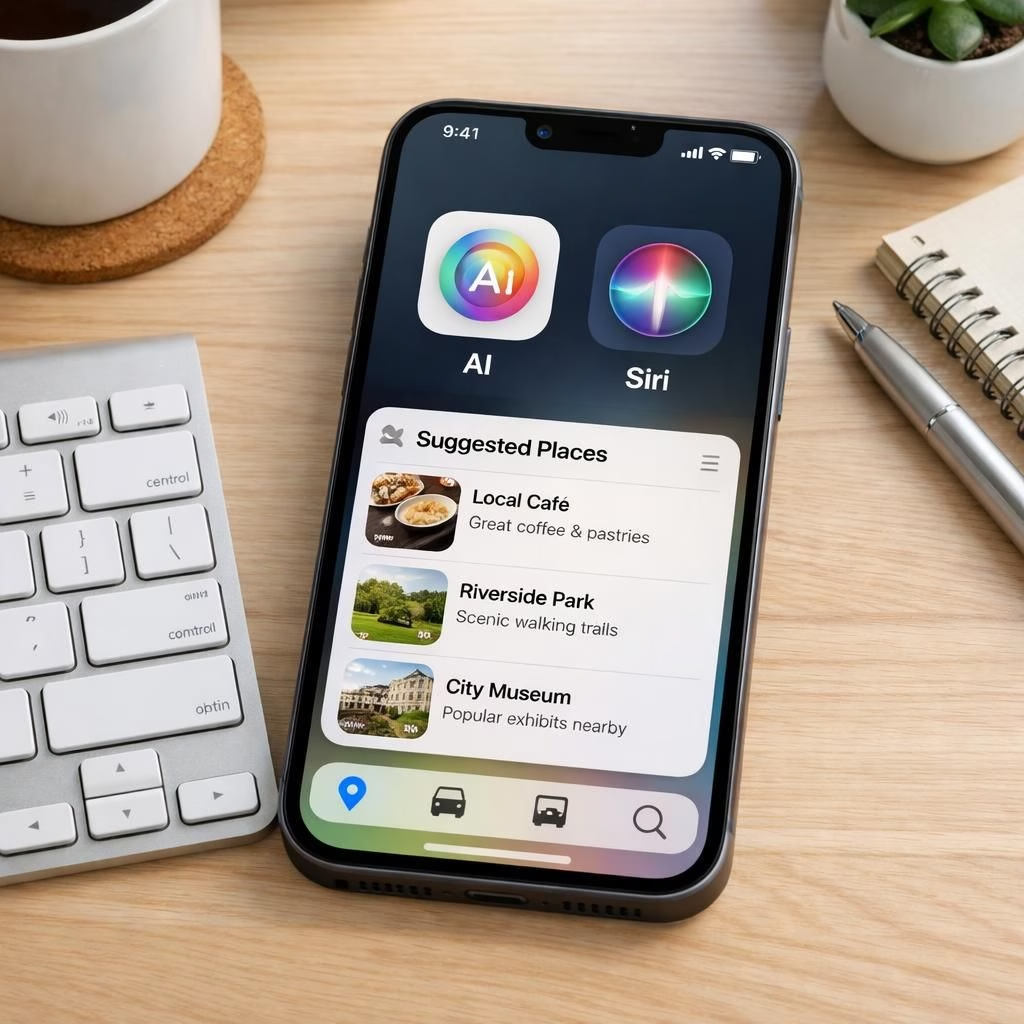
The headline feature is Ads in Apple Maps via a new “Suggested Places” module. In the iOS 26.5 beta 1, users see recommendations based on nearby trends and recent searches. Businesses can buy spots in both search results and the suggestions menu, signaling a shift toward monetized discovery. It’s not a trivial side quest; these placements could influence when and where you decide to visit a coffee shop or a favorite store. The AI under the hood learns, but Apple promises clear controls and opt-out options. For Siri, this is a test of context: will the system balance helpful hints with privacy and non-intrusiveness?
AI + Siri: encryption, wearables, and keyboard depth
RCS end-to-end encryption is back in the beta after a pause. The toggle is now on by default in Settings, and this security layer aims to keep cross-platform chats safe from third-party interception. For Siri, that emphasis on safety matters as the assistant extends its reach across devices and ecosystems. The EU interoperability push means third-party wearables could pair with a single tap and begin receiving iPhone notifications, while Live Activities can sync to the wrist. If you enable notification forwarding to a wearable, alerts to the Apple Watch will be suppressed—a trade-off that supports broader compatibility. The beta adds a new ecosystem-transfer toggle, so you can decide whether to move everything or only the last year of attachments. In addition, Magic Accessories—like the Magic Keyboard—now auto-pair via USB-C, and an Inuktitut keyboard layout is introduced. Small tweaks, big implications for daily use and language inclusivity.
The updates also quietly remind us that Siri can benefit from a friendlier, more open ecosystem, while AI continues to hover in the background as a responsible co-pilot. The interoperability push aims to reduce friction for third-party devices, delivering a smoother tech environment without sacrificing Apple’s privacy ethos.
For Siri, this signals a more open but careful collaboration with the broader ecosystem. AI workstreams remain centered on helpfulness, safety, and user control as the platform expands beyond the iPhone alone.
Developer depth, public betas, and how to join
The developer beta is rolling out now, with a public beta expected in the coming weeks. If you want a seat at the testing table, enroll in Apple’s Developer Program. To download the latest beta, go to the official developer portal, sign in, and navigate to Settings > General > Software Update > Beta Updates to grab the iOS 26 Developer Beta option. As always with betas, back up your iPhone before installing. This approach reflects Apple’s balance between openness and caution—a sensible stance as 2026 presents a mix of novelty and learning curves.
For those interested in getting involved, you can explore the Apple Developer Beta Program and related resources. Be prepared for refinements over the next few weeks as Apple hones the experience before a wider rollout.
What this means for everyday life and accessibility
Beyond the headlines, iOS 26.5 beta 1 brings practical improvements: easier ecosystem transfers, smarter USB-C accessory pairing, broader internationalization with Inuktitut, and stronger cross-device chat privacy. For Siri, the update aims to stay useful while the system leans into interoperability and user-centric controls. The result is a smoother early-beta feel, even as Apple asks users to be patient with rollouts and with device storage needs.
As always, your feedback matters. If you test the beta, share what worked, what surprised you, and where you’d like more clarity or control. I’d love to hear your thoughts in the comments so we can compare notes and separate the hype from real-world usefulness. External context helps ground expectations as Apple navigates 2026’s evolving tech landscape. For more background, see the LIVEMINT coverage linked at the end of this article.
Practical steps to test the iOS 26.5 beta safely
- Back up your iPhone to iCloud or your computer before installing the beta.
- Register for the Apple Developer Program if you haven’t already, or join the public beta when it’s available.
- Review battery life, app compatibility, and any new privacy controls you care about.
- Try the new Maps suggestions in a few routes to see how ads influence choices.
FAQ
- What is new in iOS 26.5 beta 1?
- Key items include Maps Ads through the Suggested Places feature, RCS end-to-end encryption toggle, improved cross-device pairing, and localized keyboard options like Inuktitut.
- Will I be able to opt out of ads in Maps?
- Apple has signaled user controls and opt-out options, though the beta emphasizes discovery features alongside monetization.
- When will the public beta be available?
- The public beta should roll out in the coming weeks after the developer beta, giving more users a chance to test the updates.
References
Original source coverage: https://www.livemint.com/technology/tech-news/apple-releases-ios-26-5-beta-1-update-check-top-new-features-how-to-download-and-more-11774923924707.html
Related official guidance: Apple Developer
For more on beta programs: Apple Developer Beta Program