

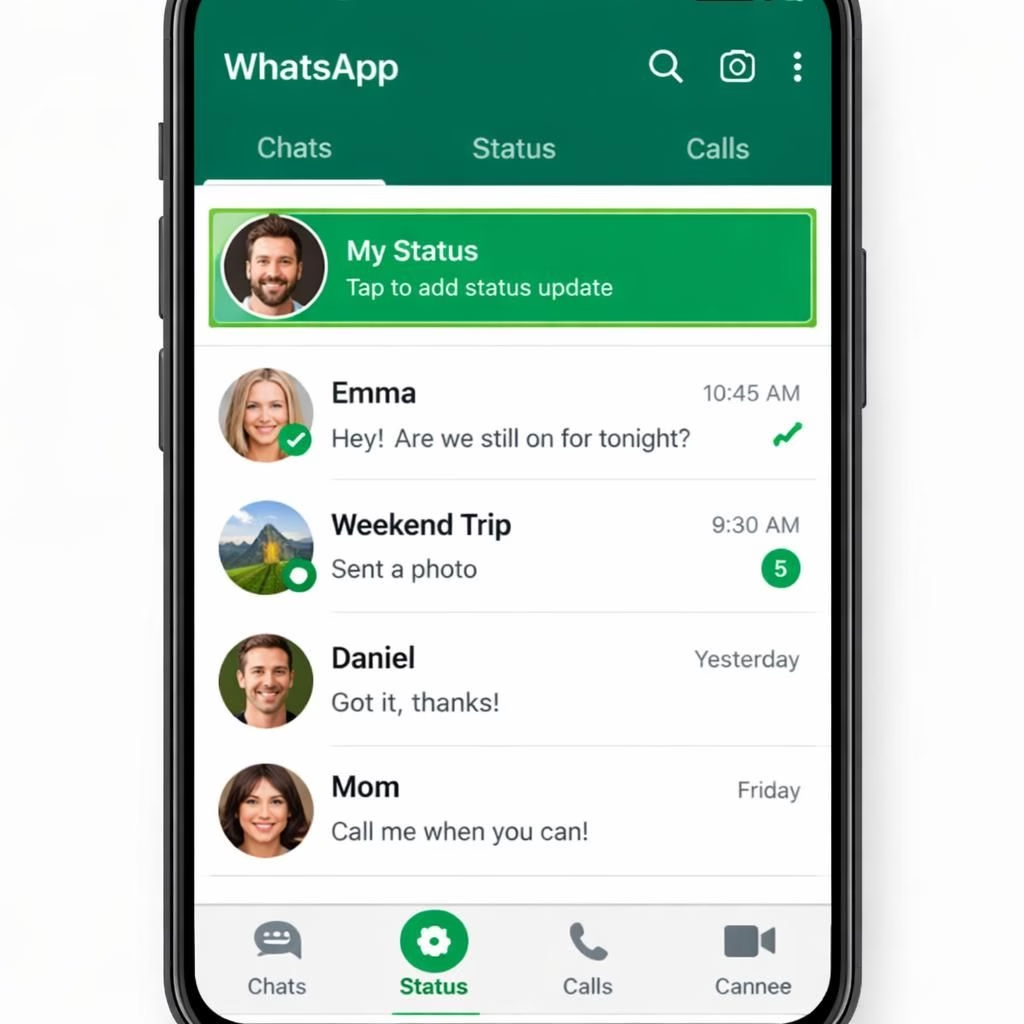
WhatsApp has quietly reworked its layout. Nudging the Status updates to prime real estate at the top of the Chats tab. This change pushes the Status messages before your recent chats, a gentle nudge to glance at friends’ updates. For many users, this is a small UI tweak with a big smile. WhatsApp invites you to check Status first, then decide which chat deserves your brief, witty reply. The Status tab, once a side street, now leads the parade in the WhatsApp city.
WhatsApp Status Tops the Chats Tab
What does this mean in practice? It means your daily dose of updates now arrives in clear view, moving the Status from a corner slot to a bold headline above your chat list. Status posts still respect privacy settings, but their higher placement nudges you to check them before digging into messages. This is less about drama and more about efficiency: the Status box becomes the hub for quick checks, and the Chats tab becomes the place for longer conversations.
From a design perspective, the Status feed stays compact, with round avatars, short captions, and a scrolling strip at the top. The system updates in real time, so you can catch new updates without refreshing. This is a win for power users who juggle work, families, and memes; it reduces the time wasted chasing the latest update in a sea of chats. For brands and creators on WhatsApp, the repositioned Status can drive engagement, making Status content more discoverable while still respecting user privacy controls.
For power users who monitor activity across many groups, the repositioned Status feed acts as a real-time stream. It signals what people are up to before you read their messages. That means you can decide whether to respond in a chat or simply react with a quick emoji. The WhatsApp Status feature remains the lightweight, fast option you reach for when you want instant visibility. And yes, the Status option is still optional: you decide when to post and who can see it, preserving the privacy-first ethos WhatsApp has cultivated over the years.
Consider the implications for accessibility and performance. The top-of-chats arrangement should load quickly on modern devices, but users on older phones might notice a slight shift in navigation. WhatsApp has tested this on a broad range of devices to minimize any jank. The result is a smoother glance at Status moments, followed by the usual chat experience that people actually rely on.
Special thanks to 9to5Mac for the original article that highlighted this design move. Original reporting: 9to5Mac — WhatsApp Status at the top of Chats. For the original article, see 9to5Mac.
If you have thoughts about this tweak, I’d love to hear them. Please share your experiences and opinions in the comments below.
Practical steps for WhatsApp users
- Set a clear cadence for your Status updates so followers notice it in the top band.
- Fine‑tune privacy to control who sees your Status and when.
- Keep posts short and visual to maximize quick reads in the top area.
Status-focused privacy controls
You can manage who sees your Status and when, placing controls in your privacy settings. This keeps the feature lightweight and respects your boundaries while enabling timely updates.
FAQ
-
What is the main change?
The Status updates now appear at the top of the Chats tab, making quick checks easier before opening individual conversations.
-
Can I control who sees my Status?
Yes. You can customize privacy in the Privacy settings to limit visibility to specific contacts or groups.
-
Will this affect performance?
For most devices, the impact is minimal. The real-time updates are optimized to minimize battery and data use.
-
Is the Status feature mandatory?
No. You can post or hide updates as you prefer; the feature remains optional and privacy‑minded.
Conclusion
In short, WhatsApp’s top-of-chats layout puts Status moments in sight first, while keeping the core simplicity and privacy focus users expect. If you decide to try it, start with a simple, friendly post cadence and refined privacy settings to see how it affects your daily interactions.