

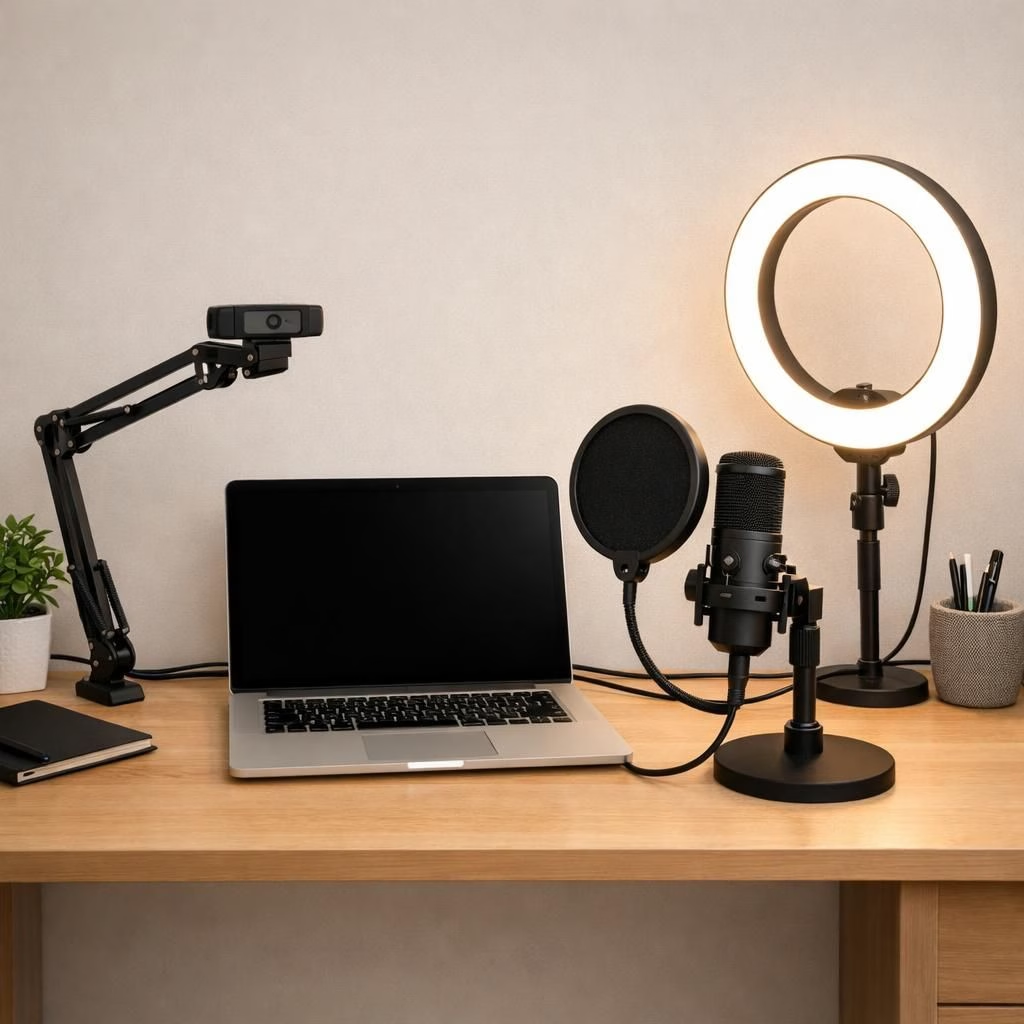
Streaming and Content Creation have evolved rapidly in 2026, and the bar keeps rising. The era of a simple webcam and a lavalier mic won’t cut it on crowded feeds. The core truth is practical: you can achieve studio‑like quality from a compact workspace if you assemble the right mix of camera, mic, lighting, and a reliable PC. In this guide, we’ll map out what you actually need for a modern streaming and Content Creation setup and how to chase those results without turning your desk into a data center.
Streaming Setup Essentials for 2026
The foundation is the computer. A high‑performance PC is the backbone of any Streaming workflow. Everything runs through it—from recording to streaming to editing. If the PC can’t cope, you face lag, dropped frames, or crashes during important moments. A modern streaming setup benefits from a multi‑core processor, at least 16GB RAM, and fast SSD storage. A dedicated graphics card helps with video processing and smooth streaming performance. When your system is powerful and stable, you can focus more on content rather than tech noise. Consider a setup with quiet cooling so fans don’t steal attention during a live broadcast.
- CPU: modern multi‑core (8 cores or more for heavy multitasking)
- RAM: 16GB minimum; 32GB if you run editing alongside streaming
- Storage: fast NVMe SSD, 512GB+ for OS and apps, plus extra space for media
- GPU: capable encoder and frame processing for crisp streams
Next, monitor quality and peripherals matter. A reliable keyboard and mouse keep you in control when the chat goes wild. Invest in solid USB hubs or a clean USB‑C setup to reduce cable chaos. With this foundation, the streaming experience becomes steadier, and your Content Creation workflow stays smoother, too.
Content Creation Gear: Camera, Microphone, and Lighting
Camera choice directly shapes the professional look of Content Creation. Basic webcams still exist, but many creators upgrade to Full HD or 4K options. Mirrorless cameras connected via capture devices can deliver better image quality and natural depth. Regardless of the camera you choose, position matters: eye level, balanced framing, and clean backgrounds project confidence. Focus and color accuracy matter; auto‑white balance can tempt you, but manual with a quick test yields consistent results.
A good microphone instantly upgrades your Content Creation output. USB mics are simple to use and plug‑and‑play, while XLR mics offer more control for future growth. A pop filter or a steady boom arm helps reduce pops and movement noise, keeping dialogue clear whether you stream or record a long form video.
Lighting is often the overlooked hero of Content Creation. Proper lighting reveals detail, keeps skin tones natural, and reduces harsh shadows. A common setup uses a key light in front, plus ring lights or softboxes to soften spill and balance the background. Great lighting makes your work look sharper and much more polished, even before you press record.
As you grow, you can upgrade one part at a time: a new camera here, a better mic there, smarter lighting in small increments. The goal is a stable, scalable system that supports both Streaming and Content Creation without repeatedly interrupting your flow.
Practical Jump Start: 5 Steps to a Ready-to-Publish Studio
- Define a realistic budget and map it to core components: PC, camera, mic, and lights. Keep a buffer for cables and mounts.
- Choose a mid‑range CPU with at least 16GB RAM and an NVMe drive for fast boots and quick exports.
- Pick a camera that supports Full HD or 4K and use a capture device if needed for your setup.
- Test a USB microphone with a pop filter first, then step up to an XLR system if you plan longer recordings or streams.
- Dial in lighting: use a key light plus a secondary light to soften shadows and create depth.
One friendly reminder: your workflow should remain approachable. High quality gear is useful, but a predictable routine and reliable software matter just as much. A well planned Content Creation workflow is a silent partner that helps you publish more often with fewer headaches.
Affiliate notes: we acknowledge that many of these recommendations are linked to products and services that may offer affiliate partnerships. The goal is to help you evaluate gear thoughtfully without hype, while supporting the sources that make this guide possible.
Over time, your setup should grow with your channel. Stick to the basics, measure results, and upgrade intentionally. A thoughtful, scalable approach keeps your Content Creation journey enjoyable and sustainable.
In short, a high‑quality PC, a capable camera, a solid microphone, and smart lighting form the core of any modern Streaming and Content Creation setup. When you combine these elements with a steady workflow, consistency becomes your best asset—and that is how you build a loyal audience over time.
Disclaimer: At Hindustan Times, we help you stay up‑to‑date with the latest trends and products. Hindustan Times has an affiliate partnership, so we may get a portion of the revenue when you make a purchase. The products listed in this article are in no particular order of priority. Thank you to the original source material for providing the foundation that inspired this updated guide.
If you enjoyed this guide and want to keep refining your own Streaming and Content Creation setup, share your thoughts in the comments below. I’d love to hear what gear you’re using and what you’re hoping to upgrade next.
Original material and gratitude: Hindustan Times – original article and material. Thank you for the source that sparked this refreshed take.
External resources
- OBS Studio – streaming software and encoding guidance
- NVIDIA NVENC encoding
- Lighting 101 for video
FAQ
- Do I need 4K for streaming?
- Not necessarily. Full HD is often enough, but 4K can future‑proof your content if your audience has high bandwidth and you have a strong PC.
- What budget should I start with?
- A practical starting point is a mid‑range PC, a solid microphone, and a basic lighting kit. You can upgrade gradually as your channel grows.
- Is USB better for beginners or XLR?
- USB mics are easier to set up; XLR mics offer better control and quality but require more gear and a small investment in an audio interface.
References
Hindustan Times – Everything you need for a powerful Streaming and Content Creation setup in 2026