

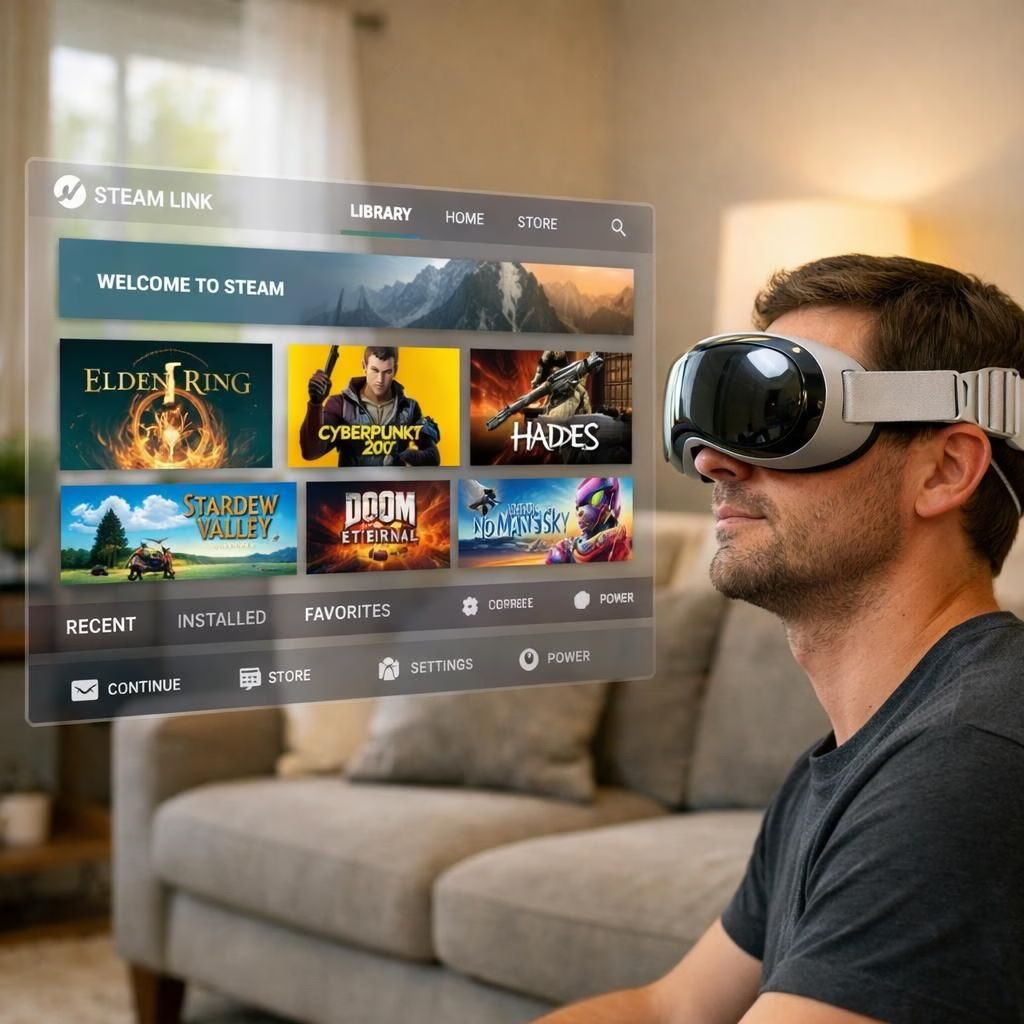
Steam Link lands on Vision Pro in native visionOS form, and the result is more than a quirky demo: it’s a bridge between your PC gaming rig and your headset. The Steam Link experience on Vision Pro centers on comfort, low latency, and a willingness to experiment with large virtual screens in a small, intimate space. Yes, the Steam Link on Vision Pro is not just a proof of concept; it’s a practical tool—at least for the brave, the curious, and the patient.
Steam Link on Vision Pro: native visionOS gaming tips
Valve released a beta version that lets you stream from a Windows, Linux, or Mac Steam library to your Vision Pro headset. The beta is intentionally simple to test, but it carries real potential for immersive PC gaming without moving a PC to the couch. With Steam Link on Vision Pro, you’ll navigate a library with a gaze- or controller-based interface, and you’ll see your games floating in your room with adjustable scale.
Steam Link and Vision Pro: performance, comfort, and setup quirks
Expect fluid interface usage. The streaming path remains the same in spirit: your PC does the heavy lifting, while Vision Pro displays the stream. In practice, you’ll pair your PC and headset on the same network, launch Steam Link in the Vision Pro app, and your Steam library appears as a virtual window. The goal is comfort: you can place the window at eye level, adjust brightness, and use head tracking to look around. The combination of Steam Link and Vision Pro offers a convivial way to game without dragging a monitor into the living room.
Two important notes: latency is real, but the visionOS version is designed to keep it reasonable for casual to mid-core play. If you’re chasing high FPS competitive titles, you’ll want a fast local network and a PC with a robust GPU. For slower networks, you’ll likely see more compression artifacts or stutter as the system tries to keep frames flowing. The beta is a reminder that streaming remains a balance between fidelity and responsiveness—and Vision Pro’s form factor encourages you to lean into that balance.
Steam Link on Vision Pro: more tips for day-to-day use
Here are practical ways to get the most out of Steam Link on Vision Pro. First, keep your PC’s Steam Library clean and updated; the bridge works best when the library is well organized. Second, use a dedicated 5 GHz Wi-Fi channel or a quality router to keep the stream consistent. Third, experiment with the headset’s view scaling and the virtual desktop size; a larger virtual space can reduce eyestrain and improve readability of menus. The combination of Steam Link and Vision Pro makes it possible to play a wide range of Steam titles from your sofa, bed, or sunlit balcony, which is exactly the kind of convenience modern gamers crave.
For UI enthusiasts, Vision Pro’s visionOS app ecosystem offers quick shortcuts and a lightweight control scheme. Steam Link on Vision Pro benefits from these capabilities, letting you switch titles, tweak settings, or pause quickly without fumbling with a physical controller. The result is a smoother, more approachable experience for players who want a bridge between PC gaming and VR-like immersion. If you’re new to streaming, try non-demanding games first to calibrate latency and image quality before tackling more demanding experiences within Steam Link on Vision Pro.
What to expect: expectations, surprises, and the value proposition
Valves’ native solution on Vision Pro signals a thoughtful approach to mixed reality gaming. The interface isn’t a gimmick; it’s a real attempt to blend PC-based power with headset comfort. You’ll notice that Steam Link on Vision Pro can feel surprisingly natural when you adjust to the headset’s perspective. The library appears as a floating pane, the edges of the game’s image align with your field of view, and the controls respond with a crisp sense of presence. In short: the pairing of Steam Link and Vision Pro does more than scratch an itch; it offers a usable, repeatable workflow for gaming on the go—without the need to move your entire PC setup into the living room.
Of course, this is beta software, so expect occasional hiccups. Some titles may not play perfectly, and some features may still be refined. The presence of a native visionOS app indicates a serious intent to improve user experience, not just test a quick port. The combination of Steam Link and Vision Pro implies a future where PC and headset ecosystems cooperate more closely, with streaming as a fluid foundation rather than a workaround.
To the curious reader: if you’ve tried Steam Link on Vision Pro during this beta window, share your experiences. How does the stream feel in your space? Are you enjoying the clarity, latency, or accessibility of the interface? What titles look best on a floating window? Your insights can help the community calibrate expectations as Valve and Apple refine this collaboration.
In summary, the integration of Steam Link into Vision Pro marks a notable milestone in 2026 for both PC gaming and mixed reality enthusiasts. It’s not a final product, but it’s a strong step toward a more practical, comfortable, and social way to play PC games in an immersive environment.
Special thanks to Ars Technica for the original reporting. Original article: Valve brings native Steam Link app to Apple’s Vision Pro — Ars Technica. Thank you!