

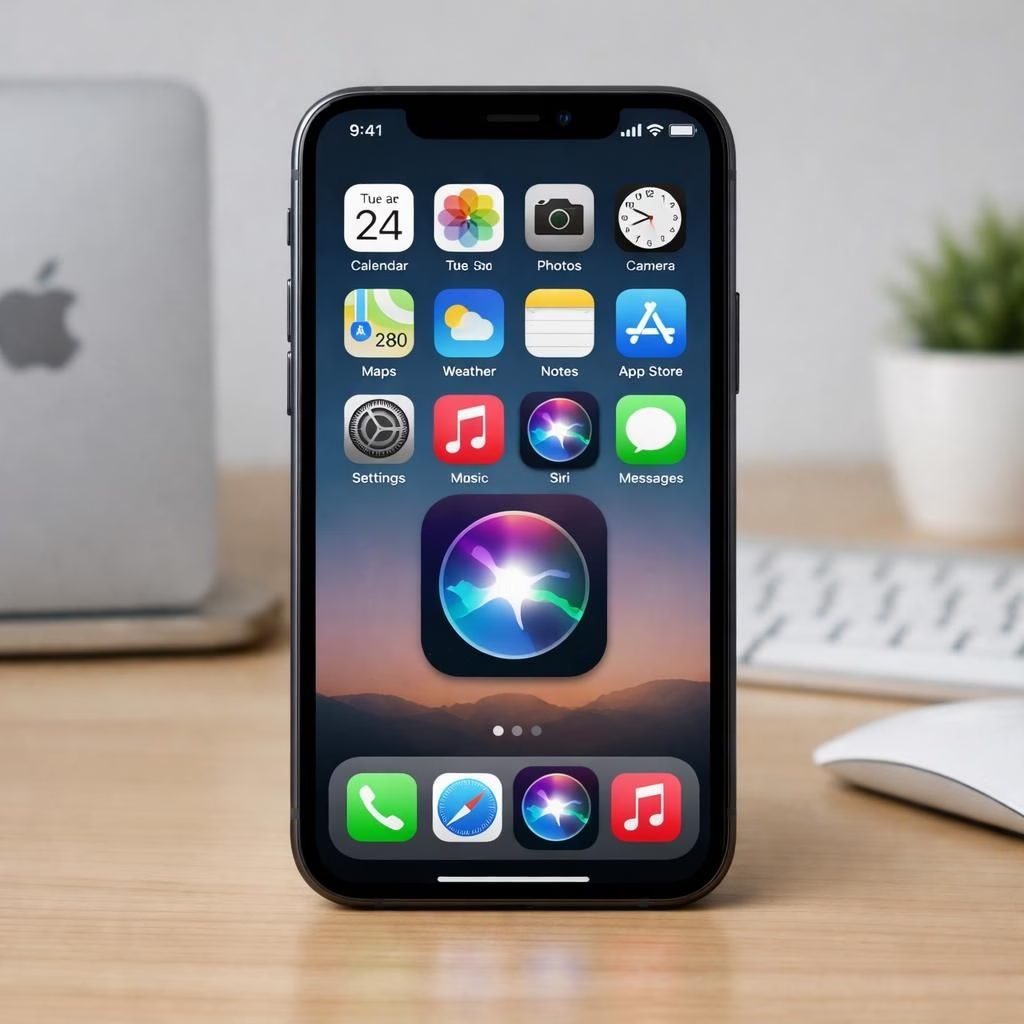
In 2026, Siri is reimagined under the banner of Apple Intelligence, reframed as a core element of the user experience. Siri is no longer a standalone novelty but a central tool designed to stay in the flow of your work. The company announced a standalone Siri app in iOS 27. This shift aims to let you pick up a thread you started yesterday without digging through menus.
During WWDC 2026, executives described the shift as weaving Apple Intelligence into the user’s existing workflow rather than dumping a separate chat interface into the mix. Craig Federighi framed the Siri app as a re-embodiment of core system capabilities—now with more memory and better tact. Apple emphasized the app sits alongside other system tools on the home screen and can resume conversations where you left off.
To be sure, the reframe involved some internal debate. The team reportedly went back and forth about whether continuing a chat should feel “like a chat you had” or more like a living extension of the document you’re editing. The solution they landed on is elegant in its restraint: a home-screen app that re-embodies Siri’s capabilities as part of the system experience, not as a separate product. The result is a more streamlined, less disruptive interaction model. You aren’t asked to abandon your current workflow; you’re given a smarter, more context-aware way to enhance it. In practice, that means less toggling, more nuance in responses, and a sense that Siri is actively helping you rather than merely entertaining you.
Apple’s messaging emphasizes practical utility. Apple Intelligence is described as interface-aware and document-centric, able to interface with what’s on screen and to contribute real-time help in the moment. The assistant is designed to understand context within your current task—proofreading a draft, offering suggestions, or referencing a previous point in a chat—without forcing you into a brand-new interaction pattern. The strategy is that the most natural way to continue conversations is to have an app you can launch from the home screen, not to re-create a separate, disjointed chat layer. The shift signals a broader philosophy: Apple Intelligence should be useful in the context of daily work, not just impressive as a demonstration of what AI can do.
For developers, the iOS 27 developer beta is available now, though access to the new Siri app requires joining a waitlist in Settings, with a public beta expected in July 2026. The gating is intentional, allowing Apple to refine how the Siri app weaves itself into everyday tasks while preserving the privacy and security expectations users demand. The waitlist approach reflects a careful rollout, not a sprint to be first on the block. And while the message is light on flashy demos, the underlying ambition is substantial: make Siri a day-to-day assistant whose capabilities feel less like a gimmick and more like a natural extension of the tools you already rely on.
Siri and Apple Intelligence: A Home Screen Integration
What this means in practice is a more coherent, less disruptive interaction pattern with Apple Intelligence on the home screen. Siri becomes a presence on the home screen—an always-accessible anchor that helps you resume and reference past conversations. You can imagine returning to a difficult email thread or a tricky proofreading pass and having Siri pull up the relevant context without you having to dig through archives. The intention is to keep the user in the flow, with Siri offering reminders, optimizations, and suggestions that are relevant to the document or task at hand. The home screen integration is designed to reduce context-switching, a common productivity killer, by providing a predictable, accessible touchpoint for ongoing conversations that you care about. In short, Siri is being repositioned as a serious productivity ally within Apple Intelligence, not a novelty feature to show off at keynote moments.
From a design perspective, the shift aligns with a broader Apple philosophy: tools should disappear when not needed, and reappear when they matter most. The Siri app is intended to be understood quickly, used with confidence, and revisited as easily as a familiar document. This makes the experience feel less like an assistant giving you answers and more like a co-author who helps shape your work in real time. The practical upshot is a smoother, more efficient interaction model that respects your existing rhythms while offering smarter suggestions when you want them. And yes, the tone remains light where appropriate, because even serious productivity can benefit from a touch of wit and clarity.
Apple Intelligence in Daily Tasks: Siri as a Core Tool
With the Siri app anchored in iOS 27, Apple Intelligence steps closer to the everyday. The idea is not to replace human judgment but to augment it with timely, contextual help. You’re editing a document, checking a factsheet, or drafting an outline, and Siri offers inline suggestions, pulls in relevant references, or reminds you of a prior thread you started in that same document. The system is designed to respect privacy and local processing where possible, aiming to minimize unnecessary data traversal while still delivering meaningful assistance. This is where the practical becomes political in the best sense: a well-timed tip or a retrieval of a past conversation can save minutes, reduce friction, and help you stay focused. The approach is intentionally modular; Siri’s capabilities are embedded where they belong—in the flow of your work—rather than isolated in a separate chat app.
As with any software evolution, the real test will be adoption. Will users appreciate a Siri that stays out of the way until it’s needed, or will some people miss the old, slightly goofy “chat mode”? Apple is betting on a measured balance: powerful context-aware help when you want it, minimal interruptions when you don’t. The future, it seems, is a working relationship with your assistant rather than a one-way conversation that ends too soon. The practical implications for everyday tasks are encouraging: faster edits, better proofreading, and a more coherent workflow across documents and apps that rely on the same underlying AI capabilities.
In 2026, the broader takeaway is not that Siri has finally learned to talk more, but that it’s learned to stay in the room with you while you work. The emphasis on integration, context, and usability suggests a future where Apple Intelligence behaves more like a co-pilot than a separate sous-chef: present, helpful, and tuned to the moment you need it most. This is a reboot of sorts, but with less drama and more practical advantages for anyone who spends their day shaping words, numbers, and ideas.
Original article: Thank you to the original article for the source material.
If you have thoughts on how a centralized Siri app could best fit your daily workflow, please share them in the comments. Your perspective helps others see the practical potential of this shift.
Practical scenarios with the Siri App
- Resume a complex email thread by asking Siri to pull up the latest context and suggested edits.
- Proofread a document and get inline tips without leaving the current page.
- Reference a prior point in a chat while editing a document, without rummaging through history.
FAQ
- What is the Siri home-screen app for?
It is a centralized, context-aware assistant that works inside your current tasks and documents. - Will Siri replace human judgment?
No. It augments your work with timely suggestions and references while respecting privacy. - When can I try it?
The iOS 27 developer beta is available now; a public beta is expected in July 2026.
Conclusion: The Siri home-screen integration signals a maturation of Apple Intelligence, aiming to stay within your workflow rather than distract from it. For everyday wordsmiths, researchers, and planners, the shift promises smoother collaboration with fewer interruptions.