

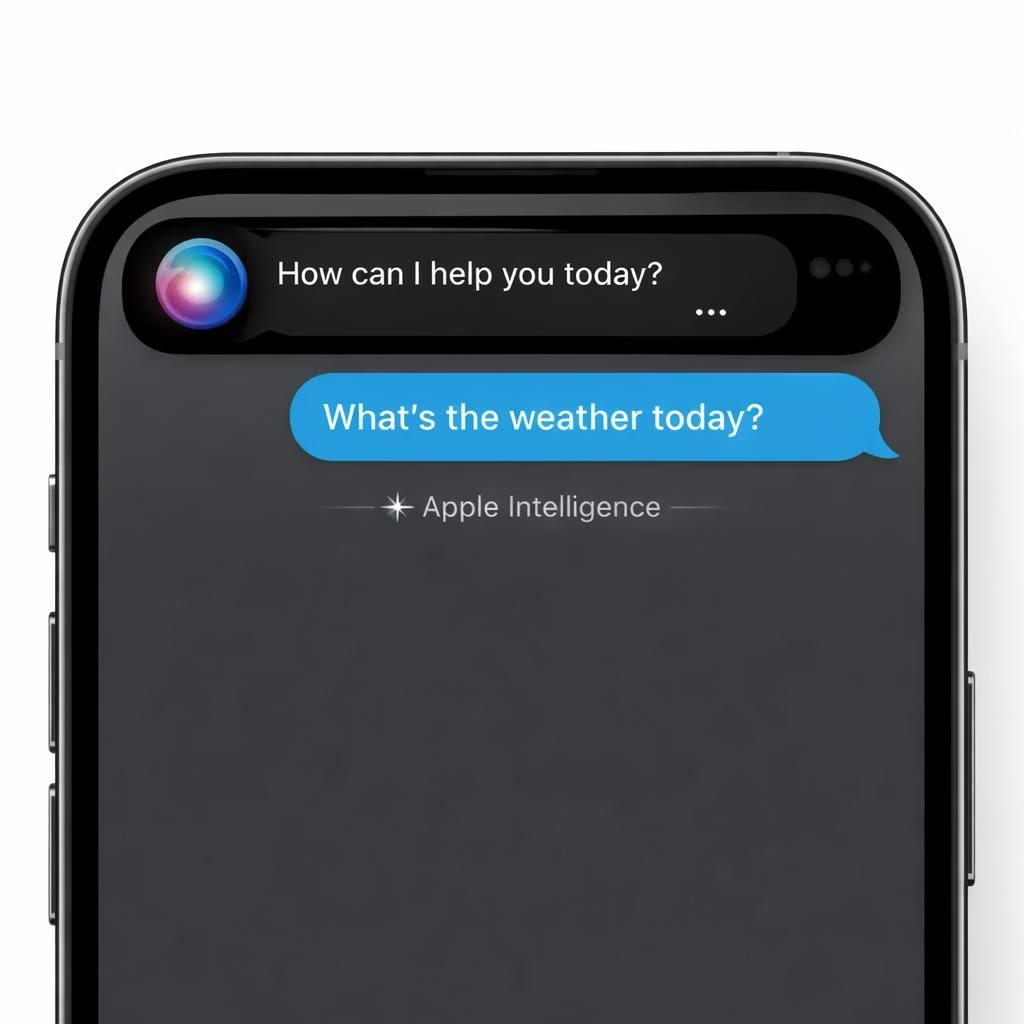
Siri and Apple Intelligence are getting a real glow-up in 2026, and this sunny forecast isn’t about vaporware; it’s about features that respect privacy while getting smarter. The assistant aims to learn from your apps and data in a way that feels helpful, not creepy, syncing with emails, photos, notes, and messages while staying on your device as much as possible.
Siri and Apple Intelligence: A Positive Preview for iOS 27
With iOS 27, Apple positions Siri as a personal assistant that can read context and act on it. Apple Intelligence keeps data processing on-device when possible, reducing the need to send everything to the cloud. This approach benefits privacy and speed. A prompt Siri can draft replies, summarize long documents, and pull up the right files without leaving the current app.
The Dynamic Island becomes the home for Siri’s new presence. You’re not forced into a separate chat app; Siri threads into your tasks, with a small glowing pill indicating it’s listening. Apple Intelligence together manage calendars, email summaries, and reminders across apps, remembering preferences to avoid repetitive prompts.
How Siri and Apple Intelligence Will Work Across Apps
On-device processing is a core pillar, but Apple will still harness cloud knowledge when appropriate. Siri handles multi-step tasks, remembers the thread of a conversation, and picks up where you left off across sessions. Apps can opt into deeper integrations, creating smoother actions such as converting an email to a calendar event or sending a selected photo to a contact with a single command. With the new Extensions model, iPhone users can choose which services power the Siri experience, not just default to Apple’s own tools.
The goal is a unified voice that feels like a single assistant, not a chorus of separate bots. Apple Intelligence will also introduce a touch of convenience with the Ask Siri button in menus across Apple apps, giving you a consistent entry point for questions and commands. Siri can answer multi-part questions, maintain context over time, and remember user preferences so you don’t have to repeat yourself. The approach balances capability with privacy, a deliberate choice that keeps Apple Intelligence features on-device when possible and in the cloud only when necessary.
Behind the Scenes: Siri, Apple Intelligence, and Developer Extensions
In practice, you would see Siri lean into a more conversational interface, potentially living in Dynamic Island and offering a chat-like experience similar to familiar AI assistants. The interface would show a card with web results, notes, and images, and you could swipe to switch to a full Siri app for deeper back-and-forth. The user can still wake Siri with Hey Siri or with the Side button, but the experience is redesigned to feel more integrated with daily tasks and privacy controls. Third-party voices could exist as optional, distinct personas to differentiate a response from Siri and a response from your preferred AI assistant—much like choosing a voice for a virtual mentor.
Apple plans to partner with Google for foundational models, turning Apple Intelligence into a capable, privacy-conscious platform. The next generation of Apple Foundation Models will be built on Gemini technologies, powering personalized features that adapt to you without over-sharing data. The system will let you auto-delete Siri chats after a set period, like 30 days or a year, or keep them if you want a long-running thread. This flexibility remains a key part of the design.
As with any big change, there are questions about timing and availability. WWDC 2026 will show a preview of iOS 27 and friends, with betas dropping for developers and a public beta later in July. The real question is how much of this will appear in the initial release versus later updates. Still, the trajectory is clear: Siri and Apple Intelligence aim to offer deeper integration, better context, and smarter task handling, all while keeping your data under your control.
Finally, the big picture: Siri’s transformation should feel familiar and trustworthy. You can choose which voices to hear, including third-party voice options, so the assistant sounds less like a single voice and more like a personal assistant cohort. The redesign should maintain the familiar ease of use while boosting productivity without forcing you into an extra app or surrendering data. The design emphasizes transparency and user choice, so you stay in control of what Apple Intelligence does with your information.
We all get excited about smarter tech, but the best part is how it makes daily life smoother. If you enjoyed this optimistic peek at Siri and Apple Intelligence, share your thoughts in the comments below. The excitement is real, and your perspective matters. Bloomberg Original Article.
What this means for you: practical steps
- Review App Extensions: In iOS 27, explore the Extensions section to enable third‑party AI services in the Siri experience. This gives you choice over which AI features power your tasks.
- Manage privacy and on‑device processing: Look for on‑device options and auto‑delete controls in Settings under Apple Intelligence to control how long conversations are stored.
- Try the Ask Siri button: Use the new Ask Siri button across Apple apps to get quick answers or start actions without leaving your current task.
- Customize speech options: If you prefer other voices, you’ll be able to choose third‑party voices for responses, keeping Siri’s voice distinct from your preferred assistant.
FAQ: Siri and Apple Intelligence in iOS 27
- Will Siri run mostly on the device or in the cloud?
Apple emphasizes on‑device processing when possible, with cloud support for complex tasks or cross‑app actions as needed.
- Can I use third‑party AI assistants with Siri?
Yes. The Extensions framework lets you enable and switch between supported third‑party AI services within the Siri experience.
- How can I delete or manage my Siri chats?
Users will be able to auto‑delete chats after a chosen period (for example 30 days or a year) or keep long‑running threads, via privacy controls in Settings.
- Where can I learn more about the underlying tech?
Public briefs from Apple and coverage from industry outlets (like Bloomberg) will provide ongoing updates as iOS 27 rolls out.
Conclusion: a practical, privacy‑focused upgrade
The upgrade aims to make daily tasks easier without sacrificing control. You can expect deeper app integrations, context‑aware responses, and a more seamless experience across devices—all designed to respect your privacy. The underlying goal is to keep you in control while offering a smarter, more helpful assistant that fits your workflow. For now, stay tuned to official channels for timing and availability, and consider how you want to incorporate Apple Intelligence into your routine.