

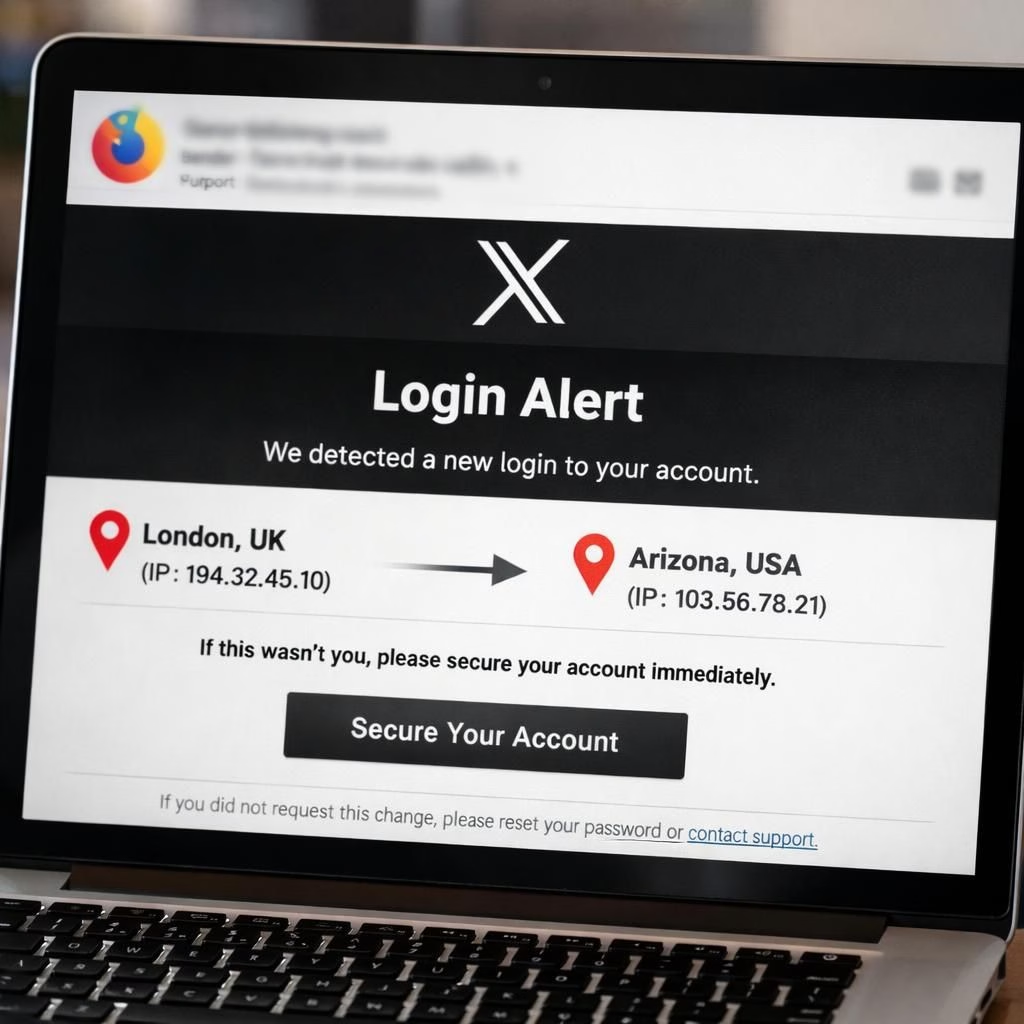
Phishing remains a high-stakes prank, but it wears a slicker suit in 2026. Near-perfect clones of X’s login alerts flood inboxes, aiming to steal credentials and fuel fraud. This is a phishing and security wake-up call that benefits from humor and good habits. The crooks rely on the same psychology that makes you jump when the ping says “new device.” Location hints can scream London while the map stubbornly points to Arizona. The bottom line: treat every login alert with calm curiosity and verify before you click. If you want to stay one step ahead, you need to understand what makes these messages convincing and what instantly flags them as traps.
phishing warning: cloned login alerts and how they fool you
The attackers run a close imitation of legitimate notifications. They copy the logo, the color scheme, and the formal tone that users recognize from official X security messages. In many of these stories, the subject line reads like a routine account check, but the content pushes you toward a quick password reset or app revocation. The bait is a claim that a login happened from a new device—often described as a Firefox Desktop on Mac—while the location lists a faraway land. That mismatch between your actual location and the supposed origin is the telltale sign that something is off, yet it still manages to pull people in when rushed.
Real-world guidance from security experts stresses one simple rule: never trust the link in the email. In these clones, the fake links lead to credential theft pages or to apps that claim to audit security but actually grab your access. The goal is economic harm: to get your credentials and then sell them, leverage them for crypto scams, or fuel misinformation campaigns. Jake Moore, a global cybersecurity adviser, notes that scammers want your login details to funnel a range of frauds that can seem as plausible as the original message. The message feels urgent, which is why the calmer you stay, the safer you are as you assess the message’s authenticity.
security habits that stop scammers in their tracks
security starts with skepticism, and a few practical habits can save you from a long string of headaches. First, remember that X will only send legitimate emails from @X.com or @e.X.com. It will never request your password by email, and it will never ask you to password-reset via a link in a suspicious message. If you doubt a message, check the header details and hover over links (without clicking) to see the true destination. A simple rule: when you see a login alert, open the official app directly instead of following a link in the email. If there is a real issue, the app will flag it there, not in a third-party window.
Next, enable two-factor authentication (2FA) and maintain a strong, unique password for the account. If you ever click a fake link or accidentally reveal credentials, reset your password immediately and re-secure your account with 2FA. Report the phishing attempt through your email provider’s spam and phishing tools, and verify the claim by launching the genuine app or confirming the official domain in your browser. These steps reduce the risk that a clone email becomes a real breach, and they do so with momentum—small, consistent actions that compound into strong protection over time.
In practice, this means being careful about what you click and where you log in. If a message asks you to revoke an app, review the request in the official app instead of on the redirect page. If the message says a security issue needs immediate attention, pause, and verify using the in-app security center or the help pages on the official site. The team behind X has designed these channels to be secure and transparent; your job is to use them, not the fake paths crafted by criminals. This is how you maintain a calm relationship with technology, even in the heat of a potential breach.
phishing red flags to watch in 2026
Here are practical red flags you can use today. The first is a missing or unusual email sender. If the sender’s address isn’t from the official domain, treat the message as suspicious. Second, the absence of your real account handle or a vague location claim is a warning sign. Third, the link destination often differs from the stated URL and may resemble a well-known site only in appearance. Fourth, the message creates a sense of urgency by claiming immediate consequences—lost sessions, locked accounts, or imminent data exposure. Fifth, the presence of attachments or prompts to install a tool can be a trap; the legitimate security path rarely relies on external software delivered via email. If any of these cues appear, don’t engage—open the official app or help pages to confirm status instead.
Jake Moore emphasizes that even well-intentioned warnings can be crafted to resemble official communications. The best practice remains: treat any password prompt as suspect unless you reach the service through your own trusted channel. If you ever accessed a link and fear exposure, immediately secure your password, enable 2FA, and scan for suspicious sessions in the app. A moment of caution now can prevent a cascade of problems later, especially when crooks aim to pivot into crypto scams or misinformation campaigns. The message is simple: your best defense is a careful, methodical response, not a rapid click-through.
As a final reminder, the identity of these messages matters. Real X correspondence will clearly identify itself as coming from official domains, and will never request sensitive data through email. If you feel a twinge of doubt, pause, and verify in the legitimate app. The tiny breaks you take now pay off with security dividends tomorrow. And if you’re unsure, you’re not alone—this is a common experience in our digital era, especially as we navigate a world where bad actors constantly refine their tricks.
If you suspect your X account has been compromised, follow the social media site’s official help guide. The company may reset passwords for accounts it believes were hacked and will send a secure link via email to set a new password. The pattern is consistent: confirm in-app, verify through official domains, and avoid URL madness driven by clever clones. The more you practice safe verification, the better your security posture becomes during the ongoing year 2026 and beyond.
Thank you to the Guardian for the material and the clear description of these tactics. Original Guardian article.
We’d love to hear your experiences with fake login alerts. Please share your thoughts and tips in the comments section below so others can learn from your encounters. And if you found this helpful, consider sharing it with friends or colleagues who might encounter similar messages in their inboxes.
Original source attribution: Thank you to the Guardian article for the material and the insights you provided. We appreciate the careful analysis and the practical guidance you shared with readers. https://www.theguardian.com/money/2026/jul/19/x-scams-login-new-device-message-account-crypto-phishing
References
- Phishing – FBI Safety Scams
- Phishing awareness — CISA
- Cybersecurity awareness — NIST
- Original Guardian article