

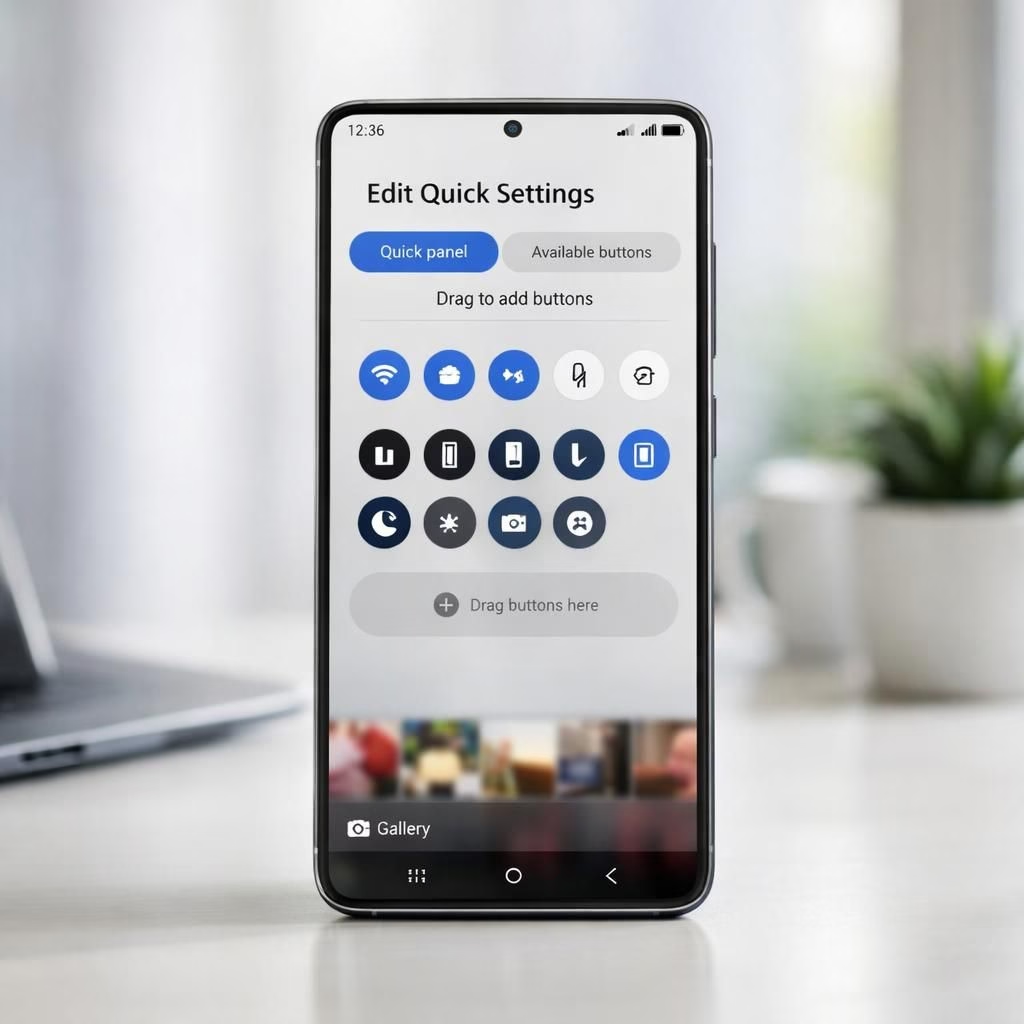
Samsung has begun rolling out One UI 8.5 to the Galaxy S24 Ultra and a broad lineup of eligible devices, marking a thoughtful upgrade season. Our colleagues at SamMobile TV posted a concise walkthrough that focuses on what you\’ll notice in daily use, beyond the usual splash. The headline improvements center on the interface: a highly customizable quick panel and a Gallery refresh with a floating bottom bar and a subtle blur. The video also highlights what stays the same, often the most useful takeaway. In 2026, this level of polish matters as you juggle multiple devices. If you prefer a refreshed feel without disruption, this update gives you something to appreciate.
Between the big launches there are the small, friendly touches that quietly improve the everyday experience. The edit option in the quick panel unlocks a level of customization that feels almost excessive until you try it and realize you were always in the wrong spot for that toggle. You can adjust the size of controls, relocate items, and even remove toggles you never touch. This is the kind of quality-of-life shift that makes you smile when you realize you won\’t lose features by updating mid-cycle. The redesigned Gallery brings a bottom bar that hovers over your photo grid with a blur that\’s more cosmetic than existential. It\’s a modern refresh that keeps your workflow intact while looking crisper for Galaxy S24 Ultra users.
One UI 8.5 Features on Galaxy S24 Ultra
Under the hood, the update aims for consistency and ease of use rather than dramatic upheaval. You\’ll find faster access to frequent actions, smarter suggestions, and a more forgiving multitasking experience. The outcome feels intentional, not accidental; it\’s as if Samsung invited you to customize without requiring a degree in UX engineering. The focus is on predictable behavior, clear visual cues, and a gentle hand guiding you toward the functions you actually need. It\’s the kind of polish that makes day-to-day tasks flow more smoothly, especially if you juggle work, media, and a growing library of apps on the Galaxy S24 Ultra.
For context, this update aligns with what many readers see in One UI 8.5—well-calibrated polish that reduces clutter while keeping key controls accessible. If you\’re curious about broader rollout details, you can also check coverage of the Stable One UI 8.5 update for Galaxy S23 starts rolling out globally for a related reference point.
One UI 8.5 Customization Highlights
The quick panel\’s edit option unlocks a level of customization that remains intuitive. You can rearrange icons, enlarge certain controls for easier reach, and prune toggles you never touch. This subtle rearrangement translates into faster access to the tools you actually use every day, without compromising existing features. The focus on a cleaner, more legible interface helps reduce accidental taps and supports longer sessions without fatigue.
Galaxy S24 Ultra Gallery and Camera
On the surface, the visuals are refreshed—there\’s a blur here and a floating bar there—but the camera side stays conservative. The update does not bring 24-megapixel support, nor does it add the horizontal lock feature, and APV codec is absent as well. Samsung seems to balance feature parity with hardware realities, prioritizing a refined interface over a sprint for new megapixels. For most users, the camera experience remains familiar, with faster access to settings and more consistent results in everyday lighting. If you hoped for a dramatic imaging overhaul, you\’ll likely need hardware changes in a future cycle.
That said, the changes that matter do land with clarity—particularly the quick panel, the refreshed Gallery, and the refined settings. Some capabilities remain tied to the chipset, reminding us software can only stretch so far without the supporting hardware. The absence of 24 MP mode, the horizontal lock, and the APV codec is explained by silicon constraints rather than a software bug. For dedicated enthusiasts using a Galaxy S24 Ultra, this is a thoughtful, not disruptive, update.
Overall, One UI 8.5 brings polish to the experience and fits well with the Galaxy S24 Ultra hardware. The update feels deliberate, with enough customization and aesthetic improvements to justify the install, while hardware limits keep expectations grounded for this cycle. For day-to-day users, the changes reduce clutter and improve flow, letting you focus more on content than interface gymnastics.
Original article attribution: Thanks to SamMobile for the original reporting. Link: https://www.sammobile.com/
Practical tips for getting the most out of One UI 8.5
- Open Quick Panel, choose Edit, then reposition or remove toggles you don\’t use.
- Experiment with the sizing of quick-access controls to fit your grip style.
- Use the Gallery\’s bottom bar and its blur effect to keep focus on recent photos.
- Check the updated Settings hub for smarter suggestions and faster actions.
- Watch SamMobile\’s video for a concise walkthrough of what\’s new and what isn\’t.
FAQ
-
Does One UI 8.5 add 24MP photo support on the Galaxy S24 Ultra?
No. The hardware limits mean 24 MP remains unavailable in this update.
-
Will more One UI 8.5 features arrive after launch?
Samsung often tunes features post-release, but major imaging upgrades will depend on hardware capabilities.
-
Where can I watch the SamMobile walkthrough video?
See the video linked in the article or on the SamMobile YouTube channel for a quick tour of changes.
Conclusion (Takeaway)
In summary, One UI 8.5 brings polish to the experience and is well suited to the Galaxy S24 Ultra hardware. The update delivers thoughtful customization and a refined aesthetic, with a camera roadmap that remains hardware-constrained for this cycle. If you value smoother daily interactions over a flood of new imaging features, this release earns its keep.
References
External context
- Samsung Newsroom — official overview and release notes
- Android Authority — coverage of Samsung One UI 8.5
- The Verge — general coverage of Samsung software updates