

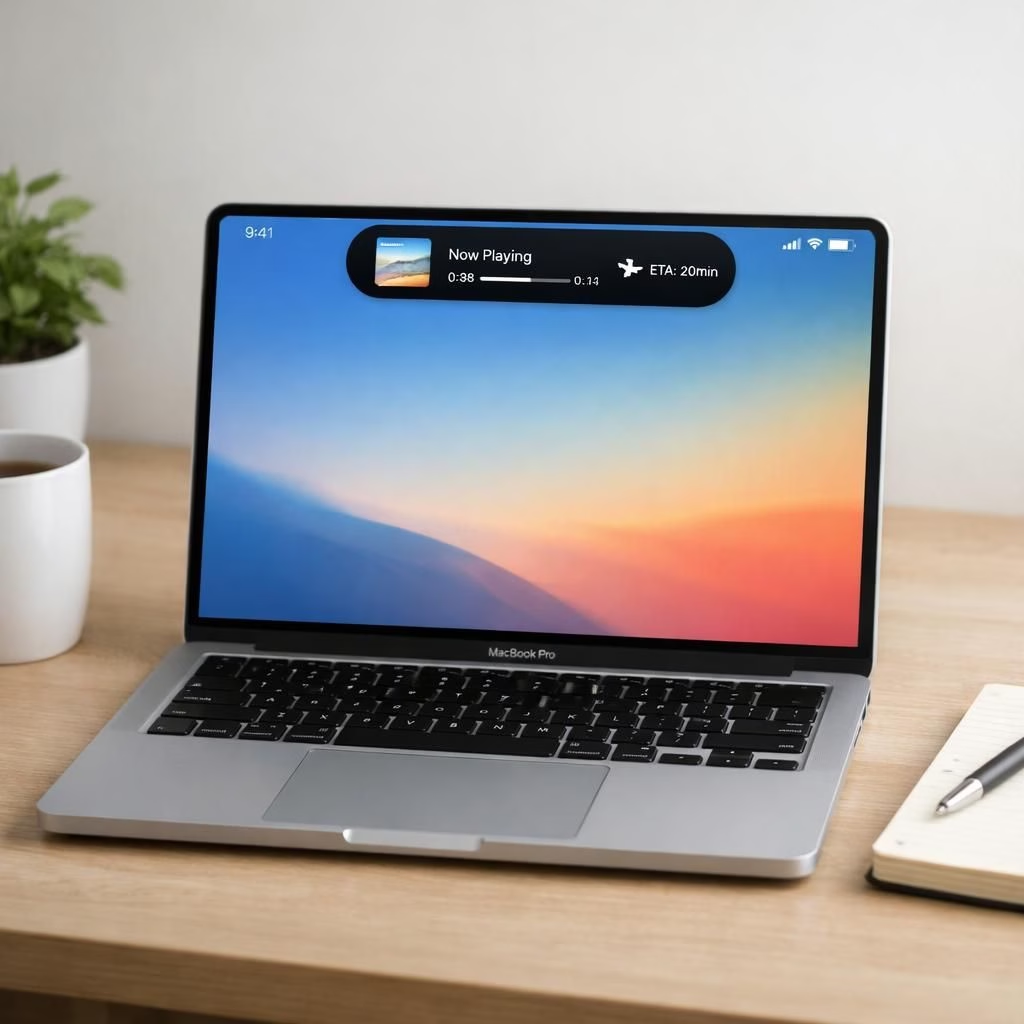
MacBook Pro Dynamic Island update in 2026 is the kind of tech news that makes you smile at your desk. The chatter spans from 9to5Mac to Bloomberg and MacRumors, all pointing to a future where the Dynamic Island isn’t just a fancy niche feature but a core part of the experience. This piece keeps the core truth: the next MacBook Pro lines up with a more integrated Dynamic Island, a responsive touch surface, and a refreshed, cleaner macOS interface. The vibe is optimistic, practical, and slightly cheeky—enough to make the coffee extra satisfying.
MacBook Pro Takes Center Stage: Dynamic Island in Action
The Dynamic Island is shifting from a novelty to a dashboard. On the MacBook Pro, expect adaptive visuals that blend notifications, system prompts, and quick actions into a compact notch-like area. Apple’s approach seems to lean into context-aware UI: you can press for a quick glance, then slide to expand options. The benefit is a calmer desktop with less stray windows and more purposeful status cues, which reduces the friction of real-time updates while you work.
For MacBook Pro users, the updated interface feels like a thoughtful companion rather than a flashy stunt. The Dynamic Island is designed to disappear when you don’t need it and reveal just-in-time controls when you do. In practice, that means fewer interruptions during a spreadsheet crunch or a coding sprint, and a little more breathing room for deep work.
Dynamic Island Gets a Friendly Face on the MacBook Pro UI
Alongside this, the touch experience gets a measured upgrade. Apple’s pro laptops have long trusted precision input, and the 2026 update reportedly carries more responsive haptics and better palm rejection. The result should feel natural, not fiddly. In practice, you’ll navigate apps, toggle settings, and summon controls with a light tap or a swipe that feels deliberate rather than decorative. For MacBook Pro audiences, the updated touch surface will feel intuitive and trustworthy.
OLED panels continue to charm with deeper blacks and brighter highlights, a contrast that makes color-critical work and movie binges equally pleasant. The OLED push on the MacBook Pro isn’t just about glossy pixels; it’s about readability and eye comfort during long sessions. In the real world, you’ll notice smoother gradients, more consistent brightness, and a sense that the display isn’t fighting your content.
MacOS controls are also getting a quiet redesign, with more consistent gestures and streamlined menus. The goal: fewer clicks to the same result, more intuitive toggles, and a setting that feels like a helpful assistant rather than a maze. The combination of the new Dynamic Island, better touch input, and simplified controls translates into fewer brain cells burned by UI drama—more focus for your next report or pet project. The MacBook Pro experience is sharpening, and Dynamic Island is part of that polish.
Release timing seems to align with 2026 optimism: these updates aren’t just numbers on a spec sheet but a promise of better day-to-day use. The synergy between hardware and software reduces the friction of multitasking and enhances the MacBook Pro’s role as a professional tool and a daily companion. It’s a calm upgrade with a playful edge.
In practice, the presence of Dynamic Island in the MacBook Pro interface offers a unified status area that can host calls, music controls, timers, and app previews without monopolizing screen space. It’s a small feature that becomes a big benefit when you juggle notes, spreadsheets, and a calendar full of commitments on a busy day. The MacBook Pro is leaning into a modern, keep-it-simple ethos.
In short, the reporting across 9to5Mac, Bloomberg, MacRumors, and TechPowerUp paints a coherent picture: Apple isn’t just chasing novelty. They’re weaving together a tangible workflow improvement—Dynamic Island as a hub, improved touch, OLED elegance, and a cleaner control scheme. The result is a more enjoyable, productive, and maybe even a little delightful computing experience.
As always with a big hardware refresh, expectations meet reality in the coming months. Fans, reviewers, and casual readers alike will be watching for hands-on impressions, battery life tests, and how well the new UI scales across apps. The essence remains: the MacBook Pro with Dynamic Island and friends in 2026 aims to be calmer, faster, and more intuitive.
Original reporting and inspiration: our original 9to5Mac article—thank you for the groundwork and thoughtful reporting.
Have thoughts on this MacBook Pro Dynamic Island refresh? Share your ideas and reactions in the comments below.
Practical tips for MacBook Pro users
- Use the Dynamic Island as a lightweight status hub while you work on documents or code, not as a constant distraction.
- Customize notifications so important alerts appear in the island area without stealing focus from your task.
- Explore macOS gestures and shortcuts to speed common actions, preserving screen real estate for content.
- Take advantage of the OLED display for color-critical work and long sessions by enabling adaptive brightness and true black modes.
FAQ about the MacBook Pro refresh
- Will the Dynamic Island drain more battery on the MacBook Pro?
- Apple’s 2026 implementation aims to balance usefulness with efficiency, using context-aware updates and sensible sleep behavior to minimize drain.
- When will the new MacBook Pro be available?
- Timing has been discussed as part of a 2026 wave, with availability likely after the official announcements and hands-on reviews.
- Will all MacBook Pro sizes support the Dynamic Island?
- Early reports suggest a focus on higher-end models first, with broader support coordinated with macOS updates.
Conclusion: a calmer, faster MacBook Pro experience
The convergence of Dynamic Island, a refined touch surface, OLED panels, and a cleaner macOS interface points toward a more approachable, productive workflow. The upgrade feels purposeful and restrained, not flashy—its value arriving in smoother day-to-day use and fewer interruptions.