

MacBook fans and budget-minded tinkerers, welcome to the rumor season for 2026. The MacBook is back in whispers, and the idea of a truly low-cost MacBook has people buzzing with optimism. If the early chatter is right, Apple aims to deliver a MacBook that punches above its price without pretending to be a gaming rig. Yes, the MacBook and its new low-cost sibling could redefine what affordable means in the Apple ecosystem this year.
MacBook low-cost design ideas for students and fans
We expect an aluminum chassis in several colors, a 12.9-inch or 13-inch display depending on the rumor mill, and a frame that stays light without sacrificing durability. The low-cost approach seems to favor solid materials and practical features over flashy gimmicks, aiming for a device that’s easy to carry between classes. Apple could lean into a lighter frame and a lower power A-series chip to manage heat without a bulky cooling system, channeling the spirit of the old 12-inch MacBook that kept things quiet and portable. The MacBook team clearly understands that portability should not come at the cost of a usable day, and that balance is the trick the low-cost model must master if it wants to win over learners, educators, and casual creators alike.
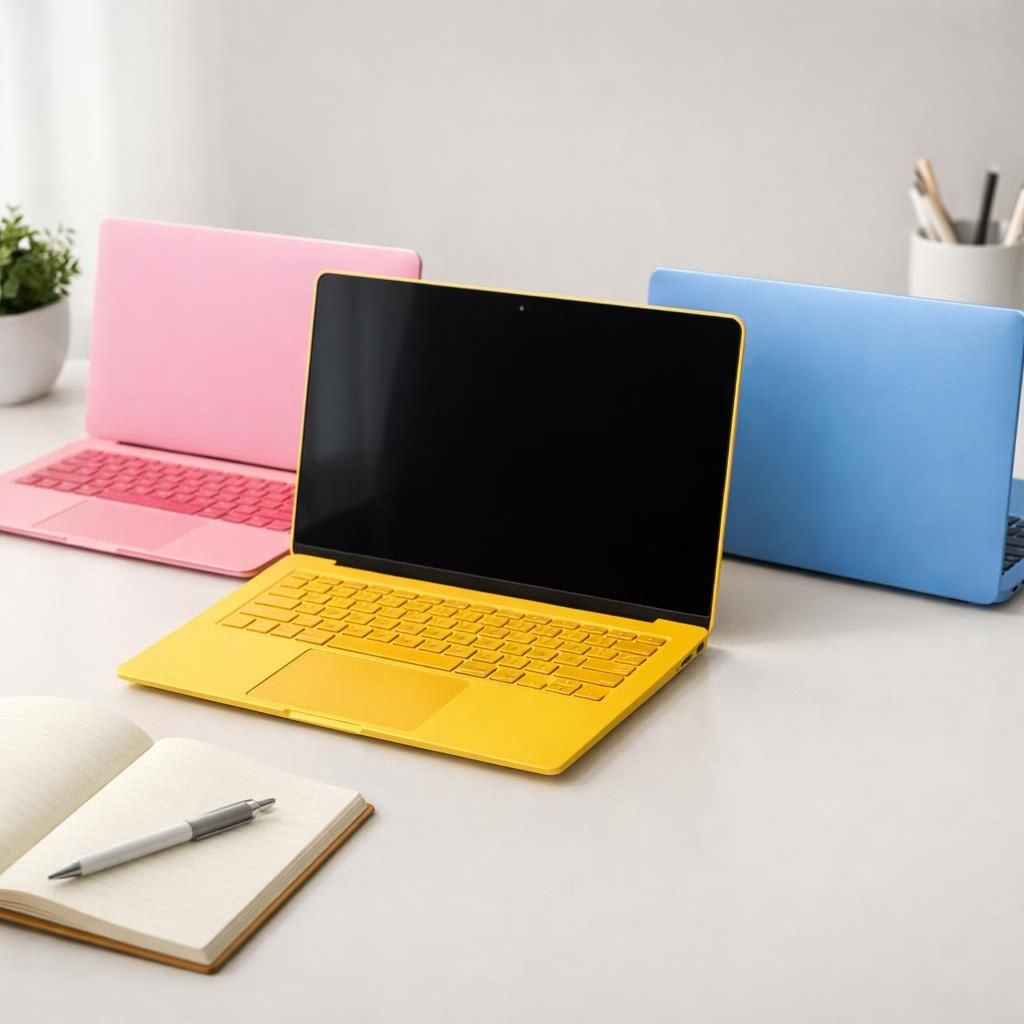
Color experimentation remains part of the conversation. The low-cost MacBook line could offer cheerful hues—yellow, blue, pink, and more—without turning the device into a fashion statement at the expense of practicality. The idea is to give students a device that looks inviting on a desk yet remains sturdy enough to survive a daily commute. The balance here is critical: thinner does not always mean better if it complicates durability or battery life, so expect a design that prioritizes real-world use while still feeling premium. The device should deliver reliable writing and browsing so school or work feels a little easier.
MacBook low-cost specs and performance expectations
Inside, the narrative centers on a not-quite-M-series chip that still brings enough juice for everyday tasks. The rumored A18 Pro would be built on a second-generation 3-nanometer process, with a six-core CPU (four performance cores and two efficiency cores), a six-core GPU, and a 16-core Neural Engine for AI-based tasks. In practice, that means snappy web browsing, quick document editing, smooth video streaming, and light photo and video editing without demanding a high-end workstation budget. While this low-cost MacBook won’t replace a flagship machine in heavy workloads, it should handle day-to-day tasks with confidence and keep latency in check for typical classroom or home-office use.
RAM considerations for Apple Intelligence and everyday multitasking are a factor, but expectations are reasonable. An A18 Pro MacBook would reasonably ship with at least 8GB of RAM to support modern software and background tasks, with 16GB as a premium option for power users. Storage is another area where Apple could test the budget hypothesis; a base configuration around 128GB would align with affordability goals, while higher-capacity options would still be available for media-heavy users. Connectivity concerns are real as well; the A18 Pro reportedly steers away from Thunderbolt in favor of USB-C with around 10Gb/s bandwidth, which could limit multi-display setups but keeps costs and heat in line with the low-cost mission. In daily use, you’ll likely connect a single external display or rely on built-in screen real estate for most tasks, which is perfectly adequate for classrooms, student projects, and light remote work.
MacBook pricing, colors, and market fit for 2026
Pricing remains a central question. Industry chatter points to a value between iPad-level budgets and premium MacBook Air pricing. A mid-range target of around $599 to $799 seems plausible. It would undercut higher-end Apple laptops while signaling a distinct product line from the iPad Pro. Apple will likely emphasize education-market suitability, marketing the low-cost device as a practical, upgrade-friendly option for students who need a reliable notebook without a wallet workout. The MacBook Air’s starting price of $999 sets a pace, but the low-cost MacBook could carve out a niche by prioritizing essential features, long battery life, and a robust, usable keyboard that stands up to hours of note-taking and research. The color strategy may mirror popular iPad hues—vibrant but tasteful—giving users a sense of personality without sacrificing durability or taste. The aim is clear: a budget-conscious MacBook that feels like part of the Apple family rather than a cheap afterthought, while keeping the price accessible for schools and families who want real value for the long haul.
From a practical standpoint, the low-cost MacBook would need generous battery life, solid general-purpose performance, and a helpful mix of ports that won’t force buyers to buy add-ons. The rumor mill hints at a simple but capable external display setup, recognizing that many students work one screen at a time. Storage, RAM, and the presence—or absence—of Thunderbolt can all influence real-world usefulness. If Apple can deliver a device that feels sturdy, lasts through a school term, and performs well for everyday tasks, the low-cost MacBook could become a standard classroom tool, much like Chromebooks that populate many campuses but with Apple polish and ecosystem benefits that teachers and students value.
In short, the MacBook low-cost strategy should aim to be more than a price tag. It should offer dependable performance, a friendly keyboard, solid battery life, and a design that makes everyday tasks feel effortless. The market will reward devices that make study and collaboration easier, not just cheaper, and Apple has a track record of balancing all those facets even when budgets are tight.
The last piece of the conversation is timing. Rumors suggest the low-cost MacBook could surface around Apple’s March 4 events or shortly before, in line with a coordinated launch strategy that gives media and educators a chance to try the product in person. Select members of the press may get a hands-on preview, which would provide early feedback and help refine customer expectations before the first shipments.
What do you think? Do you expect the MacBook low-cost model to reshape student computing, or will it simply carve out a small, loyal audience of Apple enthusiasts who want a budget-friendly device with MacOS charm? Share your thoughts in the comments below, and tell us which color and configuration you’d pick for your own MacBook low-cost setup.
Original article attribution: Original article on low-cost MacBook rumors. Thank you to the authors for the groundwork and insights that informed this piece.
What to look for in a budget MacBook
- Battery life that lasts a full school day
- Comfortable keyboard and reliable trackpad
- Ports that cover basic needs (USB-C and a display option)
- Flexible storage options without overpaying
- Balanced performance for web, docs, and light media tasks
FAQ about the MacBook low-cost
- When is the budget MacBook expected to launch?
Rumors point to a reveal around March 4, with widespread availability soon after.
- What chip powers the new MacBook?
The device is expected to use an A18 Pro chip built on a 3nm process, offering strong single-core and solid multi-core performance for everyday use.
- Will it support Thunderbolt?
Connectivity is expected to rely on USB-C around 10Gb/s, which means limited external display support compared with higher-end models.
- How much RAM and storage are likely?
Base RAM is likely 8GB with 128GB storage as a starting point; higher options will be available for power users.
- Is macOS included?
Yes. The MacBook family runs macOS, with seamless access to iPad and iPhone ecosystems.
References
- MacRumors: Low-cost MacBook latest rumors
- The Verge: Budget MacBook rumors
- Bloomberg: Apple bets budget MacBook on students