

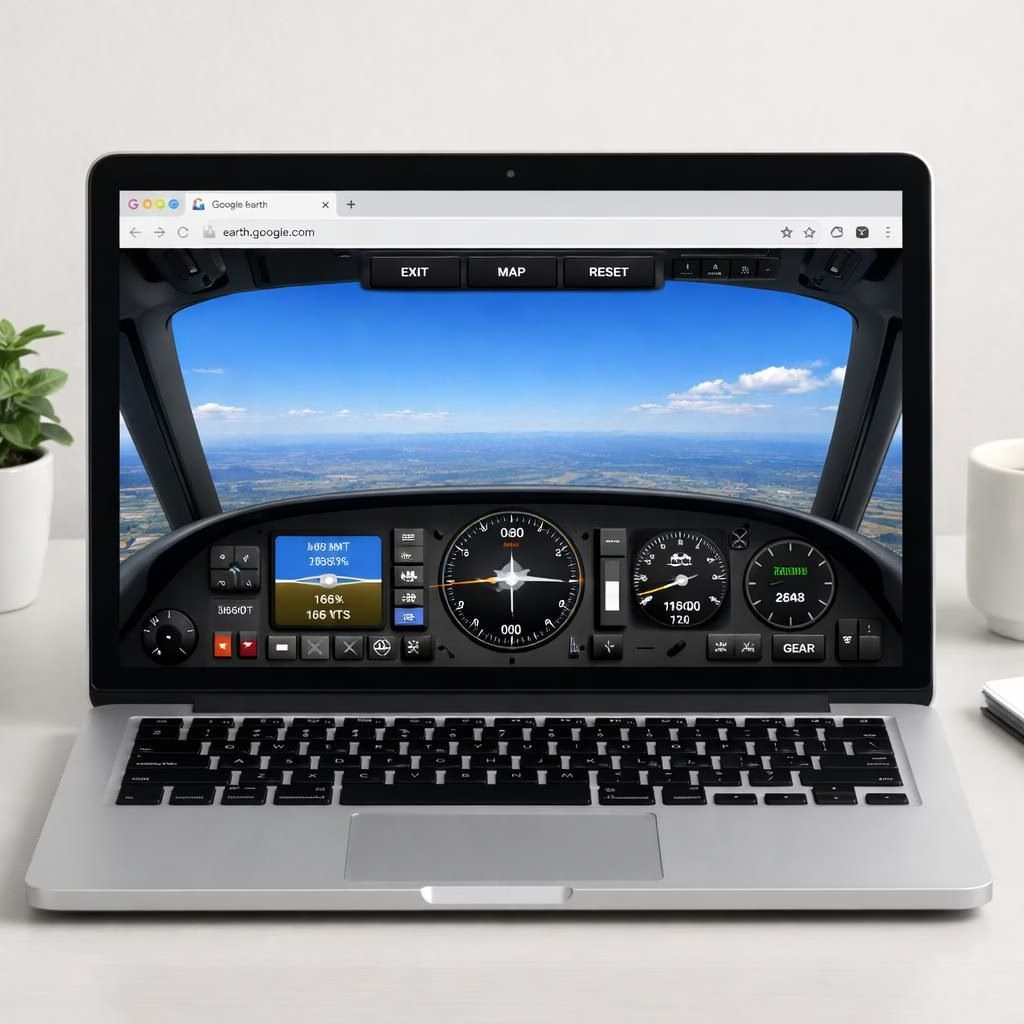
In 2026, Google Earth reveals a playful yet practical upgrade: Flight Simulator in your browser. You can launch from within Google Earth, strap in, and glide over familiar cities without installing anything. This browser-based approach keeps the core idea intact: you explore real places with real satellite imagery, and you pretend to be a pilot. The curiosity-driven traveler in all of us gets a skyward escape without a heavy sim rig. Google Earth makes flight approachable, inviting both casual explorers and aviation enthusiasts to share a laugh at their own pretend-airline careers.
Google Earth Flight Simulator: Browser-Based Breakthrough
Access is as simple as a click. Open Google Earth in any modern browser, locate the new Flight Simulator button, and you’re off. The browser-based experience uses WebGL and WebAssembly to render terrain, textures, and flight physics in real time. That means you don’t need a beefy PC or a dedicated download to enjoy a sunlit overflight of Paris or a punchy hop across Tokyo. It’s not a full, studio-grade Flight Simulator, but it’s a delightful bridge between map curiosity and airspace exploration. The Google Earth data feed remains your co-pilot, with real-world imagery and 3D landmarks guiding your routes. And yes, the experience preserves a sense of scale as you lift off and drift along streets turned into canyons of light and texture.
And yes, the balance between realism and accessibility keeps the experience fun: the browser-based tool aims to be a gentle crowd-pleaser rather than a full professional rig.
Google Earth Flight Simulator: Practical Tips for Pilots
Controls are lean and friendly. Use the keyboard arrows to pitch and roll, the mouse to look around, and the scroll wheel to adjust zoom. The throttle is typically mapped to the keyboard or a simple on-screen control, but if you have a joystick or gamepad, you’ll discover a noticeable improvement in precision and handling. The browser version favors accessibility, so you’ll likely find a comfortable setup with minimal fuss. You can practice takeoff and gentle climbs over city skylines, or you can climb to cruising altitude and enjoy a panoramic blanket of terrain. The Flight Simulator experience shines most when you tether your expectations to reality: you won’t find every airport in perfect, real-time detail, but you will enjoy convincing scenery, plausible airspace corridors, and the sense of velocity that makes flight feel real.
For longer sessions, plan routes with sensible waypoints. Start near coastlines to savor reflections on the water, then climb into thin air and skim the edges of weather patterns. If you’re chasing a tighter feeling of flight, tighten your cockpit view and pay attention to horizon line stability—the browser engine does a solid job with parallax, but tiny jitters remind you this is a browser adventure rather than a professional simulator. You’ll also notice that you can enable different weather presets, which adds dynamic lighting and cloud texture variety to your Flight Simulator experience. The combination of Google Earth imagery and this browser-based flight tool makes it easy to narrate your own travelogue—the kind where you land at your favorite city and pretend you have a perfectly legal, entirely fictional airline schedule.
If you’re a curious explorer, you’ll also appreciate the social side of this browser-based exploration. It’s easy to share flight paths, annotate interesting views, and compare routes with friends who love geeking out over maps as much as over aircraft performance. The browser-based Flight Simulator doesn’t claim to replace professional software, but it does offer a handy, low-friction way to test routes, scout interesting landing zones, and judge a city from a sky-high angle you wouldn’t get from a ground map. The end result is a meaningful blend of practical navigation and playful exploration—an accessible taste of what it feels like to push the throttle and drift along a coastline or through a canyon while staying firmly grounded in the real world’s geography.
In short, this browser-based Flight Simulator built into Google Earth makes the world feel a bit more approachable. It invites you to test routes, learn about urban layouts, and enjoy a cinematic view of our planet—all without leaving your browser. The experience invites beginners to try their first virtual flight, and it invites seasoned sim lovers to revisit the joy of discovery with a lighter touch. It’s a reminder that technology often shines brightest when it lowers barriers and invites participation, not just in expert circles but for everyone who dreams of a quick skyward adventure.
Ready to take off? Fire up Google Earth in your browser, switch to Flight Simulator mode, and see what skies you can carve out of the 3D globe. Share your favorite routes, scenic overflights, and learning moments in the comments below so we can compare notes and celebrate the tiny triumphs of browser-based aviation. And if you enjoyed this browser Flight Simulator exploration, consider experimenting with routes you know well and those you’ve only seen from the ground. You might be surprised by what a few minutes in the cockpit can reveal about the world you already love.
Special thanks to Engadget for the original reporting on Google Earth’s Flight Simulator Mode. Original article: Engadget: Google Earth’s Flight Simulator in Your Browser. Thank you for the inspiration and the thoughtful starting point for this exploration.
FAQ: Google Earth Flight Simulator in the browser
- Is the browser-based experience free to use? Yes. You can try it in Google Earth without installing anything.
- Do I need to install software? No. It runs directly in a modern browser.
- Which browsers support it? Modern versions of Chrome, Edge, Firefox, and Safari are typically compatible.
- Can I use a joystick or gamepad? Yes. A hardware controller often improves precision and control.
- Can I share routes with friends? Absolutely. You can save and compare routes with others who love maps and flight alike.
External resources you may find helpful include the official Google Earth page and WebGL/WebAssembly overviews for background on browser-powered 3D experiences.
References
- Engadget: Google Earth’s Flight Simulator in Your Browser
- Google Earth official
- WebGL overview
- WebAssembly overview