

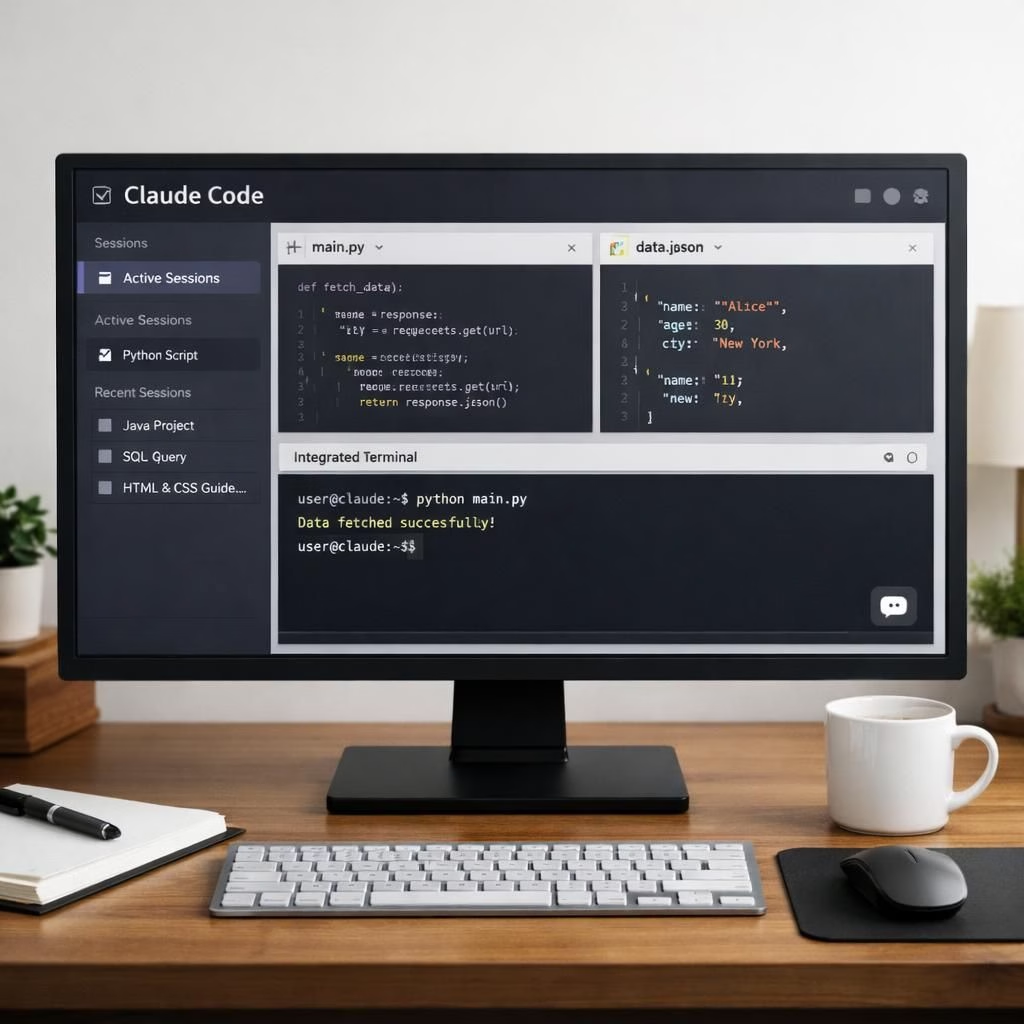
In 2026, Claude Code from Anthropic gets a bright, practical makeover. The desktop app now feels like a Swiss Army knife for developers: powerful, yet approachable enough not to require a PhD in tool choreography. Together, Claude Code and Anthropic double down on productivity without hiding complexity behind polish. If you care about sessions, scripts, and crisp tool cleanup, expect a welcome upgrade from Claude Code and its friends at Anthropic.
Claude Code improvements for productivity
The redesigned workspace centers around a new left sidebar that lists every active and recent session in a single glance. You can filter by status, project, or environment, and you can group sessions by project if you’re juggling multiple threads of work. For the power-user who wants to branch off a running task without repeating context, a side chat shortcut (Command + 😉 opens a lightweight sub-thread tied to the main task. In short: Claude Code invites you to keep your head in the code and your tabs neatly labeled, which is exactly the kind of magic product teams love. This is the kind of enhancement that makes Claude Code feel collaborative and capable, a win for developers who juggle multiple projects under the Anthropic umbrella.
Beyond the sidebar, Anthropic has tucked more of the developer workflow into the app itself. There is now an integrated terminal for running tests and builds, an in-app file editor for spot edits, a rebuilt diff viewer designed for large changesets, and an expanded preview pane that handles HTML files and PDFs alongside local app servers. Each pane is drag-and-drop friendly, so the layout can be arranged to suit your style, whether you’re a tidy minimalist or a high-velocity multitasker. This combination—Claude Code’s session management with Anthropic‘s pragmatic tooling—delivers a more cohesive, less clunky experience when you’re deep in code mode.
The update also brings practical parity with Claude Code’s CLI for plugin support, plus SSH sessions on Mac as well as Linux. The result is a desktop experience that doesn’t force you to switch between windows to perform a quick task. You can branch, test, edit, and preview without leaving Claude Code, and you can SSH into remote environments with the same confidence you’d use when chatting with a teammate. The UI now embraces three view modes—Verbose, Normal, and Summary—so you choose how much of Claude’s tool-call activity you actually want to see. This makes the environment feel both transparent and uncluttered, a rare balance that the Anthropic team pursues with a calm, helpful grin.
For teams already using Claude Code on Pro, Max, Team, or Enterprise plans, the rollout is rolling out now. The flavor of this update is designed to scale across varied workflows, from solo developers to large teams. Claude Code’s new session management and layout flexibility work well in mixed settings, and Anthropic‘s approach to making automation approachable shows up in the way Routines can be composed and reused across projects. If you’ve wanted a more modular, configurable desktop experience, this update is your friendly invitation to experiment without breaking your current workflow.
Anthropic’s Routines and CLI enhancements
In related news, Anthropic also introduced Routines—a new way to set up Claude Code automations that run without an active session. A Routine bundles a prompt, a repository, and any relevant connectors into a single configuration that can run on a schedule, fire from an API call, or trigger off a GitHub event such as a new pull request. Routines are designed to operate on Claude Code’s web infrastructure rather than a local machine, which helps ensure consistency across environments and reduces the risk of “works on my machine” mystique. To keep this powerful feature safe and predictable, Anthropic has imposed daily run caps that scale by plan. This means you can trust routines to be reliable without overwhelming your resources.
Rollout details indicate that Routines are available in research preview to Pro, Max, Team, and Enterprise users with Claude Code on web enabled. The separation of concerns—web-based automation for routines alongside a robust desktop experience—speaks to a philosophy of keeping heavy lifting in stable, scalable environments. For developers juggling automation across repositories, Routines offer a clean way to orchestrate prompts, code, and connectors without reconfiguring everything for each run. This is the sort of feature that makes the earlier command-line vibes feel more approachable to teams that value both power and simplicity, a hallmark of Anthropic‘s design sensibility.
From a practical standpoint, these capabilities translate into tangible benefits: faster onboarding for new teammates who can reuse proven Routines, easier debugging since you can inspect runs without pulling out a separate tool, and more consistent results across environments. The synergy between Claude Code’s desktop power and Anthropic‘s automation mindset reduces context-switching and encourages developers to focus on solving the problem rather than fiddling with the toolchain.
Security remains a quiet but important consideration in this blend. By centralizing workflows in sidebars, terminals, and diff views inside the app, teams can establish clearer access patterns and auditing trails. The added ability to SSH into remote machines from the Mac or Linux side keeps operational tasks within a familiar, contained space. All of these design choices reinforce a practical, user-centric approach that fits well with a world where collaboration, automation, and safety are no longer optional extras but expected defaults from Claude Code and Anthropic.
For developers who like to tinker, the combined capability set invites experimentation. Try building a Routine that triggers on a pull request, runs a test suite, and posts a summary back to the chat pane. Use the integrated editor for a quick patch, then diffuse a large change with the refreshed diff viewer. The process becomes more predictable, and the feedback loop shortens in meaningful ways. If you’re already subscribed to Claude Code on the web, you’ll appreciate how the desktop update and Routines complement each other, making the whole development lifecycle feel smoother and more intentional.
In short, Claude Code’s desktop update and Anthropic‘s Routines form a harmonious duo: a productive, modular workspace intertwined with automation that respects developers’ time and attention. The two brands’ collaboration shows what happens when a coding environment stops fighting you and starts helping you—without ever stealing the spotlight from your own ideas.
Original article attribution: Anthropic blog post — thank you for the material that inspired this rewrite. We welcome your thoughts and experiences with Claude Code and Anthropic as you try out the new workflows.
We’d love to hear your thoughts—share them in the comments below.
Practical quick-start: four steps to a Routine
- Open the left sidebar and create a new session for your repository.
- Draft a prompt in the in-app editor to run tests or checks.
- Configure a Routine that triggers on a PR or on a schedule, then connect your repo and any needed services.
- Run the Routine and review the summarized results in the chat pane and the diff viewer.
FAQ
- What is Anthropic in relation to Claude Code?
- Anthropic is the developer behind Claude Code. The two names here reflect a collaboration that blends an advanced coding environment with automation features.
- Can I use SSH on macOS and Linux?
- Yes. SSH sessions are supported on both Mac and Linux, enabling direct access to remote environments from the desktop app.
- What’s new with Routines?
- Routines allow you to package prompts, repos, and connectors into repeatable automations that run on a schedule, via API, or in response to events like a GitHub PR.
- Where can I learn more about the update?
- Official coverage and details are available from the MacRumors report, and the Anthropic blog for direct developer notes.
Conclusion
Claude Code’s desktop makeover, together with Anthropic‘s Routines, crafts a more modular, automated, and approachable coding environment. It’s a practical balance between power and ease, designed to cut down on routine fiddling so you can focus on building great software. If you’re evaluating a move toward more integrated workflows, this update is worth a close look.