

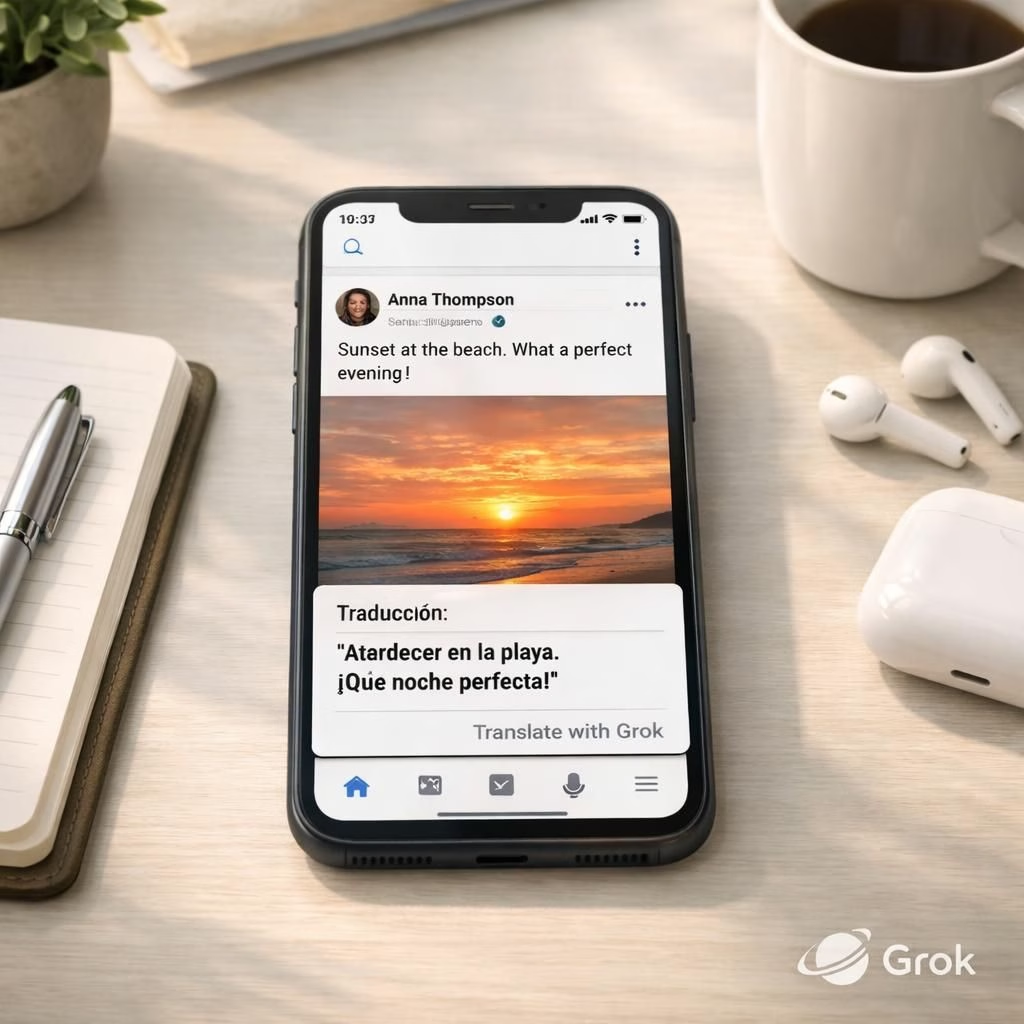
In 2026, X is rolling out an ambitious feature suite designed to make the feed feel less like a language museum and more like a universal chat with your friends. The centerpiece is auto-translate powered by Grok, the AI behind the scenes that turns foreign posts into something you can actually read as you scroll. The idea is simple and surprisingly effective: read posts in languages you don’t understand, without hunting for a translate button. The pairing of auto-translate and Grok aims to boost global engagement while giving users a clear opt-out if they want to stick with original text.
Auto-translate and Grok: The Global Reading Experience
Here’s how the auto-translate feature feels in practice: you scroll through your timeline and the post you’re viewing is translated automatically from Arabic, Hindi, or any other language you don’t speak into your preferred language. No extra taps, no manual prompts, just seamless comprehension. If you love a post in its original flavor, you can opt out at the level of a language: a simple gear icon on the translated post toggles off auto-translate for that language. It’s not a one-size-fits-all switch; it respects your personal language palette and keeps control in your hands, and Grok models have matured over the past months, delivering translations that feel natural rather than robotic.
It’s a practical step toward broader reach: readers encounter posts in languages they previously skipped, sparking more discussion and helping creators reach new audiences. The auto-translate layer is designed to handle slang, regional terms, and cultural references while preserving the tone of the original. And yes, you can still opt out when you want to savor the original phrasing or avoid translation quirks. Grok remains the unseen craftsman behind the scenes, shaping how content reads and travels across borders.
Grok-powered image editor: privacy and creativity
Alongside translation, X is introducing a Grok image editor for iOS that blends creativity with privacy-conscious features. The editor offers standard tools for drawing, overlays, and text, but adds thoughtful privacy options that can be handy in the real world. The Blur tool is a standout: it lets you quickly obscure faces, license plates, or sensitive information before you post. This is a welcome touch for anyone who wants to share moments without exposing private details, especially when a post travels across different languages and regions where norms around privacy vary. In addition to strong blur capabilities, the editor supports natural language editing. You can tell Grok to transform a photo with a prompt such as, ‘display this photo as a painting in a museum,’ and Grok will render the requested aesthetic. According to TechCrunch, Android support is on the way, promising a broader audience for these tools.
What makes the Grok image editor appealing is how it blends control with creativity. You can craft a vivid, stylized image or simply tidy up a snap before a global audience sees it. The blur feature helps you stay private while your post travels through diverse contexts. The natural language editing is a clever touch that lowers the barrier to experimentation; you can describe the look you want in everyday speech, and Grok will translate that into visual adjustments. Android users won’t miss out for long; the company has signaled an imminent release, ensuring consistency of experience across devices. Grok is not just a translation engine; it’s a versatile assistant for both reading and imagery, a push toward a more integrated, intelligent social experience that respects user preferences and privacy.
Practical timeline and user controls
If you’re curious about the practical timeline, the iOS image editor is already live and ready for experimentation, with Android arriving soon. For now, you can enjoy smoother cross-language conversations and safer image sharing, all powered by Grok. The result is a more inclusive feed that respects reader preferences and invites people to explore content from around the world without getting lost in translation noise. As a result, engagement metrics can reflect genuine curiosity rather than surface-level curiosity sparked by unfamiliar scripts on a screen.
Trade-offs and user choice
As with any large-scale feature rollout, there are trade-offs, and the team is transparent about them. Translation may occasionally capture nuance imperfectly, and there will be moments where an original phrase carries cultural color that a direct translation might miss. That’s where opt-out and user feedback come into play. The goal is not to replace human nuance but to amplify it by making it accessible in more languages. In practice, this means more conversations across borders, more diverse viewpoints in your feed, and a more resilient sense that social media can connect rather than segment users by language. Grok remains the quiet facilitator of that outcome, quietly shaping the way we read and share in a world of many tongues.
Conclusion: a global feed with human curiosity at the core
In short, the auto-translate feature and the Grok image editor represent a forward-looking approach to social tech: empower users with practical tools, keep privacy front and center, and invite a global audience into a more seamless, enjoyable experience. The Grok technology behind these tools hints at a future where readers and creators collaborate across borders. The technology is not perfect yet, but the trajectory is clear: less friction, more understanding, and a social landscape that feels less like a patchwork of dialects and more like a shared script. If you enjoy exploring how language and imagery intersect in real time, this development is worth watching—and a reminder that even in a highly automated feed, human curiosity remains the guiding force.
Original article: Original article with thanks — Thank you for the thoughtful source material that inspired these reflections.
We’d love to hear your thoughts on how auto-translate and Grok shape your experience. Share your thoughts in the comments below to join the conversation.