

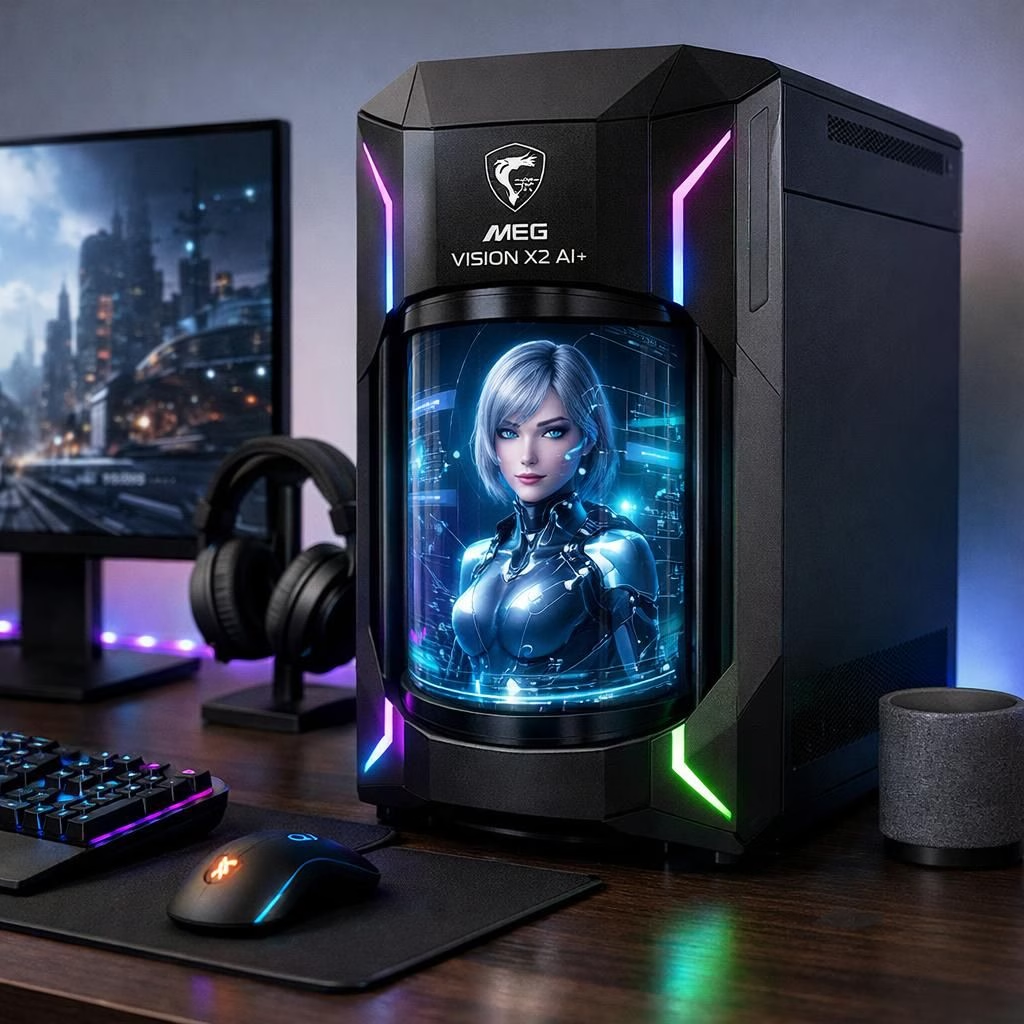
In MSI’s latest flagship, AI and Vision X join forces in a clean, practical package: the MEG Vision X2 AI+ introduces an integrated AI Holostage cylinder and LuckyClaw assistant to tune your rig as you game. The combination aims to deliver smarter controls without adding desk clutter. It’s a premium gaming desktop built for performance and personality.
AI Holostage is more than a gimmick. It is a cylindrical display integrated into the front of the case, a tiny stage for digital companions, desktop pets, and third-party AI avatars that entertain and inform you without hogging desk real estate. The design mirrors MSI’s philosophy: put the information where you can see it, in line with the Vision X approach.
Inside the box, LuckyClaw acts as the local AI sidekick. It responds to natural voice commands and can adjust performance profiles, tune monitor settings, tweak RGB lighting, and control other system features. MSI promises more skills in future updates, so LuckyClaw should age into a longer-lasting companion rather than a one-time gadget. The effect is closer to having a helpful desk buddy that knows your shortcuts better than you do.
Vision X lineage and updates: a quick history
Compared to earlier experiments, the X2 marks a shift toward a more integrated AI-driven experience. The MEG Vision X AI 2nd previously offered a 13-inch FHD IPS touchscreen with an in-casing mic and speaker. The older system also listed up to a Core Ultra 9 285K processor, RTX 5090 GPU, Silent Storm Cooling AI, a back-connect motherboard layout, and 5G LAN. Those specs set a baseline, but MSI signals that the X2’s hardware ladder is still evolving. In short, we’re watching an evolving product, not a fixed blueprint.
As a reviewer-friendly note, the original MEG Vision X AI from 2024 relied on Core Ultra 200 and RTX 50-series hardware. That lineage matters, because MSI’s X2 leans into a software-first approach where AI features add value beyond raw numbers. The Vision X heritage informs how MSI tweaks software and hardware together.
For enthusiasts who enjoy tinkering, the X2 promises a friendlier interface with more in-the-moment intelligence. You’ll find yourself adjusting performance profiles not by guessing, but by speaking to LuckyClaw or glancing at the Holostage.
AI-powered chassis and Holostage display
At the heart of the X2 is the fusion of hardware and AI software. The AI Holostage sits flush with the chassis, turning the front of the case into a living display. For gamers, it’s a handy quick-look panel for temperatures, clocks, and fan curves. For casual users, it’s a small, almost ceremonial stage that makes the rig feel a little more alive. The practical upshot is fewer separate peripherals, less desk clutter, and a dash of personality in every boot sequence. The AI is there to smooth the experience, while your games stay front and center.
Not every feature will land with the same flourish, but the concept is appealing: a device that reads the room and adapts on the fly. The AI Holostage can host third-party avatars, and MSI’s ecosystem invites developers to add fresh skills. In other words, you get room to grow without swapping machines. The AI setup also aligns with modern expectations for high-refresh desktops that are not just powerful but approachable for daily use and streaming alike.
AI and Vision X working together for gamers
In practice, the AI features are designed to complement, not overwhelm, your gaming sessions. Expect smoother tuning under load. It also offers more precise RGB synchronization with in-game action and faster access to critical data when you’re chasing a record or streaming to a curious audience. The Vision X thread here is simple: the hardware foundation is being reused and enhanced by software intelligence, delivering a product you can grow with rather than upgrade away from.
Bottom line: the MEG Vision X2 AI+ feels like MSI trying to have its cake and eat it too—in the best possible sense. With flagship components, a thoughtful AI stage, and an assistant who learns from your routines, it could evolve from a flashy curiosity to a dependable partner for gamers who value automation alongside control.
In closing, whether you’re excited about the Holostage’s display polish or curious about how far LuckyClaw can grow, this machine sets a tone for 2026: AI-enabled, Vision X-inspired, and proudly premium. If you’d like to weigh in, share your thoughts in the comments and tell us how you imagine using AI and a Vision X-inspired chassis in your own setup.
Original article attribution and thanks: Special thanks to the original article for inspiration and ideas. Original MSI Vision X coverage can be explored here: Original MEG Vision X AI coverage.
For official details, see MSI’s official site: MSI. For additional analysis, TechRadar offers a broader take on AI-enhanced gaming desktops: TechRadar.
FAQ
- What is AI Holostage? A cylindrical front-facing display that hosts avatars, live telemetry, and quick controls while reducing desk clutter.
- How does LuckyClaw work? LuckyClaw is MSI’s local AI assistant that can adjust performance profiles, monitor settings, RGB, and other features via voice and simple commands.
- Is Vision X a real product or feature here? Vision X refers to MSI’s Vision X lineage, a concept carried into the X2 design with AI-powered software and a hardware backbone; on the page it appears as a branded concept rather than a standalone product line.
- Will the X2 be upgradeable or receive updates? MSI suggests ongoing software updates to expand LuckyClaw’s skills and Holostage capabilities, signaling a growing platform rather than a fixed spec.