

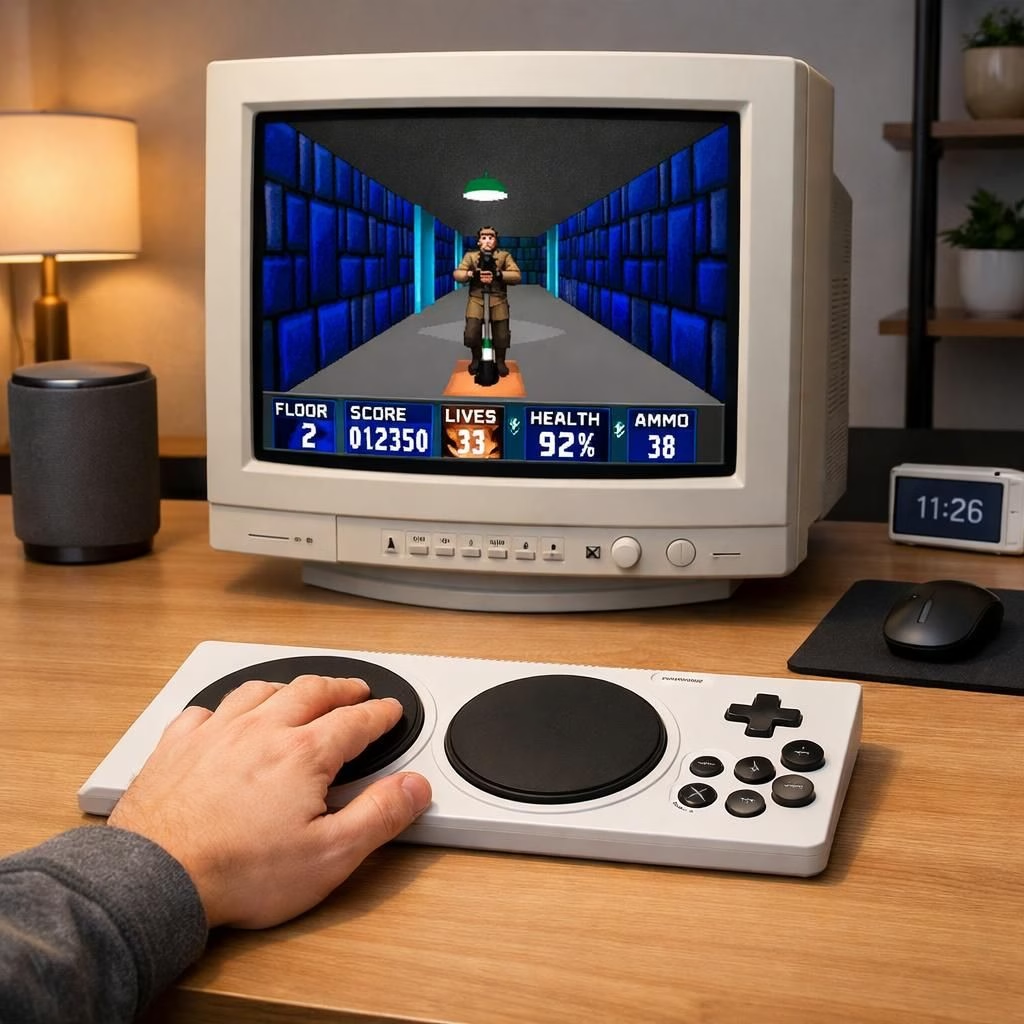
When people talk about Accessibility and Gaming in 2026, the news that Wolfenstein 3D is playable with one hand makes me smile. It signals real progress beyond the novelty of a novelty stunt. You can still sprint through a Nazi-filled corridor in retro pixels, but today you can do it with one hand and stay in rhythm without fatigue. The core truth remains: Wolfenstein 3D is a test of reflex, memory, and timing; the 2026 toolkit—accessibility options, adaptive controllers, and ergonomic setups—turns one-handed play from a stunt into repeatable, satisfying play for enthusiasts and curious experimenters alike.
Accessibility in Practice: One-Handed Wolfenstein 3D (2026)
Accessibility here goes beyond gimmickry. It means rethinking controls, mapping inputs to a single hand with confidence, or swapping to a layout that respects a comfortable grip. Players rely on remappable buttons, macro keys, or the Xbox Adaptive Controller to craft a one-handed road map that remains precise. The goal isn’t to water down the challenge but to preserve the game’s tempo—the quick reaction to a shadowy corridor, a tight enemy pattern, or a sudden ambush—while giving those with limited two-handed mobility a real, repeatable way to enjoy the entire campaign. Accessibility becomes practical: latency, haptic feedback, grip style, and how a tiny press translates to a clean headshot through a pixel wall. It’s about control fidelity, not lowering the bar.
Historically, many classics shipped with a one-size-fits-none approach. Modern work changes the math by treating players as individuals with different strengths. Some prefer squeeze-to-fire, others a thumbstick press, and some a long-press for a charged shot. The Wolfenstein 3D engine—once a memory-and-aim test—now supports a spectrum of ideas, letting a one-handed run feel clean instead of a half-forgotten PA announcement. The end result is a more inclusive landscape where Accessibility isn’t a buzzword but a practical pathway to enjoying a storied title without sacrificing challenge for those who want it. You can explore related ideas in our broader reading on [Gaming](https://www.geekyopinions.com/tag/Gaming) discussions.
Gaming Gear: Ergonomics and Setup in 2026
When we discuss Gaming in 2026, the emphasis shifts to posture, grip, and a calm desk setup as much as hardware. The one-handed Wolfenstein 3D approach isn’t about gimmick gear; it’s about sustaining a steady rhythm. Many players lean on adaptive controllers, but you can also map shooting to a thumbstick, sprint to a precise button, and use a comfortable mouse or trackball for fine aim. An ergonomic chair with adjustable height, supportive armrests, and good lumbar support keeps your spine aligned. A clean desk that places the hand in a neutral position reduces fatigue. A high-contrast UI and a bright, precise crosshair shave off milliseconds when lining up a crucial shot. Hardware helps translate reaction time into reliable accuracy, while giving the non-dominant hand a moment to recover.
- One-handed controllers and remapping: Xbox Adaptive Controller, specialized grips, or custom macro pads.
- Input latency considerations: wired connections, fast USB keyboards, or low-latency controllers.
- Comfort-first desk setup: monitor height, chair angle, and wrist rests.
Beyond hardware, the software layer matters too. In 2026, operating systems and game clients increasingly expose accessibility profiles that remember your preferences across titles. You can save multiple layouts for marathon sessions or quick hits between tasks. This isn’t about lowering standards; it’s about removing friction so your skill can shine, whether threading a sniper shot through a narrow corridor or enjoying the crisp sound of a well-timed dodge. Accessibility and Gaming become less about fighting the machine and more about teaching the machine how you play best. Sharing setups with the community can spark practical improvements for everyone, from casual players to aspiring speedrunners.
For those who crave specifics, a few setup ideas tend to work well across many rigs. Keep input latency as low as possible with wired connections and a clean USB hub. Consider a keyboard with evenly spaced, tactile keys for long shootouts, and pair it with a lightweight mouse or a trackball for precise aim. If you’re using an adaptive controller, experiment with grip aids and button mappings until you find a rhythm that feels natural. And orient your screen so the crosshair sits dead center of your gaze; a touch of tilt can reduce neck strain and keep you in the game longer, especially during boss encounters or crowded corridor chases.
As a practical takeaway, accessibility isn’t a single gadget but a choreography of inputs, posture, and environment. The fusion of Accessibility and Gaming in 2026 offers not just a workaround but a more humane way to experience a storied title. Wolfenstein 3D remains a pulse of timing and memory; the 2026 toolkit helps you execute that pulse with less fatigue and more focus, whether you’re a grizzled veteran or a curious newcomer.
Special thanks to Ars Technica for the original article via Google News: original Ars Technica article.
Now I’m curious: what one-handed Wolfenstein 3D setup works best for you in 2026? Share your thoughts, experiments, and tips in the comments to help others build their own comfortable, capable rigs. Let the discussion begin—and may your aim stay sharp.
Internal and external references
Related reads and practical examples include internal coverage on accessibility and the impact on gameplay. For broader context, see:
- As the game industry cuts back, accessibility is feeling the impact.
- Nintendo Switch 2’s GameChat will support more accessibility features like text-to-speech and live subtitles — learn more.
- Android and Chrome just got 4 super-useful accessibility upgrades — including a Gemini trick for quizzing photos — details here.