

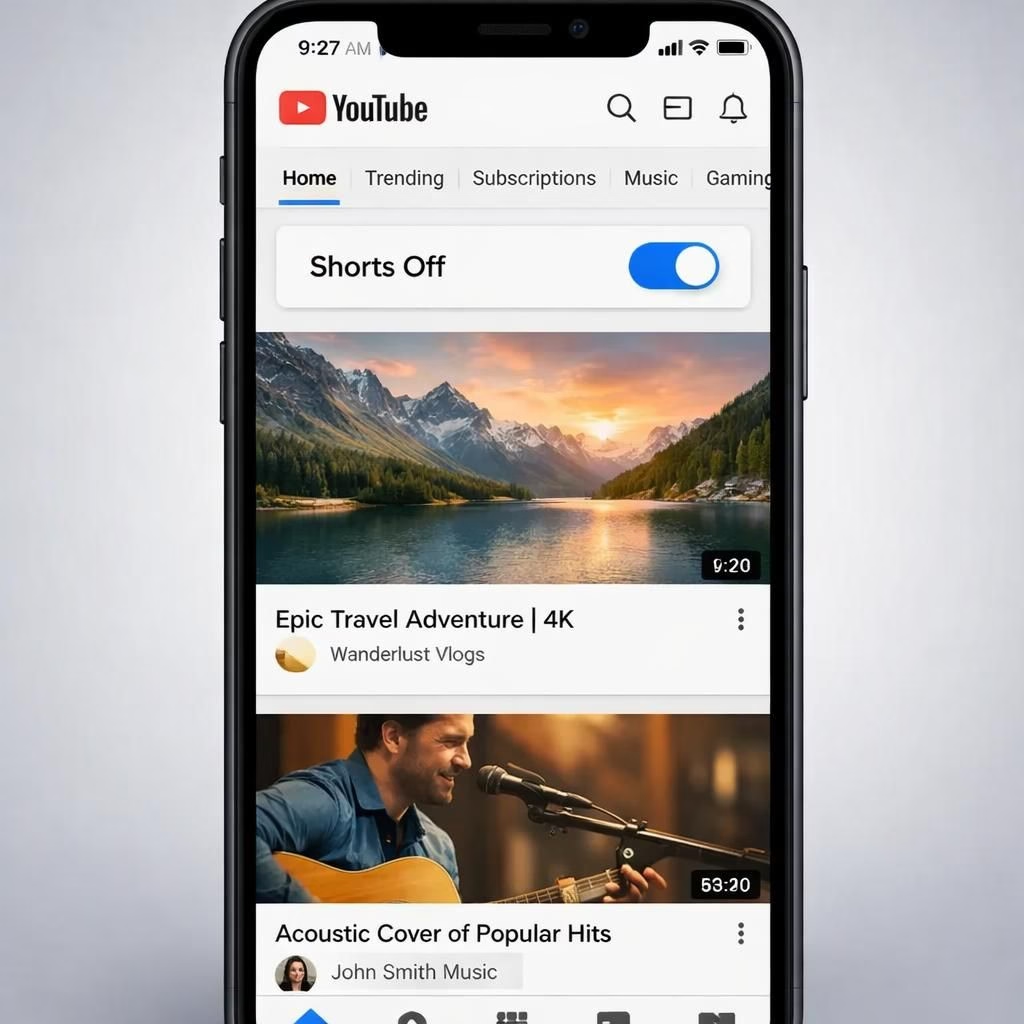
On YouTube, the era of relentless Shorts bombardment has softened as the platform finally lets you turn off Shorts with a few taps. The feature arrived in 2026 and was greeted with relief and skepticism by power users who had grown used to clips that rarely stop. This change isn’t just a toggle; it’s a signal that the platform wants to respect attention as a scarce resource. YouTube has listened to creators and viewers alike, offering a non-disruptive option that doesn’t require a full app uninstall or incognito mode. YouTube, like a barista who finally offers almond milk, has noticed that some people just want the plain espresso of video discovery—no extra froth of Shorts.
YouTube Shorts toggle: Simple, visible, efficient
In the latest 2026 update, you’ll find a setting labeled Shorts during playback or display preferences. Flip the switch to Off, and Shorts stops taking up the top slots in your home feed. This is not a global lock; it’s a local preference that persists across sessions and devices. The UI language keeps things friendly: Show Shorts or Hide Shorts. It’s a friendly nudge rather than a hard barrier. YouTube has given control back to users who want a quieter feed, without sacrificing access to Shorts entirely if you choose to peek now and then.
Shorts exposure reduced: A cleaner YouTube experience
Why does this matter? For many, Shorts clogged the home feed, loading slices of content at a dizzying pace. The new toggle lets you reclaim space for longer-form videos, tutorials, and deep dives. For creators, it changes distribution dynamics. Some creators who primarily rely on Shorts may need to diversify, while those who avoid Shorts can focus on evergreen content. The result is a more balanced YouTube experience where attention isn’t monopolized by one format. The system still surfaces Shorts from time to time in other contexts, but the homepage and recommendations become friendlier to longer, more intentional viewing sessions. YouTube’s move is part UX tuning, part user empowerment, and part video discovery hygiene.
There are caveats. The toggle doesn’t erase Shorts everywhere; you may still see it in search results, on the Shorts tab, or via notifications if you’ve opted in. The goal is fewer distractions, not a total ban. If you want to re-enable Shorts, you can toggle back in the same menu. In 2026, this simple toggle embodies a broader industry shift toward user agency and respect for attention, not just engagement metrics. It’s a small change with outsized implications for how we consume video content.
Accessibility and cross-device syncing are worth noting. If you watch Shorts on both mobile and desktop, the toggle’s effect should sync across devices where you’re signed in. Some people report small inconsistencies during transitions, but these are typically resolved after a refresh. The broader point is that YouTube is reducing friction: you can keep watching long-form videos with fewer interruptions, yet still summon Shorts when you want to check something quickly or catch a viral moment. This aligns with a broader trend in app design: giving people meaningful control over what dominates their screens.
For advertisers and product teams, the move means a potential shift in distribution and watch-time dynamics. If you reduce Shorts exposure, watch time might shift toward longer videos, tutorials, or commentary. The company will monitor this, but the net effect should be a healthier long-term engagement. In practice, many viewers report a more deliberate, less chaotic browsing experience, which is a win for user satisfaction and brand safety. The feature is a step toward a more mature content ecosystem where the user stays in control and the platform offers more tailored experiences, not a one-size-fits-all feed.
If you’re curious about whether this toggle affects your recommendations, try it for a few days and note what changes in your daily YouTube routine. The design philosophy here is simple: less distraction means more time for what you love on YouTube.
Share your thoughts in the comments below, and tell us how you use the Shorts toggle on YouTube to shape your viewing day.
Original reporting: The Verge. Thank you for the original article about YouTube allowing users to turn off Shorts.
YouTube UX: Shorts controls for calmer feeds
Here’s a quick, practical guide to try the toggle today, across devices.
- Open YouTube on your mobile device or desktop.
- Go to the profile menu and select Settings or Display preferences.
- Look for the Shorts option and switch it to Off.
- Refresh your home feed and test how long-form content appears compared with before.
Managing Shorts exposure: A practical guide for YouTube users
If you want to re-balance later, repeat the steps to turn Shorts back on. The change is reversible and designed to be non-disruptive.
FAQ
- Does the Shorts toggle affect my recommendations?
- It may shift some suggested content toward longer videos, but your history and preferences still guide recommendations.
- Will this option apply across all devices?
- Yes—if you’re signed in, the setting should sync across mobile and desktop.
- Can I still see Shorts if I want to?
- Yes—shorts remain visible in certain contexts like the Shorts tab or search results.
- How do I re-enable Shorts?
- Return to the same menu and toggle Shorts back On.
References
References: The Verge article discussed above, plus the author’s notes.