

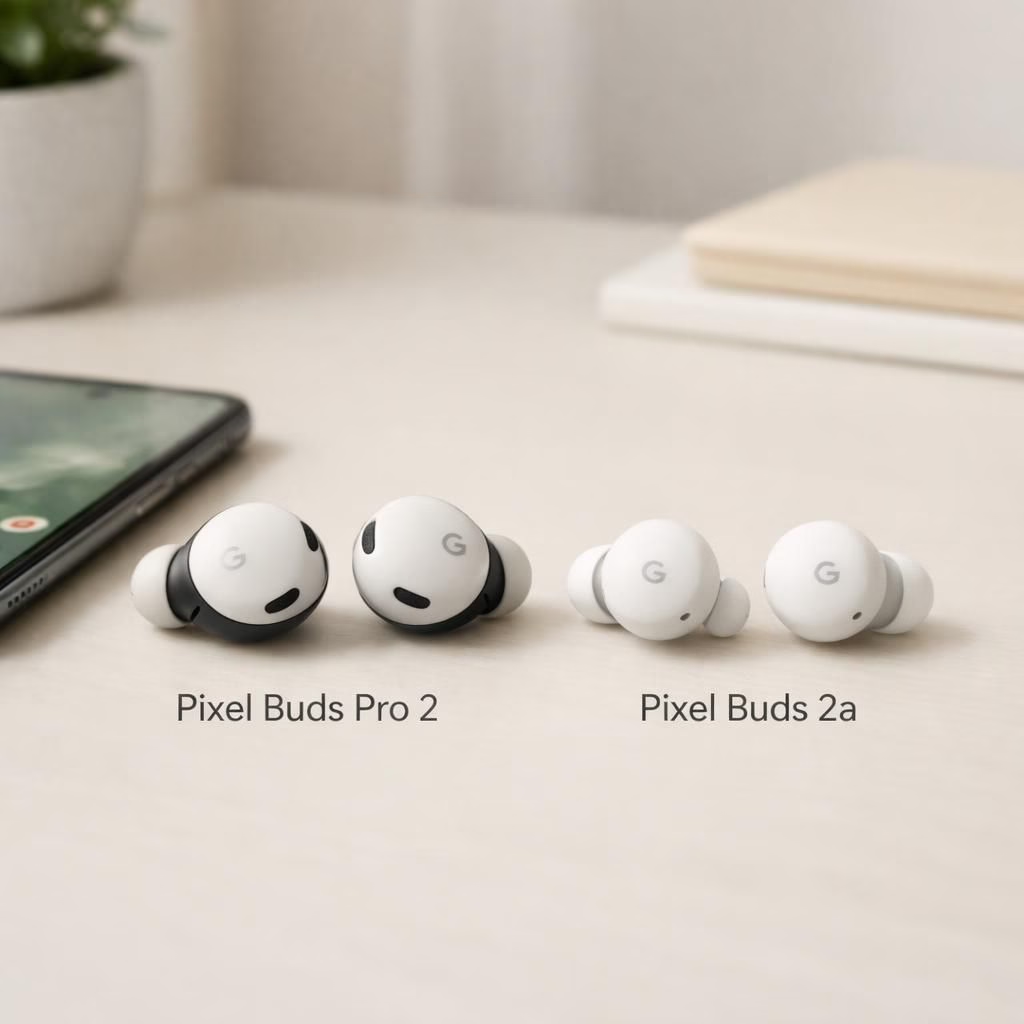
PixelBuds Update is not just a press release; it signals Google’s ongoing commitment to audio hardware that actually plays nice with your day. The PixelBuds Pro 2 and PixelBuds 2a arrive with tweaks that matter: better noise cancellation, smarter multipoint pairing, longer battery life, and a more polished app experience. The setup remains straightforward: pop in the earbuds, pair with a Pixel phone or any Bluetooth device, and you’re off to streaming, calling, and a little bragging about your pick for 2026. This Update promises a smoother ride for commuters and couch DJs alike, without turning your ears into a control panel for a spaceship. In other words, Google listened, and the PixelBuds lineup shows a maturity in sound, software, and hardware integration. The tone is pragmatic, not flashy.
PixelBuds Update: Pro 2 improvements and battery life
In the Pro 2, Google leans into what matters most: longer battery life, better ANC, and a more natural fit that stays comfortable all day. Update notes that the update refines the adaptive ANC so it can chase out more low-frequency rumble without muffling voice cues. The transparency mode gains more accurate ambient pickup, which helps when you need to stay aware of your surroundings while catching every lyric. The Pro 2 case supports faster charging and improved LED indicators, and some testers report a small boost in overall loudness without pushing distortion. Hands-free calling improves thanks to new mic algorithms that isolate your voice from background noise, which makes Zoom calls feel surprisingly human even on crowded commutes. Battery life quietly stretches into the neighborhood of several hours more listening time, and the charging case now supports wireless charging in addition to USB-C. The end result is a more confident pair of earbuds that pair quickly, stay paired, and feel like a genuine upgrade rather than a cosmetic refresh.
PixelBuds Update: Buds 2a tweaks and software experience
Moving to the Buds 2a, the smaller sibling gets several pragmatic tweaks: a lighter, more comfortable form factor, improved mic performance for calls, and smarter on-ear touch controls. The software experience on the companion app gains more intuitive toggles for EQ, ANC, and Find My integration. Update notes describe faster pairing with Android and seamless fallback to other devices via multipoint, which means you won’t wait in a queue every time you switch from laptop to phone. The 2a model also inherits some of the Pro 2 hardware improvements, including more efficient drivers and better codec support for AAC and SBC, which translates to cleaner highs and more controlled bass. All of this feels designed for everyday users who want reliable audio without having to consult a user manual each morning.
What this means for daily users: longer listening sessions without the guilt of hunting for a charger, crisper calls on noisy streets, and a smoother switch between devices without losing playback. The Buds 2a’s lighter design makes all-day wear surprisingly comfortable, while the updated software makes the experience feel cohesive across Pixel devices and non-Pixel devices alike.
To Update your PixelBuds, open the PixelBuds app or your device’s Bluetooth settings and check for updates. Keep the case near your phone, and ensure both buds are seated for the best chance of a clean install. The process is typically quick and mostly seamless, but you might want to plug in for a few minutes to lock in new codecs or EQ profiles.
We also note ongoing improvements to compatibility and future updates based on user feedback. The goal remains simple: deliver better sound, longer life, and fewer fiddly steps. The triumph here is practicality over novelty.
We invite you to share your thoughts in the comments below. How do you find the Pro 2 in everyday use, and does Buds 2a live up to your expectations for 2026?
Source and thanks: Special thanks to 9to5Google for the original reporting. Read the original article here: Pixel Buds Pro 2 and Buds 2a update.
FAQ
- Q: Can I update PixelBuds automatically? A: Updates are delivered via the PixelBuds app or device Bluetooth settings and install quickly.
- Q: Do the new features require extra steps? A: Not for most users; the update process is straightforward with minor prompts.
- Q: Is there a change in battery life after the update? A: Many users report longer listening times thanks to ANC refinements and efficiency tweaks.
References