

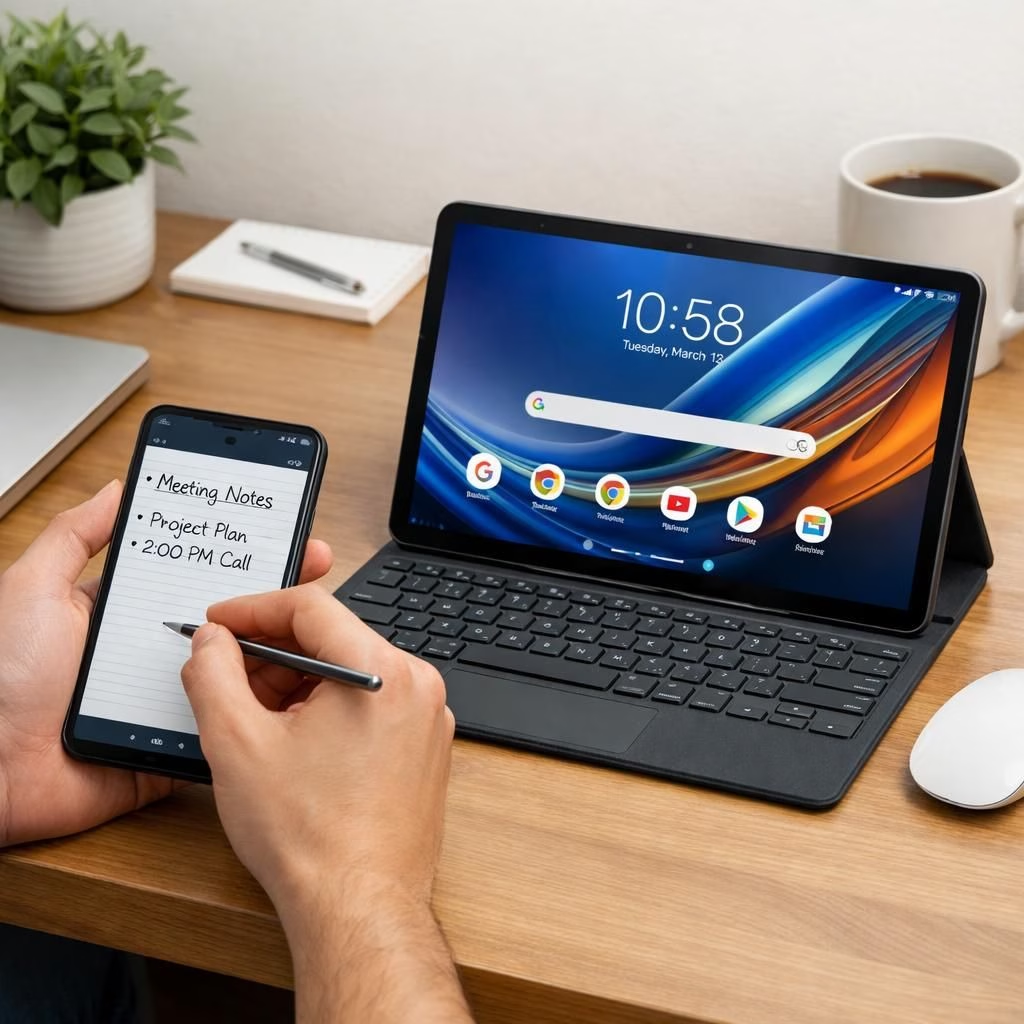
The moto g stylus 2026 remains a rare beast in its price tier, delivering a true stylus experience that feels precise and alive. The moto pad 2026 joins the party, expanding Motorola’s creative arsenal with a larger canvas that travels as easily as your ideas do. Together, these devices nudge creativity, productivity, and a little play across screens.
moto g stylus: Precision that travels with you
In the moto g stylus 2026, the built-in active stylus responds to tilt and pressure in supported apps, enabling broader shading and more natural strokes. It brings a pen-like feel to everyday tasks, whether you’re sketching a quick idea or jotting notes during a snack break. The stylus battery promises up to 100 hours of standby time and roughly four hours of continuous writing; a 15-minute top-up is enough to keep momentum going. IP68 and IP69 ratings, SGS verification, and a leather-inspired finish combine durability with a premium feel.
The Notes app collects handwritten notes, sketches, and ideas in one glance. Tools like Sketch to Image turn simple drawings into polished visuals, while Handwriting Calculator solves equations instantly—no app switching required. Across the device, smart shortcuts emerge from the active stylus, helping you move fast from idea to execution. The moto g stylus continues to shine as a tool for creators who want accuracy without sacrificing spontaneity.
That experience carries across the software ecosystem, where the stylus unlocks smart shortcuts across the device, making everyday tasks smoother and more enjoyable. The moto g stylus remains a standout in its field, whether you are annotating a meeting slide or drafting a quick sketch to capture inspiration. This is not just a gadget; it’s a tiny studio that travels in your pocket.
moto pad: A larger stage for ideas
For the moto pad 2026, an 11-inch 2.5K display with 90 Hz refresh rate offers a spacious surface for study, streaming, and multitasking. The quad speakers powered by Dolby provide immersive audio, while a 7040 mAh battery keeps you in the zone longer. A 20W TurboPower charger tops up fast, and 15W wireless charging adds flexibility for couch sessions. Smart Connect helps you share content across phone, tablet, and PC, and Circle to Search with Google makes it easy to translate or locate anything on screen without leaving the app.
Designed with a rounded metal chassis and Pantone Bronze Green, the moto pad looks as good as it feels. The device is built to travel, with durability tested to withstand daily bumps and giggles from life on the go. It also supports multi-device workflows, so you can move from note-taking on paper-like apps to research on the web without losing momentum.
Beneath the surface, the moto pad runs a robust software stack and integrates with Google services for a seamless experience. With Smart Connect, you can mirror a presentation to a PC or TV, or drag files between devices with minimal friction. Circle to Search helps you get answers straight from the screen, a tiny feature that makes big tasks doable in minutes. The moto pad embodies a calm confidence in heavy tasks and light moments alike.
The moto pad is powered by a MediaTek D6300 5G processor for responsive performance and reliable connectivity, ensuring that the pad complements the stylus-equipped phone rather than competing with it. A long-lasting 7040mAh battery powers up to 12 hours of streaming on a single charge, with 20W charging keeping you moving. The built-in Battery Care features help preserve long-term health as you power through school, work, or play.
Smart software, seamless experiences
Out of the box, the devices run Android and come with Gemini-powered AI features. The experience includes privacy controls, personalization, and Google Photos AI editing tools to simplify image tweaks. Motorola’s Hello UX offers customizable colors, fonts, and gesture-based productivity features. For multi-device workflows, Smart Connect ties everything together, letting you share files, mirror content, and stay connected across screens. The Moto Secure app keeps privacy features accessible in one place.
Availability: In the United States, the moto g stylus – 2026 will be available unlocked at BestBuy.com, Amazon.com, and Motorola.com on April 16, with a MSRP of $499.99. In Canada, it will be on sale at motorola.ca on the same date. The moto pad – 2026 will land in the United States on April 30 via T-Mobile and Metro by T-Mobile, with Motorola.com offering it at MSRP $249.99. All features, functionality, and specifications may vary by network and region and are subject to change without notice. MOTOROLA and the Stylized M Logo are trademarks of Motorola Trademark Holdings, LLC. THINKSHIELD is a trademark of Lenovo. Google, Gemini, Google Photos, and Android are trademarks of Google LLC. Pantone and Pantone Color references are used with permission. Dolby and Dolby Atmos are registered trademarks of Dolby Laboratories. All rights reserved.
Original article: moto g stylus – 2026 and moto pad – 2026 press release. Thank you to the original source for material and inspiration.
We’d love to hear your thoughts on this pairing. Share your experiences with the moto g stylus and the moto pad in the comments below.
Getting the most from moto g stylus 2026
- Enable tilt in supported drawing apps to shade and sketch with more nuance.
- Use Sketch to Image to turn rough doodles into polished visuals quickly.
- Try Handwriting Calculator for on‑the‑fly math without switching apps.
- Keep notes organized in the Notes app to capture ideas as they appear.
Frequently asked questions
- Does the moto g stylus 2026 work offline for notes and sketches? Yes. It stores handwriting and drawings on-device for quick access when you’re not connected.
- How long does the stylus battery last on a typical day? Real-world usage varies, but the device is designed for long sessions with quick top-ups when needed.
- Can I use the moto pad with other styluses? The included active stylus is optimized for the pad, offering the best precision and feature support.
In short, this duo gives you portability, power, and a more natural creative flow across screens. If you’re deciding between compact note-taking and a larger canvas for work or study, both devices are worth a look.