

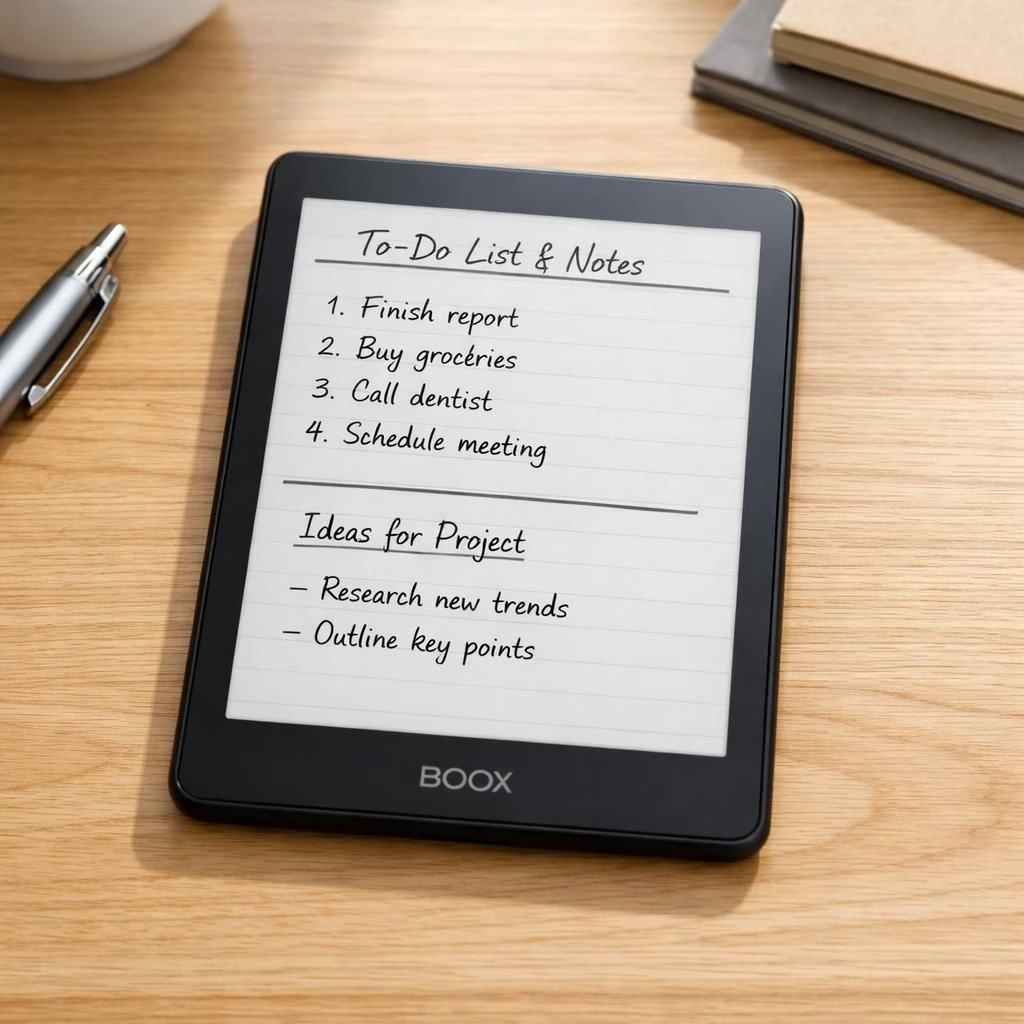
eReader fans, meet Boox—the latest device that promises to replace your Kindle, your Kobo, and even your tattered notepad with a single, surprisingly polite slab of glass.
In a world where screens multiply and paper occasionally fights back, the Boox booth at the show seemed to whisper: "Yes, we can do it all." The new Boox eReader blends the calm of a traditional eReader with the furious efficiency of a notebook, thanks to an Android-based OS, a generous touch surface, and stylus support. This is the kind of device that would make even a stubborn library card smile.
eReader Boox: Why this device could dethrone Kindle
The headline claim is simple: the Boox eReader aims to replace your Kindle and your Kobo by offering a single, flexible slab that can handle novels, magazines, PDFs, and handwritten notes. The display uses E Ink with a front light, adjustable warmth, and the sort of latency that won’t break your train-of-thought. It isn’t just a reader; it’s a portable workspace. For readers who annotate, highlight, and rearrange notes, the Boox eReader provides easy export options, cloud sync, and cross-app compatibility that many dedicated e-readers can’t touch.
Boox Go 6 Gen II: An eReader that doubles as a digital notepad
The Boox Go 6 Gen II expands on the original Go series, adding more robust note-taking capabilities, faster page refresh rates, and improved ergonomics. The device remains slim and light, with an aluminum chassis and a warm display. Boox continues to push the idea that an eReader can double as a mini computer: you can install apps, open PDFs, and scribble ideas with a stylus that feels like real ink on glass. For students, journalists, and wandering travelers, this is a cheap upgrade from carrying a notebook and a separate Kindle or Kobo.
eReader Boox: A closer look at the software and hardware
On the software side, the Boox eReader ships with an Android-based OS, which means access to a broad app ecosystem. That choice is a double-edged sword: more versatility, but more updates and a steeper learning curve. The Boox team has optimized the Go 6 Gen II for one-handed use and comfortable holding, with a responsive touch layer and a stylus that charges magnetically on the device. The overall experience aims to replicate the feeling of a book, plus the freedom to scribble thoughts, export notes as PDFs, or even convert handwriting to text. The Boox approach is not just about reading; it is about a workflow where the eReader becomes your portable desk, sketchpad, and library card in one.
Compared with the traditional Kindle family, the Boox line emphasizes openness: you can run alternative readers, tweak display properties, and save your annotations for later. Boox tablets and eReaders have earned fans who value control and customization over a simple, locked-down experience. If you crave a device that can be a reader, a notebook, and a light PC in your bag, the Boox eReader offers a compelling, if slightly idiosyncratic, path.
Pricing and availability vary by model, but early impressions from reviewers suggest the Go 6 Gen II and related Boox devices are worth considering for long journeys, classroom use, or a home office that needs a minimalist gadget with maximal flexibility. This is not purely a consumer gadget; it is a practical tool for people who want fewer devices and more versatility in their daily routines. The eReader from Boox remains a work-in-progress, but a work-in-progress with real potential to simplify life for dedicated readers and note-takers alike.
Other outlets have chimed in with hands-on takes: Onyx Boox Go 6 2 will be available soon, and the general sentiment is that the eReader has learned from early iterations, delivering smoother navigation and better tactile feedback. Trusted Reviews notes that this Kindle rival has software you won’t find on any of Amazon’s readers, adding a layer of curiosity for power users who want to push beyond basic reading tasks. Mashable also covered the Go 6 Gen 2 availability, highlighting the continued evolution of Boox’s compact, capable eReaders. The coverage across Good e-Reader and other tech press paints a consistent picture: Boox is leaning into an ecosystem that rewards owners who want both reading comfort and productivity on a single device.
And yes, there are trade-offs. The Boox eReader demands patience with setup, appreciates a stable case, and rewards those who invest a little time to learn its quirks. If you are a loyal Kindle user, you may miss some Amazon-ecosystem conveniences at first. If, however, you want to escape the walled garden and carry a device that can manage documents, annotate freely, and sync your library across formats, the Boox approach offers distinct advantages. In short, Boox is betting big on versatility, while honoring the simple joy of a good page turn.
For travelers and students who scribble constantly, the Go 6 Gen II is a practical upgrade. It is lighter than a full-size tablet, yet powerful enough to run a suite of note-taking and reading apps. The stylus magnetically attaches and docks—no frantic search for a charger before a conference. The display remains easy on the eyes, with enough grayscale depth and warm light control to reduce eye strain over long sessions. If you want an eReader that acts like a notebook and a pocket computer, the Boox device deserves a thoughtful look.
Bottom line: if you crave an all-in-one reading and writing setup, this Boox eReader makes a strong case for replacing multiple gadgets with a single, purpose-built tool. It will not be flawless, and the learning curve may remind you that you are indeed a power user. But for those who value flexibility and a light touch of rebellion against single-purpose devices, Boox offers a compelling option that aligns with the 2026 vision of integrated reading and note-taking.
What do you think? Share your thoughts in the comments and tell us if you would ditch Kindle or Kobo for Boox. Your voice matters, and your own use case could spark a hot tip for the next update.
Original reporting and inspiration from The Verge and fellow outlets. Thank you to The Verge for the original coverage: The Verge.
Practical tips for using the Boox Go 6 Gen II
- Charge and setup: keep the stylus charged and enable gesture controls.
- Organize notes: export as PDF, text, or image to cloud services.
- Customize display: adjust font, warmth, and margins to reduce eye fatigue.
- Keep it open: install core reading apps and keep backups of annotations.
FAQ
- Can this Boox replace a Kindle or Kobo?
For many readers it can, thanks to open formats, annotations, and cloud sync. Some Amazon-only conveniences may be missing.
- Is the Android OS easy to use on a dedicated eReader?
It adds versatility, but it comes with a learning curve and periodic updates.
- Does handwriting conversion work well?
Handwriting-to-text is usable, but accuracy depends on style and contrast.
- Is upgrading from an older model worth it?
Yes, if you want better multitasking, improved note-taking, and a lighter travel companion.
Conclusion: If you want an all-in-one reading and writing setup, the Boox Go 6 Gen II presents a compelling option for those who value flexibility and portability. It isn’t flawless, but it offers a new kind of workflow that blends reading, note-taking, and light computing in a single device.
References
Original source: https://www.theverge.com/tech/947769/boox-onyx-go-6-gen-ii-android-11-e-reader-google-play