

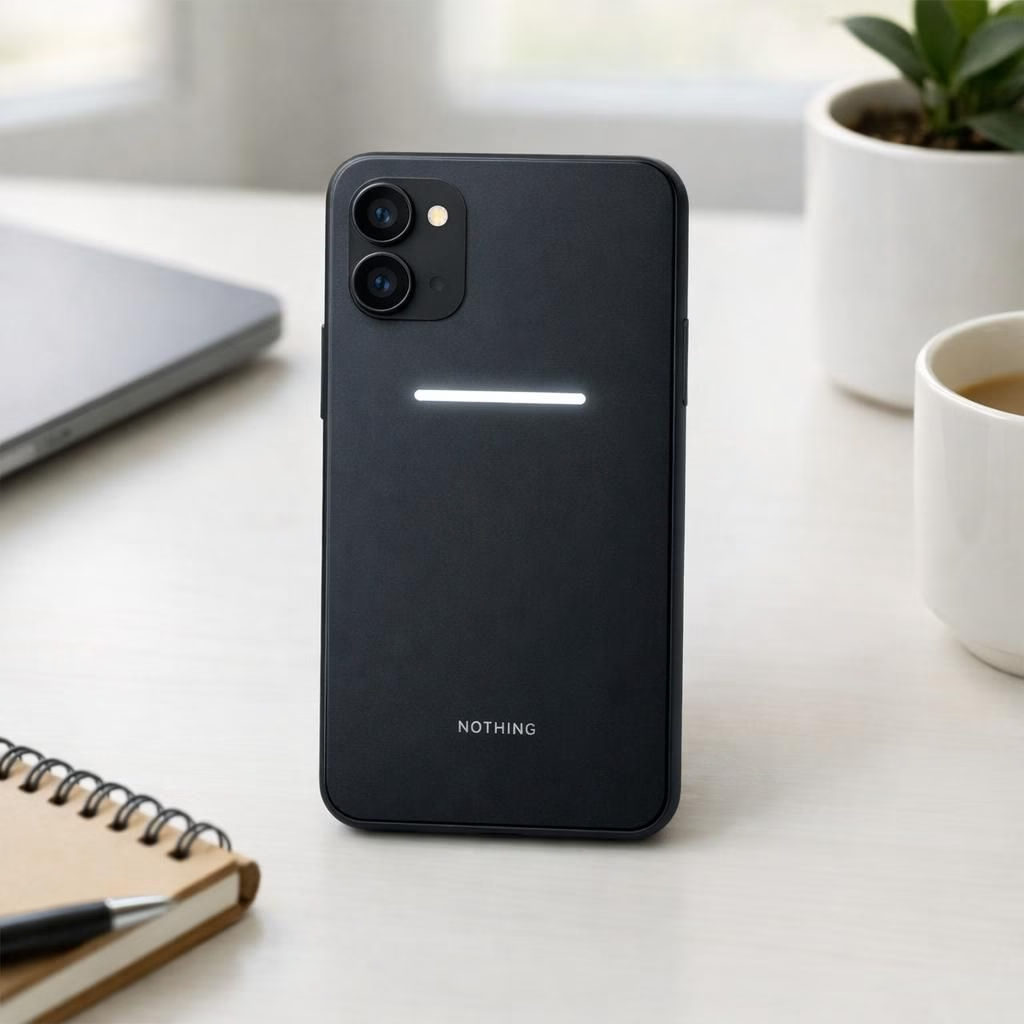
Nothing Phone 4a remains the gadget that cannot resist stealing a spotlight, and the Glyph Bar is the cheeky wink that it is not shy about showing off. In 2026, the Nothing crew doubles as modern-day magicians, conjuring a design that looks equally at home on a fashion runway and in a tech review. The Glyph Interface adds personality to the screen without begging for upgrades at every turn, proving that a little light can go a long way when used with taste.
Nothing Phone 4a: Design, Glyph Bar, and Practical Flair
The device sports a minimalist silhouette: a glass back with a matte finish, a frame that’s comfortable in hand, and the signature Glyph Bar perched along the edge. The Glyph Bar lights up in discrete patterns for notifications, charging status, or playful pulses when you interact. It isn’t loud; it is a subtle, almost shy glow that nevertheless catches the eye. The design choice preserves a clean front, keeping the display free of a cluttered bezel, while the LEDs provide quick feedback without jangling your senses.
Inside, the Nothing Phone 4a pairs a capable mid-range processor with a stock Android-like experience, giving you snappy animations and reliable daily use. Nothing keeps the software cadence brisk, and the Glyph Interface is reflected in small touches like glyph-shaped icons that animate when you swipe or open apps. The result is a device that feels deliberate, not rushed, and that invites you to discover little joys rather than chase the next big thing.
Glyph Bar and Nothing Phone 4a Notifications Without Noise
In practice, the Glyph Bar serves as a quiet companion to the on-screen notifications. A glance at the LED bar tells you if a message is urgent, if the battery is low, or if you have a missed call while your phone sits face-down on the desk. You can customize patterns for particular apps, create a color-language of lights, and program friendly alerts for meetings. The approach embraces minimalism—no loud ringtones, no buzzing that ruins quiet hours—just a soft glow that whispers information.
Daily testing shows the Glyph Bar fading gracefully into the background when you are deep into work, but popping forward at a glance when someone mentions a delivery or a reminder. The feature is not a gimmick; it is a thoughtful design choice that respects your attention and your battery life.
Glyph Bar, Glyph Interface, and the 2026 Tech Landscape
For reviewers and everyday users alike, the Glyph Bar becomes a memorable shorthand for Nothing’s design language. Paired with the Glyph Interface, it forms a cohesive micro-interaction strategy that adds value without adding bulk. In the crowded mid-range space of 2026, a thoughtful light bar and a well-executed interface can help a device stand out without shouting. The Nothing Phone 4a thus becomes a lesson in restrained spectacle—a reminder that innovation can be quiet and friendly.
Performance remains solid for the price, with a dependable camera stack and reliable software updates that keep the phone current without forcing you to buy a new model every year. Battery life holds up for a full day of mixed usage, and the LED bar continues to delight rather than drain. The Glyph Bar does not nag; it guides, nudges, and occasionally teases with a tiny glow when you reach a milestone in your day.
Pricing sits in the middle of the Nothing lineup, offering good value given the design language and features. It isn’t a budget option, but it delivers personality in a way that matters for everyday tasks, social sharing, and casual gaming. The Glyph Bar and Glyph Interface deliver a signature experience that makes the Nothing Phone 4a both a conversation starter and a dependable daily driver. In short, you get style with substance, not style alone.
As we look toward the rest of 2026, the Nothing Phone 4a demonstrates that a brand identity can coexist with practical performance. If you crave a phone that feels fresh but not foreign, and you enjoy subtle lighting drama in your pocket, this device deserves a closer look.
Linkback attribution: Special thanks to The Verge for the original reporting on the Nothing Phone 4a. Original article: Nothing couldn’t wait to show off the Phone 4A.
How to customize Glyph Bar patterns (practical steps)
- Open Settings > Glyph Bar to see pattern options.
- Assign patterns to categories like messages, calls, and reminders for quick glance feedback.
- Test a few color schemes to ensure readability in bright environments.
- Match app-specific alerts to avoid notification overload.
FAQ
- What is Glyph Bar? A light-based notification strip that sits along the edge and communicates status at a glance.
- Does Glyph Bar drain battery? It uses minimal power and only engages on events; it won’t drain battery more than necessary.
- Is Glyph Interface essential? It’s part of Nothing’s design language, adding personality without sacrificing usability.
Conclusion
The Nothing Phone 4a blends style with sensible performance. The Glyph Bar and Glyph Interface offer a unique, non-intrusive way to stay informed, while the core experience remains reliable for everyday tasks. If you value design personality that doesn’t shout, this device deserves a closer look.
External sources
- The Verge – Nothing Phone 4a official design and Glyph Bar
- Android Central coverage of Nothing Phone 4a
- Mashable – Nothing Phone 4a coverage
References
The Verge: Nothing Phone 4a official design and Glyph Bar