

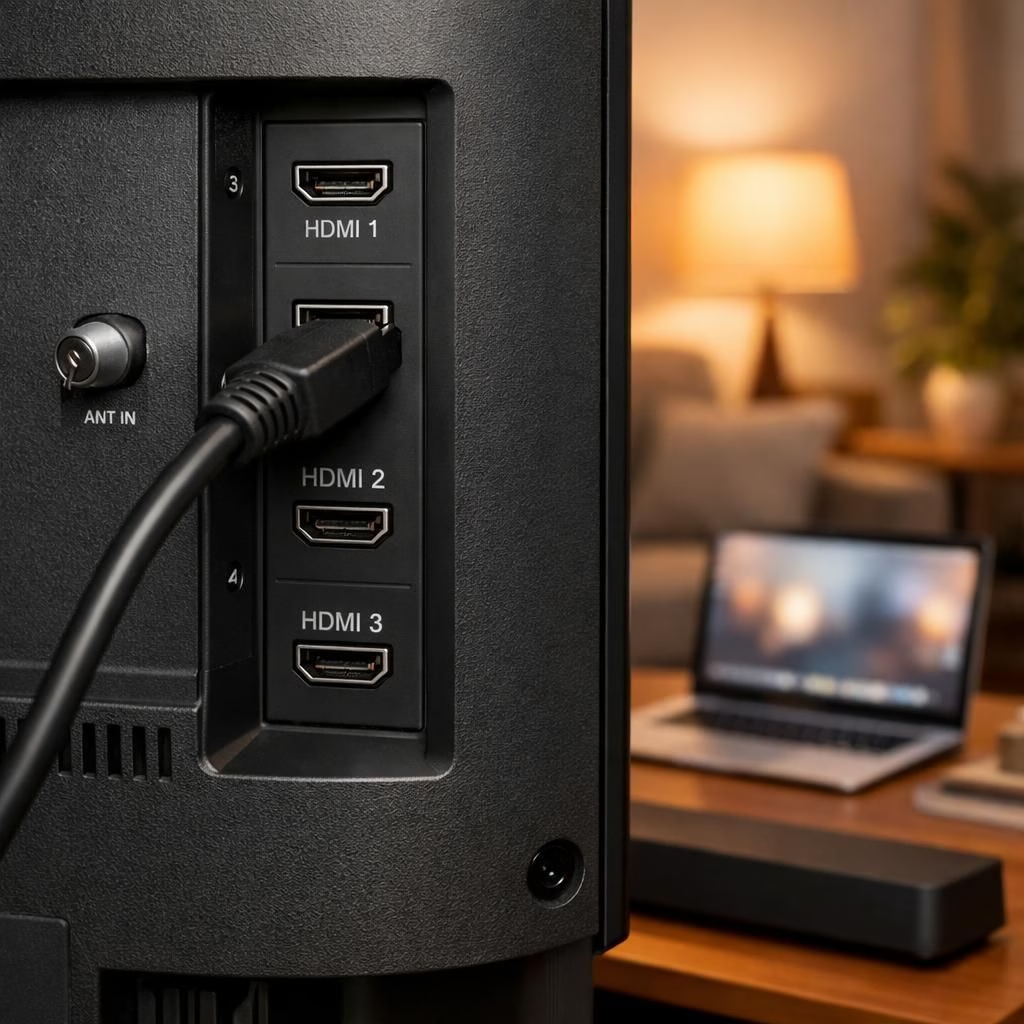
HDMI Ports are not just a video highway; they quietly boost your living room, workstation, and gaming rig in 2026. If you thought the HDMI port was only for screens, think again—clever engineers packed extra personality into these connectors.
HDMI Hacks You Can Use Every Day
First up: Audio returns and high-bitrate streaming. ARC and the newer eARC adjust the travel of sound from your TV back to the soundbar or receiver via the same cable used for video. This isn’t magic; it’s a protocol that requires compatible devices and correct settings. The payoff is simple: fewer remotes and better lip sync during dramatic movie moments. If your gear supports eARC, you can enjoy lossless audio formats like Dolby Atmos over your home theater system. Pro-tip: check that your HDMI port is labeled ARC on the TV and that your soundbar’s input is configured for ARC or eARC. That’s the kind of consumer-win that makes you think the port is doing yoga in your honor.
Tips for ARC setup: enable ARC on the TV, enable eARC on the sound system, and use a high-quality HDMI cable. This simple Tips checklist minimizes lip-sync issues and dropout risks, making movie nights calmer and louder in all the right places.
Second: HDMI-CEC, the remote-control dream. HDMI-CEC allows devices to talk to each other: turn on the console, switch the TV input, and adjust volume with one magic remote. In practice, that means less button-mashing and more watching. The caveat is that every device’s CEC implementation can be a little different, and a misbehaving device can nudge the whole system into a different mode than you intended. The fix is straightforward: enable CEC on each device, pick a default control device, and keep your expectations reasonable. It won’t fix everything, but it’s astonishing how often it solves tiny annoyances that accumulate over a week of living with a media setup.
Another quick tip: keep a single remote by allowing CEC to take control; this is another Tips-style move that pays off over time. It isn’t perfect, but it’s often worth the convenience.
Ports Power-Up: Hidden Perks
Third: The HDMI Ethernet Channel, when your devices support it, can wire an actual network through a single cable. The idea is elegant: your TV or Blu-ray player could share internet without a separate Ethernet cable, which is especially handy if you’re wiring a wall-full of devices behind a cabinet. In reality, many households never enable Ports because Wi‑Fi reaches every corner already, and some devices simply don’t use it. Still, it’s nice to know the option exists, and if you’re wiring a tidy, cable-laden setup, it’s a small but real productivity boost. Think of HEC as the polite neighbor who offers to share the Wi‑Fi password but only if you invite them to dinner.
Fourth: The HDMI 2.1 feature set is the shiny upgrade you’ve heard about. VRR (Variable Refresh Rate) smooths gaming visuals, preventing frame tearing during fast action. ALLM (Auto Low Latency Mode) reduces input lag for snappier control during tense gameplay. Then there are HDR options (HDR10, Dolby Vision, and friends) that deliver brighter highlights and deeper shadows, especially in movie nights or a fast-paced sports broadcast. This isn’t about changing a cable; it’s about changing the experience. To see the magic, pair a PS5 or a PC with a TV or monitor that supports at least HDMI 2.1, and make sure you’re using a cable that can handle the higher bandwidth. You’ll notice the difference in the first frame that includes a quick sprint or neon-lit cityscape. It’s not science fiction; it’s one or two settings away from a more fluid, immersive moment.
Tip: ensure your gear supports HDMI 2.1 and that you’ve chosen a high-bandwidth cable; the difference shows up in fast action and bright HDR scenes.
So, the four tricks turn ordinary HDMI Ports into a set of tiny helpers that reduce friction and raise the wow factor. The key is to know what your gear can do and to keep expectations aligned with your hardware’s capabilities. If you’re chasing perfect lip-sync with a retro TV, or you simply want a single remote to rule them all, these HDMI and Ports tips have you covered—even in 2026, when new standards arrive and old habits linger.
We’d love to hear your experiences. Share your thoughts in the comments below.
Special thanks to SlashGear for the original article that sparked this well-meant reinvention: 4 Things You Didn’t Know HDMI Ports Can Do – SlashGear.
FAQ
- Q: Are all HDMI ports capable of ARC or eARC?
A: ARC/eARC requires compatible devices and typically occurs on specific ports labeled ARC on TVs and receivers. - Q: Do I need HDMI 2.1 cables for VRR or ALLM?
A: Yes, to guarantee bandwidth for higher refresh rates and HDR, use a rated HDMI 2.1 cable. - Q: Will HDMI-CEC make every remote disappear?
A: It can reduce remote clutter, but some devices may still require occasional manual control or settings tweaks. - Q: Is HDMI Ethernet Channel worth using?
A: If your devices support it and you prefer fewer cables, HEC is a neat optional feature, but wi-fi often covers most homes.
Conclusion
In practice, you don’t need a tech overhaul to enjoy smarter HDMI Ports. A few enabled features and a compatible setup make lip-sync tighter, control smoother, and gaming more fluid. Start with ARC/eARC for sound, check CEC behavior, and try HDMI 2.1 where you can.
References
Original source: https://www.slashgear.com/2104457/things-you-didnt-know-hdmi-ports-can-do/